3-24
Installing the Software
R4C0910
Rev. C
A5 size INSTALL.FM
1/12/00 Pass 3
L
Proof Sign-off:
SEI Y.Takasaki M.Fujimori
M.Fujimori
SEI M.Kauppi
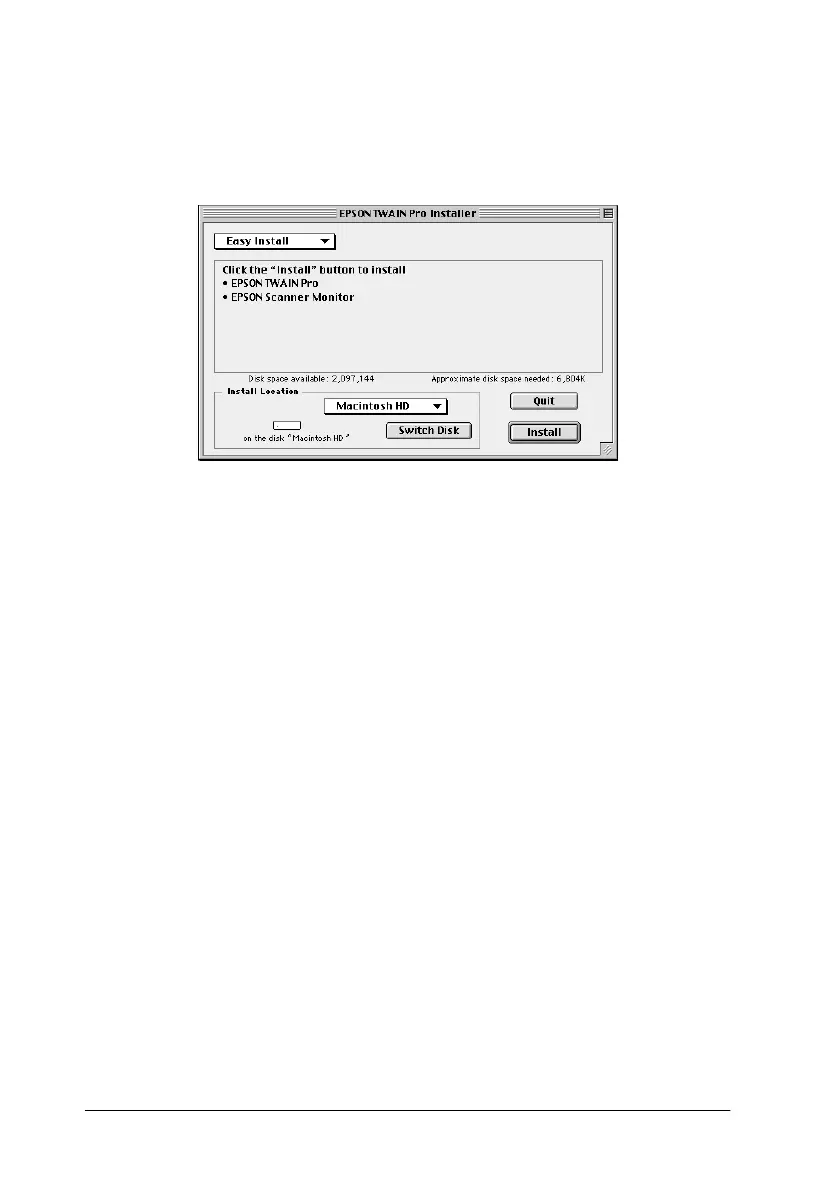
5. The installer software shows a dialog box. Click
Install
in the
dialog box that appears, and follow the instructions on the
screen.
When you have finished the entire installation, click
Restart
to complete the installation. The EPSON Screen Calibration
utility automatically starts, see page 3-25 for details. After
finishing screen calibration, the computer will restart.
Continue from step 6 below to install other software.
6. Double-click the folder that contains the software you want
to install.
The software folder contains multiple-language versions of
the software. Double-click the folder of your preferred
language.
7. Double-click the installer icon to start the installation
program. Then follow the instructions on the screen.
8. After installing the software, connect the scanner to your
computer as described in Chapter 2. (Keep in mind the
“Power-on sequence” on page 2-14 if you are using a SCSI
interface.)









 To Next Page