Chapter 1 Product Description
Rev. A
1-21
1.4 Control Panel
Since EPSON Stylus Color 600 does not require many buttons since printer driver can start various
settings and motions. Therefore, there are only 2 non-lock type push switches, 1 lock type push switch
and 4 LEDs.
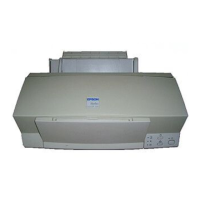
Following figure shows control panel of EPSON Stylus Color 600.
1.4.1 Indicators
Power
Lights when the operate switch is “ON”, and AC power is supplied.
Paper out
Lights during the paper-out condition, and blinks during the paper-jam condition.
Ink Out (Black)
Lights during no Black ink condition, and blinks during the Black ink low condition.
Ink Out (Color)
Lights during no Color ink condition, and blinks during the Color ink low condition.
Power
Power switch
Load/Eject switch
Cleaning Switch
(Ink maintenance)
Paper out LED
Ink out(Black)LED
Ink out(CMY)LED
LED
Figure 1-11. Control Panel


 To Next Page