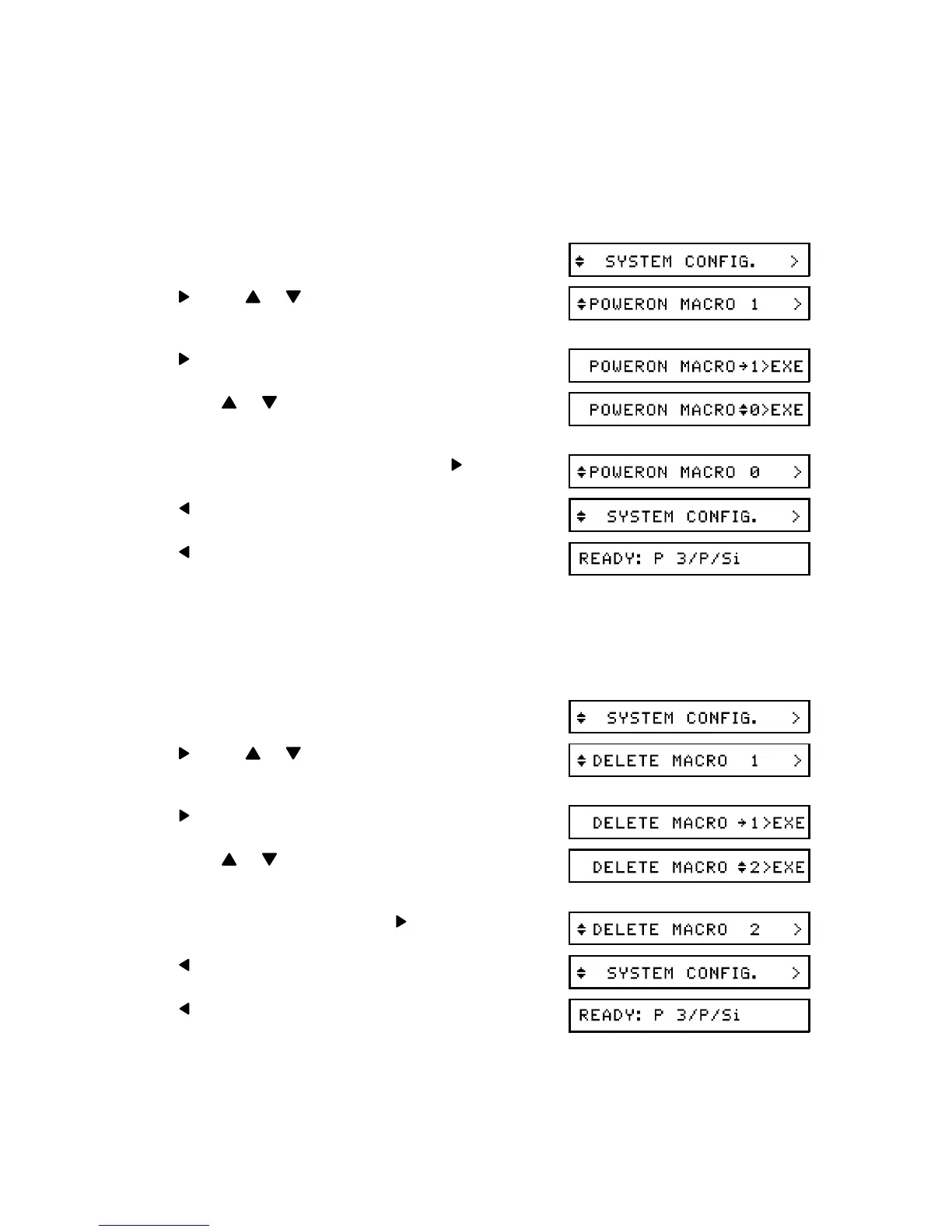
- POWERON MACRO -
Use this option to specify which macro contains the Level 1 settings you wish to use im -
mediately after you switch the power on.
Available Options: 0 to 4, If you select 0, the factory settings will be used.
1. Enter SYSTEM CONFIG mode (see page 29).
2. , then or until POWERON MACRO is
displayed.
3.
4. Press or until the required macro num -
ber is displayed.
5. Store the displayed macro number:
6.
7. twice to return to printer "Ready" mode.
- DELETE MACRO -
Use this feature if you wish to delete one of your macros.
Available Options: 1 to 4
1. Enter SYSTEM CONFIG mode (see page 29).
2. , then or until DELETE MACRO is
displayed.
3.
4. Press or until the required macro num -
ber is displayed.
5. Delete the displayed macro:
6.
7. twice to return to printer "Ready" mode.
ADJUSTING THE PRINTER SETTINGS
33


 To Next Page