Installing a Memory Module
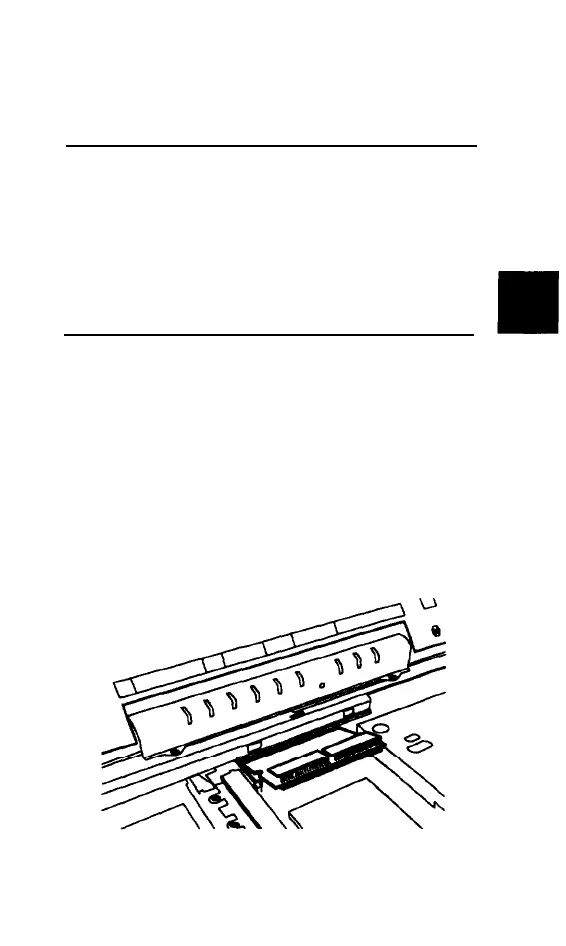
Follow these steps to install the new memory
module:
CAUTION
Computer memory modules are
sensitive
to static
electricity. Ground yourself by touching
a metal
surface before you touch the memory module. Keep
it
safe
inside its anti-static packaging until you are
ready to installit. Remain as stationary as possible
while you install it.
1.
Holding the memory module with the
notch on the upper right corner, align it
with the connector at the edge of the
socket.
2.
Insert the memory module Into the socket
at an angle, pressing along the edge until
it clicks into place.
Upgrading Internal Components 5-13



 To Next Page