Setting Up the Document Camera 13
Installing Batteries in the
Remote Control
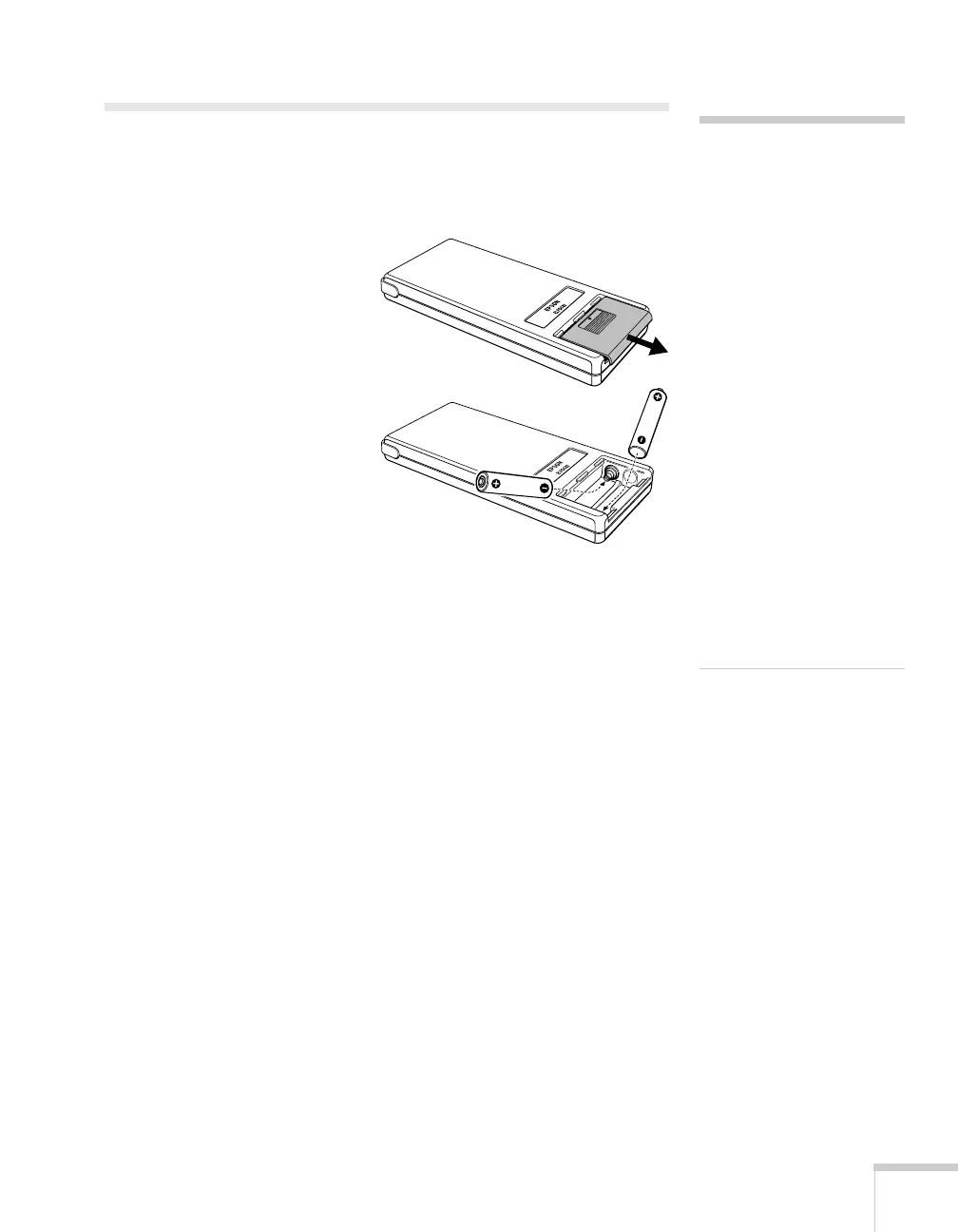
Before using the remote control, install its batteries.
1. Press down on the battery
cover and slide it off.
2. Insert two AAA batteries as
shown.
3. Replace the battery
compartment cover.
caution
When replacing batteries,
take the following
precautions:
■ Don’t mix old and new
batteries.
■ Replace batteries as soon as
they run out. If the
batteries leak, wipe away
battery fluid with a soft
cloth. If fluid gets on your
hands, wash them
immediately.
■ Don’t expose batteries to
heat or flame.
■ Dispose of used batteries
according to local
regulations.
■ Remove batteries if you
won’t be using the
document camera for a
long period of time.



 To Next Page