38 Using the Document Camera
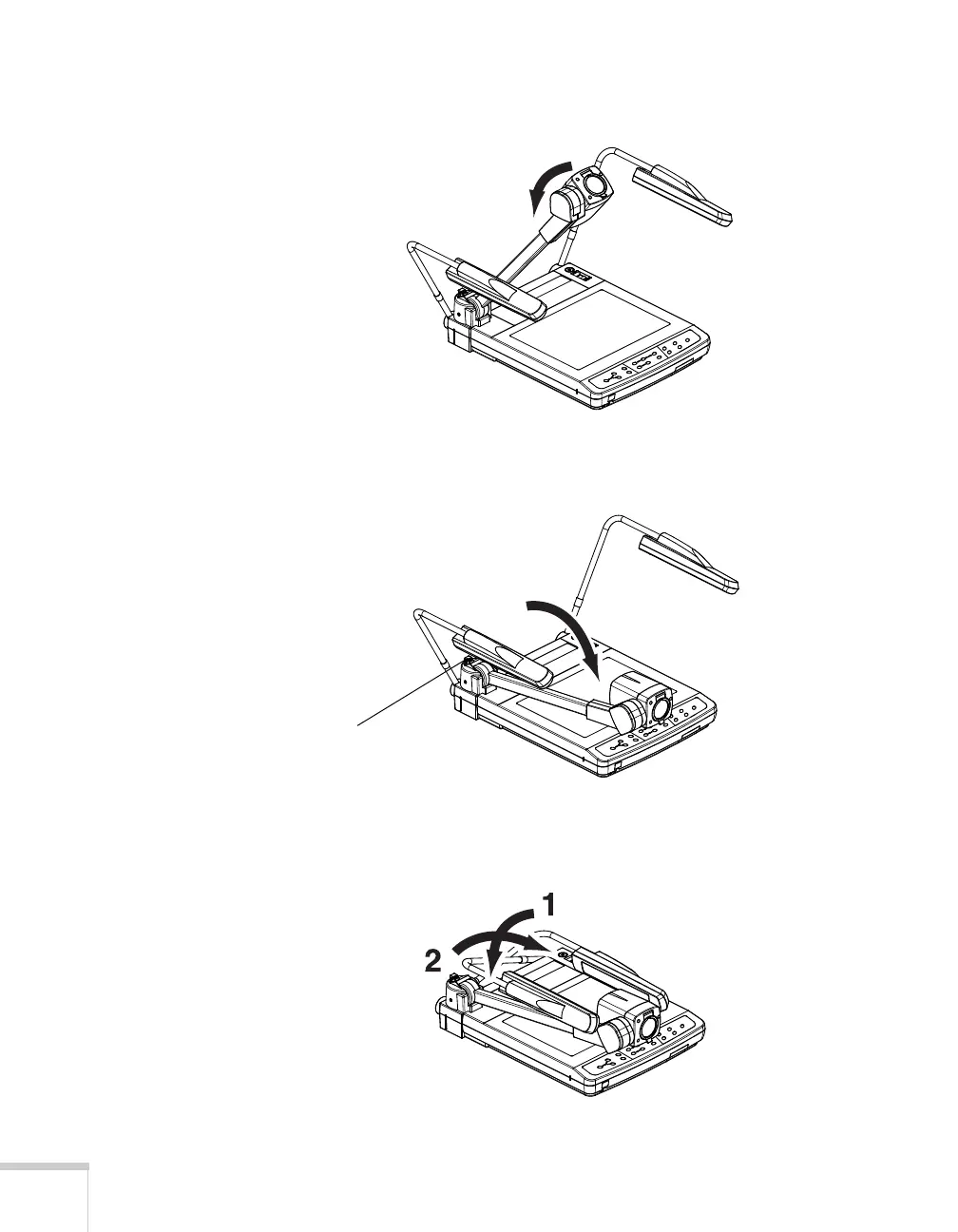
5. Rotate the camera head to its storage position.
6. Press the camera arm release button as you carefully lower the
camera arm onto the stage.
7. Lower the arm for the right lighting unit, and then lower the arm
for the left lighting unit.
s
Camera arm
release button



 To Next Page