Functions for Enhancing Projection
17
Changing the Aspect Ratio
g
(Aspect)
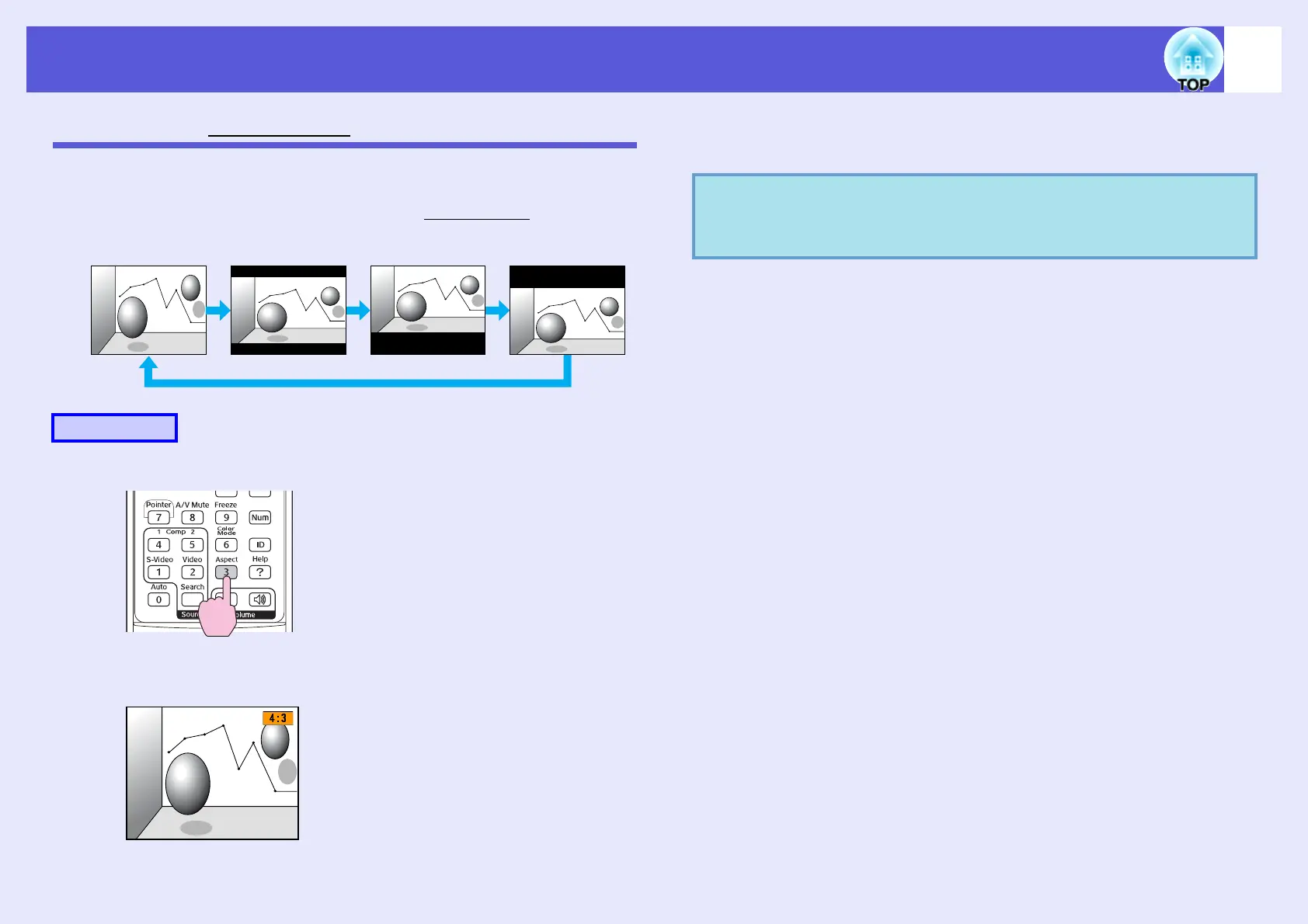
When video equipment is connected, images that have been recorded in
digital video or onto DVDs can be viewed in 16:9 wide-screen format.
You can change the aspect ratio for images in squeeze modeg as follows.
Each time you press the button, the aspect name is displayed on the screen
and the aspect changes.
If you press the button while the aspect name is displayed on the screen, it
changes to the next aspect mode.
Procedure
16:94:3 16.9 (below)16.9 (above)
Remote control
q
The color mode can also be set using "Aspect" in the
"Signal" menu from the configuration menu.
s
p.32



 To Next Page