List of Functions
37
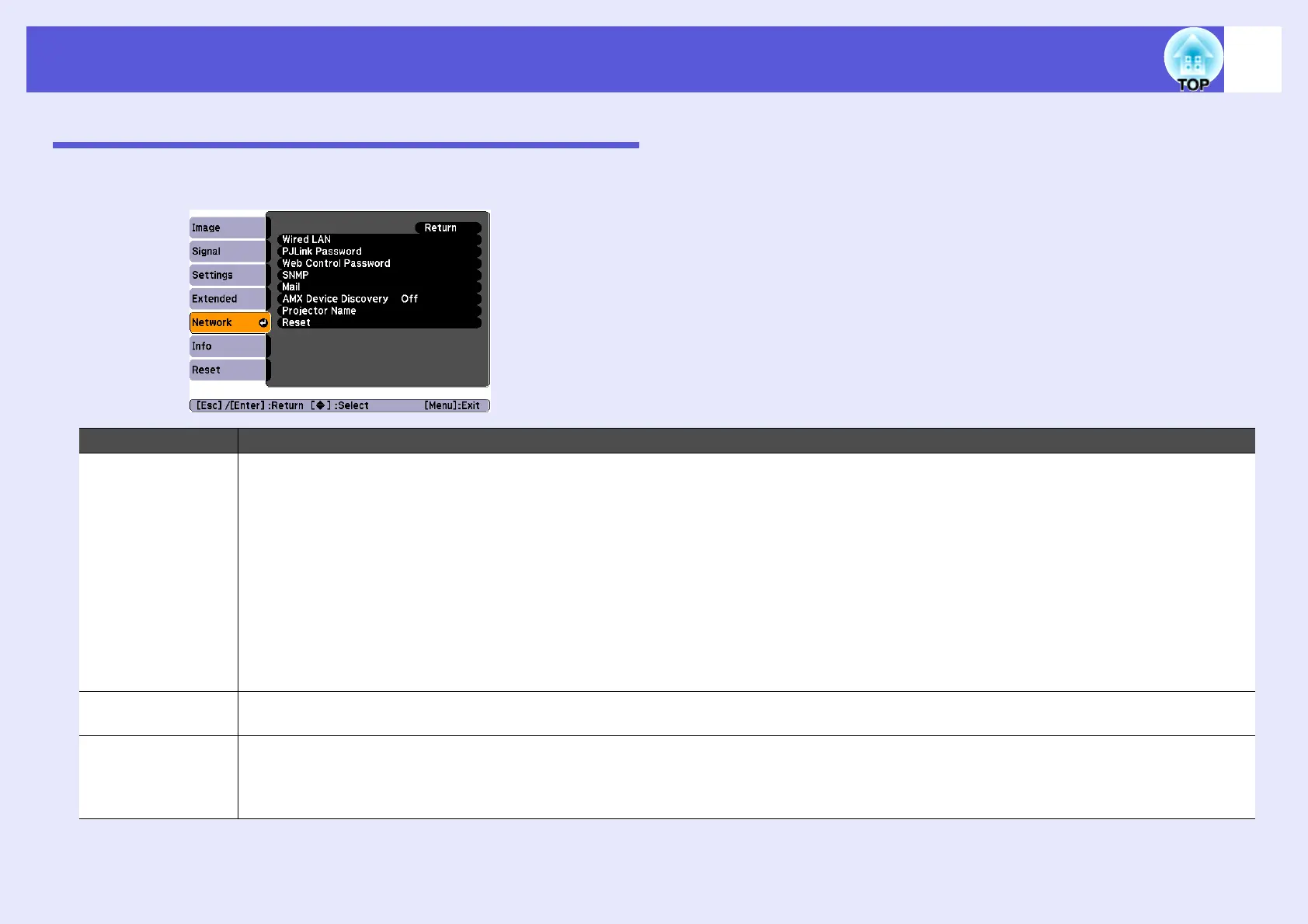
Network Menu (EMP-6110 Only)
When "Network Protect" is set to "On" in "Password Protect", a message is displayed and the settings cannot be changed. You can make changes after
setting "Network Protect" to "Off". s p.25
Sub Menu Function
Wired LAN DHCP: You can set whether to use DHCP (On) or not (Off).
If this is set to "On" you cannot set any more addresses.
IP Address: You can input the IP address assigned to the projector.
*1
You can input a number from 0 to 255 in each field of the address. However, the following IP addresses cannot be used.
0.0.0.0, 0.x.x.x, 127.x.x.x, 224.0.0.0 to 255.255.255.255 (where x is a number from 0 to 255)
Subnet Mask: You can input the subnet mask for the projector.
*1
You can input a number from 0 to 255 in each field of the address. However, the following subnet masks cannot be used.
0.0.0.0, 255.255.255.255
Gateway Address: You can input the IP address for the gateway for the projector.
*1
You can input a number from 0 to 255 in each field of the address. However, the following gateway addresses cannot be used.
0.0.0.0, 127.x.x.x, 224.0.0.0 to 255.255.255.255 (where x is a number from 0 to 255)
MAC Address: You can display the MAC address for the projector.
PJLink Password You can input the authentication password when accessing the projector by using the PJLink compatible application software.
*1
s p.77
You can use numbers and letters and it can be up to 32 characters in length.
Web Control
Password
You can input the authentication password when setting and controlling the projector using Web control.
*1
You can use numbers and letters and it
can be up to 8 characters in length.
Web control is a computer function that allows you to control the projector by using a computer's Web browser when starting up EMP Monitor.
s EMP Monitor Operation Guide



 To Next Page