Security Functions
28
Anti-Theft Lock
As the projector is often setup on ceiling mounts and left in rooms
unattended, it is possible that someone may try and take the projector, so
the projector includes the following security devices.
• Security slot
The security slot is compatible with the Microsaver Security System
manufactured by Kensington. You can find details about the Microsaver
Security System on the Kensington homepage http://www.kensington.
com/.
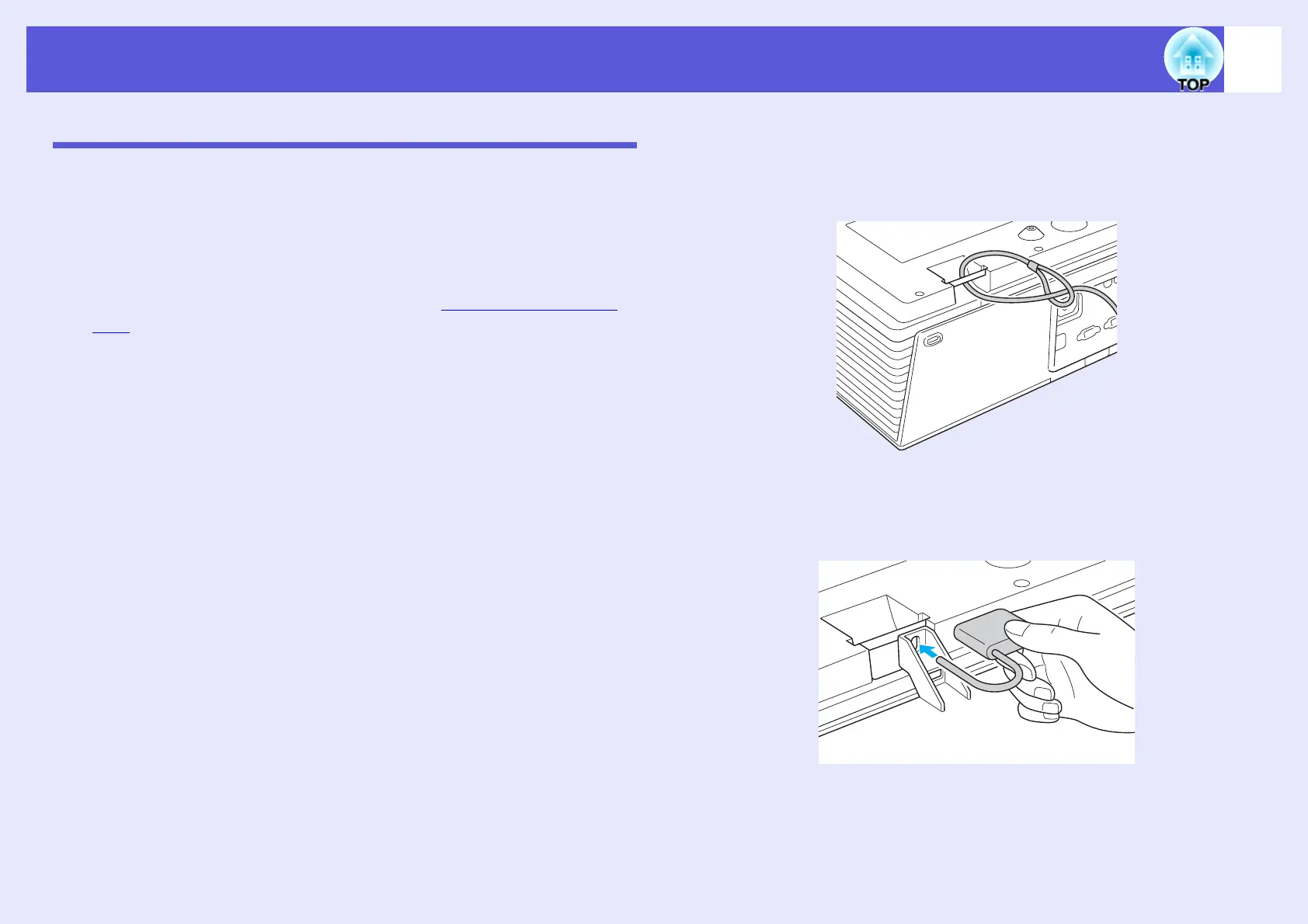
• Security cable installation point
A commercially available theft-prevention wire lock can be passed
through the installation point to secure the projector to a desk or pillar.
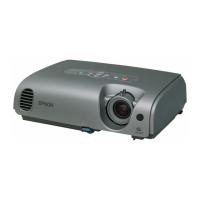
• Cable cover padlock hole (EMP-6110 only)
Lock the cable cover using a commercially available padlock, because
the power cable and connection cables cannot be unplugged from the
projector once the cable cover is locked, the projector cannot easily be
removed.
f Installing the wire lock
Pass an anti-theft wire lock through the installation point.
See the documentation supplied with the wire lock for locking
instructions.
f Cable cover locking method (EMP-6110 only)
After fitting the cable cover, lock it using a commercially available
padlock.



 To Next Page