Cleaning
60
D
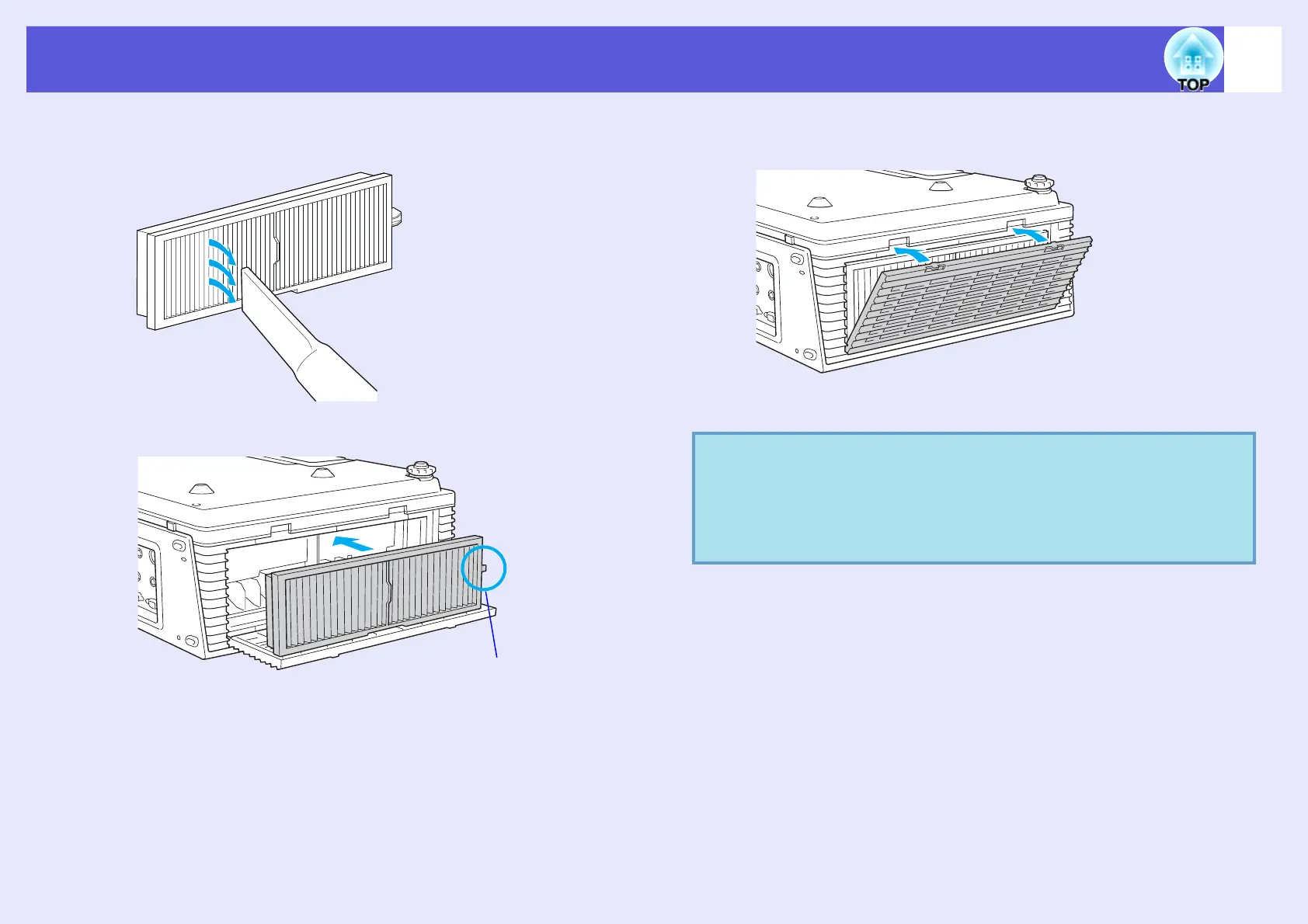
Use a vacuum cleaner to remove the remaining dust
from the front face of the filter.
E
Install the air filter.
F
Close the air filter cover.
Press the cover until it clicks into place.
Set so that the projected ridge
points to the front of the projector.
q
• After cleaning the air filter, make sure you set "Reset Air
Filter Time" from the configuration menu.
s
p.41
• If a message is frequently displayed, even after cleaning, it
is time to replace the air filter. Replace it with a new air
filter.
s
p.65



 To Next Page