Replacing Consumables
64
C
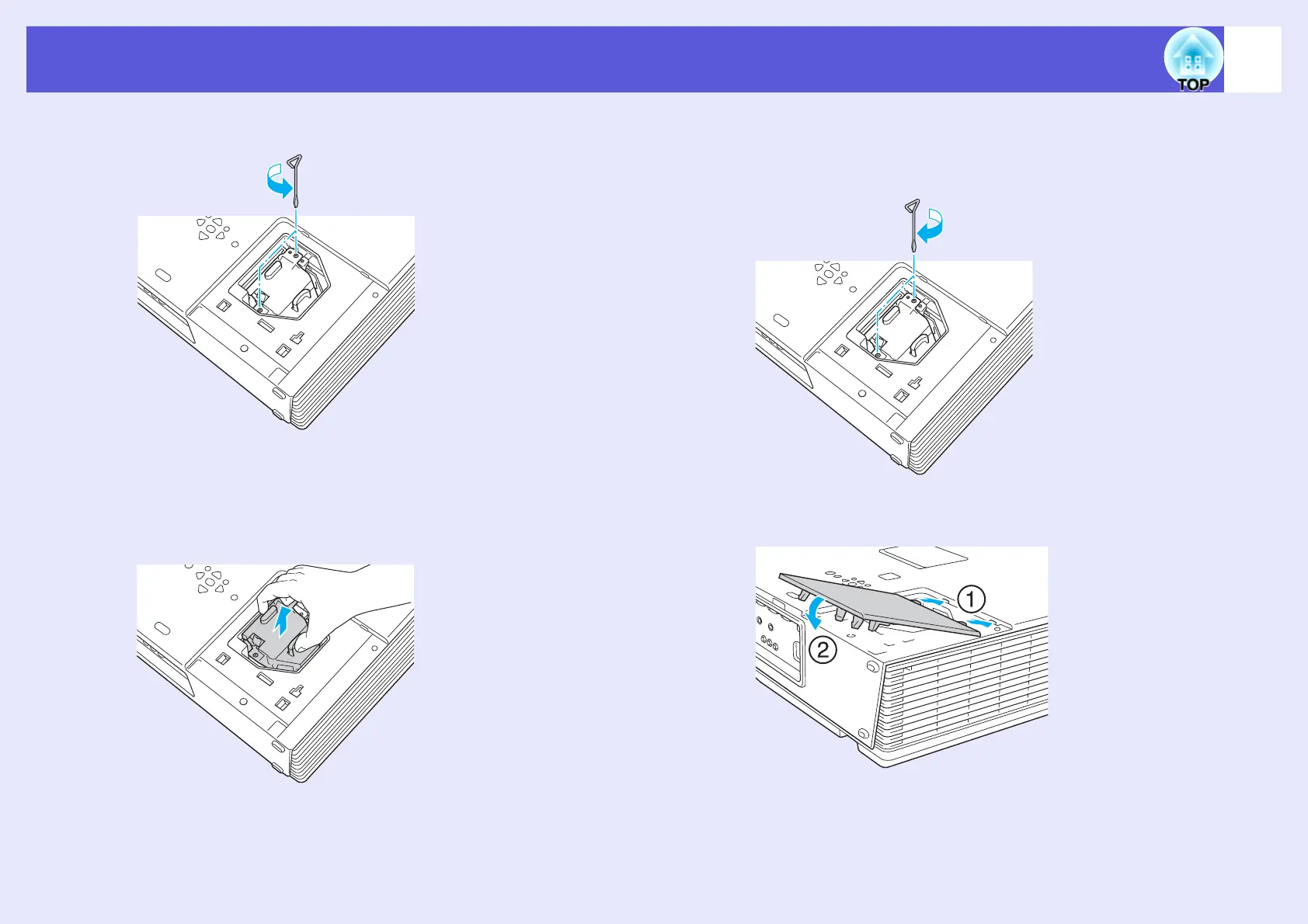
Loosen the two lamp fixing screws.
D
Take out the old lamp.
If the lamp is cracked, replace it with a new lamp, or contact your
local dealer for further advice. If replacing the lamp yourself, be
careful to avoid pieces of broken glass.
E
Install the new lamp.
Insert the new lamp so that the lamp fits in place correctly and,
once it is fully inserted, tighten the two screws.
F
Replace the lamp cover.



 To Next Page