Replacing Consumables
66
C
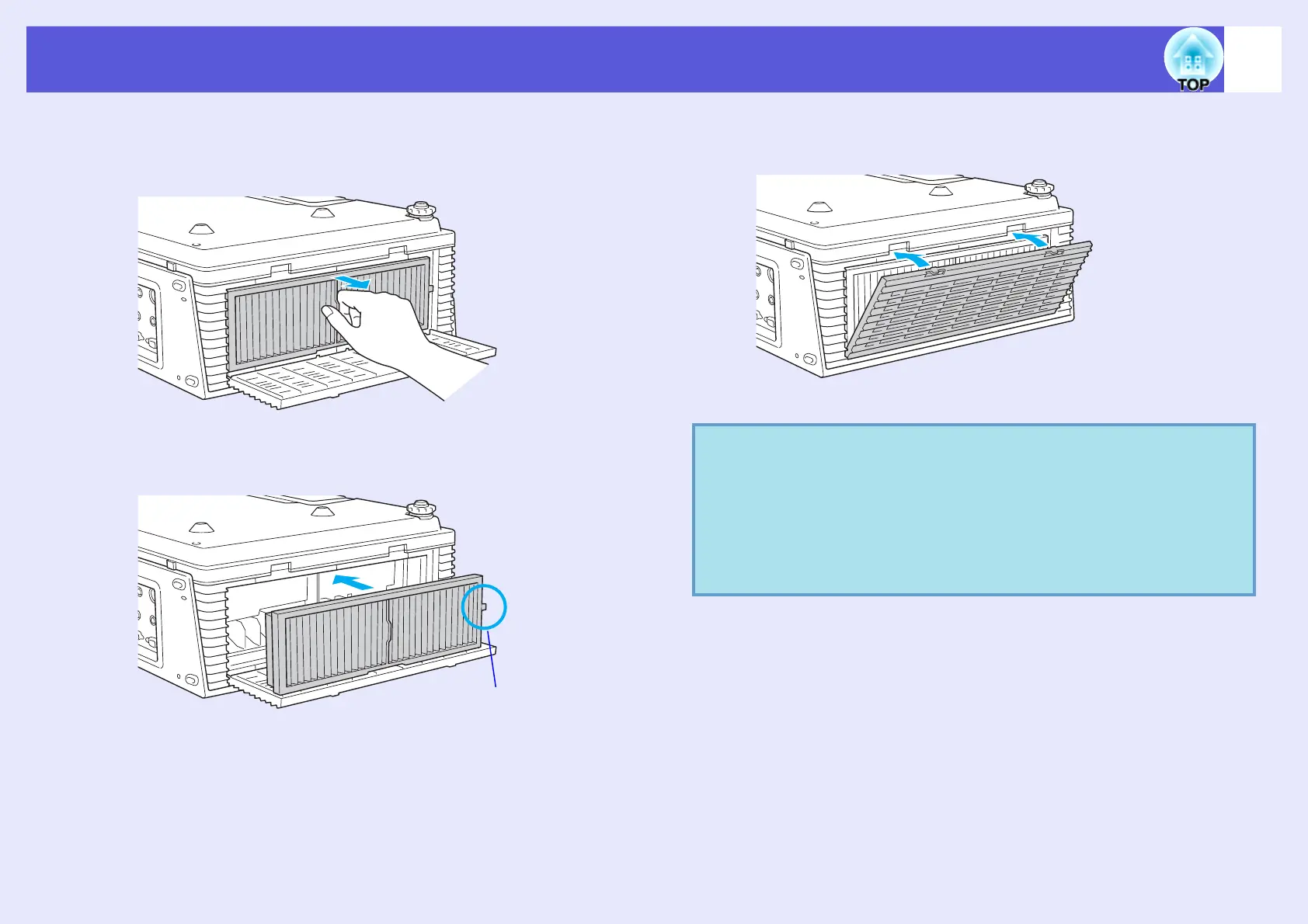
Remove the air filter.
Grip the raised part at the centre of the air filter and pull it straight
out.
D
Install the new air filter.
E
Close the air filter cover.
Press the cover until it clicks into place.
Set so that the projected
ridge points to the front of
the projector.
q
• Make sure you install an air filter. A message is displayed
if the projector is used without an air filter, and the power
turns off automatically after about one minute.
• Dispose of used air filters properly in accordance with
your local regulations.
Material quality of the frame section: PP
Material quality of the filter section: PP·PET



 To Next Page