EasyManua.ls Logo

Epson EMP-83H - User Manual

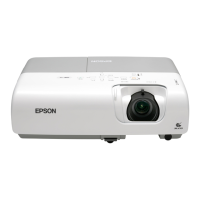
Epson EMP-83H
78 pages
Print Icon
To Next Page IconTo Next Page
Loading...
1
User's Guide

Table of Contents

Questions and Answers

  • C
    Carol HarmonSep 2, 2025
    How to resolve dark images on my Epson Projector?
    • M
      Michael SanchezSep 2, 2025
      To brighten dark images on your Epson Projector, adjust the Brightness and Brightness Control settings in the configuration menu. Also, adjust the Contrast setting. If the lamp is nearing the end of its life, the images may appear darker; replace the lamp when this occurs.
  • B
    Blake LongAug 31, 2025
    What to do if the message "No Signal." is displayed on Epson Projector?
    • M
      Mike MooreAug 31, 2025
      If the message "No Signal" is displayed on your Epson Projector, first, check that all projection cables are securely connected. Try changing the image source by pressing the Source Search button on the remote. Ensure the connected equipment is powered on. If outputting to a computer's LCD or accessory monitor, change the output to an external destination as well as the computer's own monitor.
  • K
    Kimberly BruceAug 29, 2025
    How to fix fuzzy or out of focus images on Epson EMP-83H Projector?
    • A
      Andrea AriasAug 29, 2025
      To fix fuzzy or out-of-focus images on your Epson Projector, first, adjust the focus by turning the focus ring. Also, check the projection distance: For EMP-83H/822H/X5, the recommended distance for Wide is 84-867 cm, and for Tele, it is 101-1041 cm. For EMP-S5, the range is 87-1050 cm. Reducing the projection angle can also help by lessening the keystone correction needed.
  • N
    nathanielrussellAug 27, 2025
    Why does my Epson Projector remote control not work?
    • L
      Laura CarrollAug 28, 2025
      If your Epson Projector remote control is not working, point it towards the remote receiver within a 30-degree horizontal and 15-degree vertical angle, and within a 6-meter range. Ensure strong light isn't shining on the receiver. Check the Remote Receiver setting in the configuration menu. Make sure the batteries are correctly inserted or replace them. If any button is pressed for over 30 seconds, the remote enters sleep mode.
  • M
    Miss Debra DownsAug 26, 2025
    Why does my Epson EMP-83H power not turn on?
    • N
      nicole10Aug 27, 2025
      If your Epson Projector power does not turn on, first, press the Power button. Ensure the power cable is correctly connected and the outlet is functioning. Reinsert the power cable to ensure a secure connection. If issues persist, contact your dealer. If the control panel is locked, press and hold the Enter button on the control panel for about seven seconds to release the lock. Check the Remote Receiver setting in the configuration menu. If "Direct Power On" is enabled, press the Power button to turn the power back on.
  • D
    destiny71Aug 25, 2025
    Why is the indicator lit or flashing orange on my Epson EMP-83H?
    • S
      Sarah HoustonAug 25, 2025
      An orange indicator light on your Epson Projector typically indicates a high temperature warning or that the lamp needs replacing. For a high temperature warning, ensure the air filter and exhaust vent are clear and that the projector isn't against a wall. Clean or replace the air filter if it's clogged. If the lamp needs replacing, do so as soon as possible to avoid the risk of it exploding.
  • C
    Christian CruzAug 22, 2025
    What to do if no images appear on my Epson Projector?
    • T
      Tammy ShawAug 22, 2025
      If no images appear on your Epson Projector, first, ensure the projector is powered on by pressing the Power button. Check that the power cable is correctly connected and that the outlet is functioning. Next, make sure A/V Mute is not activated by pressing the A/V Mute button on the remote or opening the A/V mute slide. Try resetting all settings. Note that some input images, like black screen savers, may appear as no image. Finally, ensure the setting corresponds to the signal for the connected equipment.

Summary

Core Functions

Changing Projected Image (Source Search)

Explains how to switch between different input sources for projection.

Security Features

Password Protection and User Management

Details how to set up password protection to limit projector use.

Operation Lock and Anti-Theft

Explains locking control panel buttons and anti-theft devices.

Configuration Menu Operations

Troubleshooting and Maintenance

Using the Help Feature

Explains how to access on-screen help for problem-solving.

Troubleshooting Indicator Lights

Details meanings of projector status indicators.

Solving Common Image and Power Issues

Provides solutions for image display and power problems.

Maintenance Procedures

Covers cleaning and replacing consumables like lamp and filter.

Epson EMP-83H Specifications

General IconGeneral
Resolution1024 x 768 (XGA)
Contrast Ratio500:1
Display Technology3LCD
Projection Size30 - 300 inches
Lamp TypeUHE
Output PortsVGA
Input PortsVGA, Composite Video, S-Video, Audio
Noise Level35 dB (Normal Mode), 28 dB (Eco Mode)

Related product manuals