EasyManua.ls Logo

Epson EMP-TW10 - User Manual

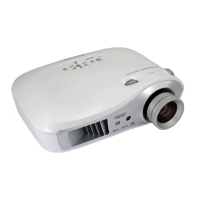
Epson EMP-TW10
100 pages
Print Icon
To Next Page IconTo Next Page
Loading...

Table of Contents

Questions and Answers

  • E
    Erica MartinezJul 30, 2025
    How to turn on Epson EMP-TW10 Projector when it's in standby mode (orange light)?
    • C
      Crystal KennedyJul 30, 2025
      If the orange indicator light is illuminated on your Epson Projector, it means the projector is in standby mode. To start projection, simply press the power button.
  • L
    logangreenAug 5, 2025
    What to do if the red light is flashing on my Epson Projector indicating a lamp problem?
    • T
      Tracy CurtisAug 5, 2025
      If the red indicator light on your Epson Projector is flashing at 0.5-second intervals, it indicates a lamp problem. First, disconnect the power cable, then remove the lamp to inspect for damage. If the lamp isn't broken, reinstall it and reconnect the power cable before attempting to power on the projector again. Ensure that the lamp and lamp cover are securely installed, as the lamp will not function if they are not properly fitted. If the lamp is broken, it needs replacement.
  • G
    Gary CameronAug 10, 2025
    Why is the red light on my Epson EMP-TW10 Projector and how do I fix it?
    • X
      xlandryAug 10, 2025
      If the red indicator light on your Epson Projector is on, it signals a high internal temperature (overheating). To resolve this, allow the projector to sit undisturbed for about 5 minutes. After this period, unplug the power cable and check that the air filter and ventilation outlet are free from obstructions and that the projector isn't placed against a wall. Clean the air filter if it's dirty. Once you plug the power cable back in, the projector will return to its previous state, and you can try turning it back on using the power button on either the projector or the remote.
  • S
    Shelby BridgesAug 17, 2025
    What does orange light mean on Epson EMP-TW10 Projector and how to fix it?
    • A
      Andrew BrownAug 17, 2025
      If the orange indicator light is illuminated on your Epson Projector, high-speed cooling is in progress. Ensure that the projector is set up in a well-ventilated area, and that both the air filter and ventilation outlet are clear. Cleaning the air filter can also help.
  • B
    Brent LewisAug 23, 2025
    What to do if the orange light is on and Epson EMP-TW10 is cooling down?
    • C
      Cynthia ColeAug 23, 2025
      If the orange indicator light on your Epson Projector is illuminated, the projector is in cool-down mode. Please wait for approximately 20 seconds for the cool-down period to finish. Once completed, you can press the power button again to turn the projector back on.

Summary

Projector Part Identification

Remote Control Functions

Projector Installation Guide

Installation Method

Describes how to set up the projector at right angles to a screen.

Projection Distance and Screen Size

Provides a guide for setting the projector based on screen size and distance.

Connecting Equipment Overview

Outputting Computer Signals

Navigating Configuration Menus

Menu Operation Guide

Step-by-step instructions on how to operate the projector's configuration menus.

Image Menu Functions

Image Menu Sub-functions

Details the adjustable functions within the projector's Image menu.

Setting Menu Functions

Setting Menu Sub-functions

Explains the various settings available in the projector's Setting menu.

Info and Reset Menu Functions

Troubleshooting Guide

Power and Warning Indicators

Explains the projector's power and warning indicators and their meanings.

Troubleshooting Without Indicator Help

No Images Appear (Nothing Displayed)

Troubleshooting steps for when no image is displayed on the screen.

No Images Appear (Messages Displayed)

Troubleshooting steps for when messages like 'No Signal' are displayed.

Image Troubleshooting Steps

Image Focus and Clarity Issues

Steps to resolve fuzzy or unclear projected images.

Image Distortion and Interference

Troubleshooting for projected images that are distorted or contain interference.

Partial Image Display Issues

Steps to fix issues where only part of the image is displayed (large/small).

Poor Image Color Issues

Troubleshooting for projected images with poor colors or tinting.

Audio and Remote Control Troubleshooting

No Sound Can Be Heard

Steps to resolve issues where no sound is output from the projector.

Remote Control Does Not Work

Troubleshooting for a non-functional remote control.

Power Issues Troubleshooting

Steps to address power-related problems like not turning on or off.

Projector Care and Cleaning

Replacing Consumables

Lamp Replacement Procedure

Lamp Replacement Period

Information on when the projector lamp needs replacement and related warnings.

Resetting Lamp Operating Time

Epson EMP-TW10 Specifications

General IconGeneral
Resolution854 x 480
Brightness1000 lumens
Contrast Ratio800:1
Technology3LCD
Native Resolution854 x 480
Screen Size30 - 300 inches
Aspect Ratio16:9
Lamp Life2000 hours
Display TechnologyLCD
Projection LensManual focus
Input ConnectorsComposite, S-Video, Component

Related product manuals