The Face-up Output Tray
3. Turn off the printer power.
CAUTION: Never turn on the printer unless the rear
cover or the face-up output tray drive unit is installed.
You may cause mechanical failure.
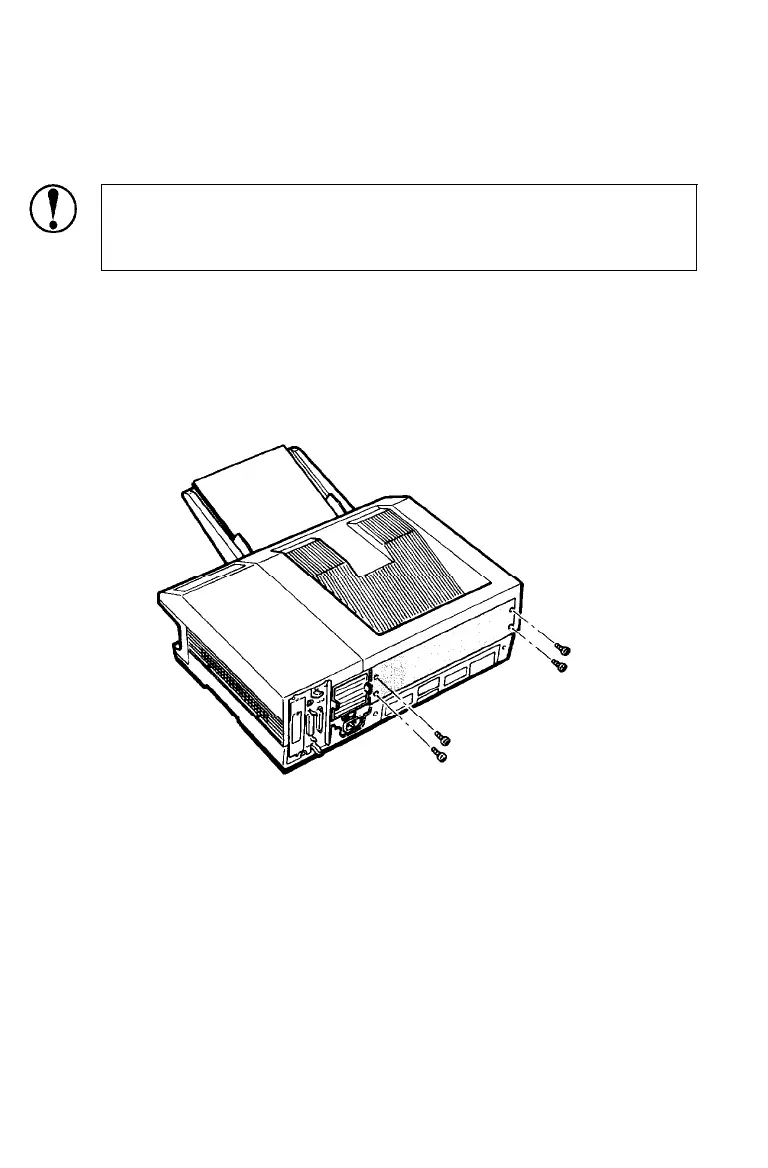
4. Using the screwdriver provided, unscrew the four screws at the
rear of the printer and remove the rear cover. Save the screws
for use in the next step and store the rear cover in a safe place.
A-16
Appendix A



 To Next Page