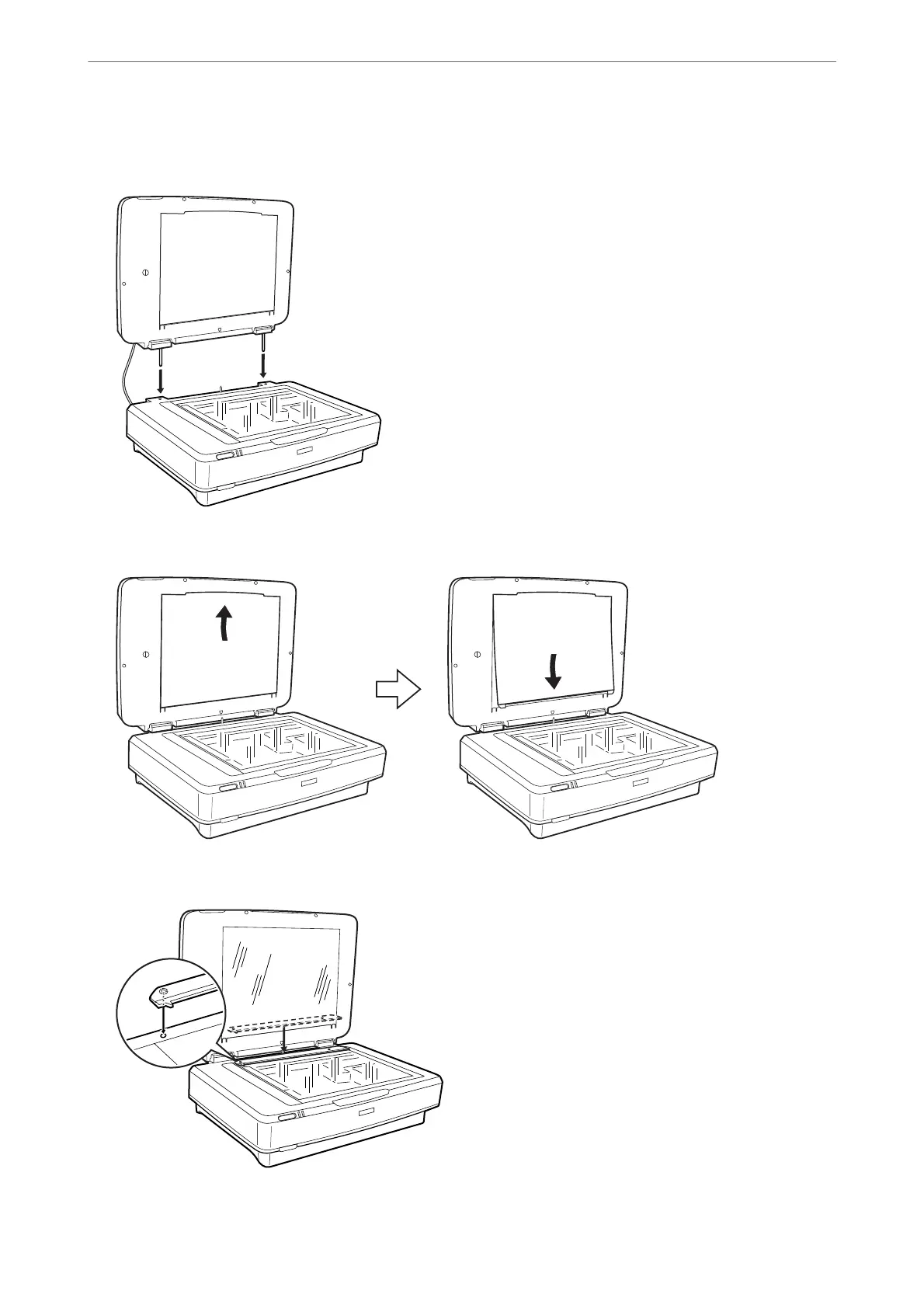
3. Align the pins of the unit with the holes of the scanner, and then lower the unit until it rests securely on the
scanner with the pins in the holes.
4. Remove the document mat from the Transparency Unit as shown below.
5. Place the transparency guide on the upper edge of the scanner glass as shown below.
6. Close the Transparency Unit.
Using the Transparency Unit
>
Installing the Transparency Unit
41















 To Next Page