Setup & Operation 3. Environments and Installation
LS20-B Rev.4 35
3.8.2 Relocation
CAUTION
■
or relocate the Manipulator with two or more people. The
ts are as follows. Be careful not to get hands, fingers, or feet caught and/or
d by a fall of the Manipulator.
LS20-B804* : approx. 48 kg : 105.8 lbs.
LS20-BA04* : approx. 51 kg : 112.5 lbs.
(1) Turn OFF the power on all devices and unplug the cables.
Remove the mechanical stops if using them to limit the motion range of Joints #1 and
#2. For details on the motion range, refer to Setup & Operation: 5.2 Motion Range
Setting by Mechanical Stops.
(2) Cover the arm with a sheet so that the arm will not be damaged.
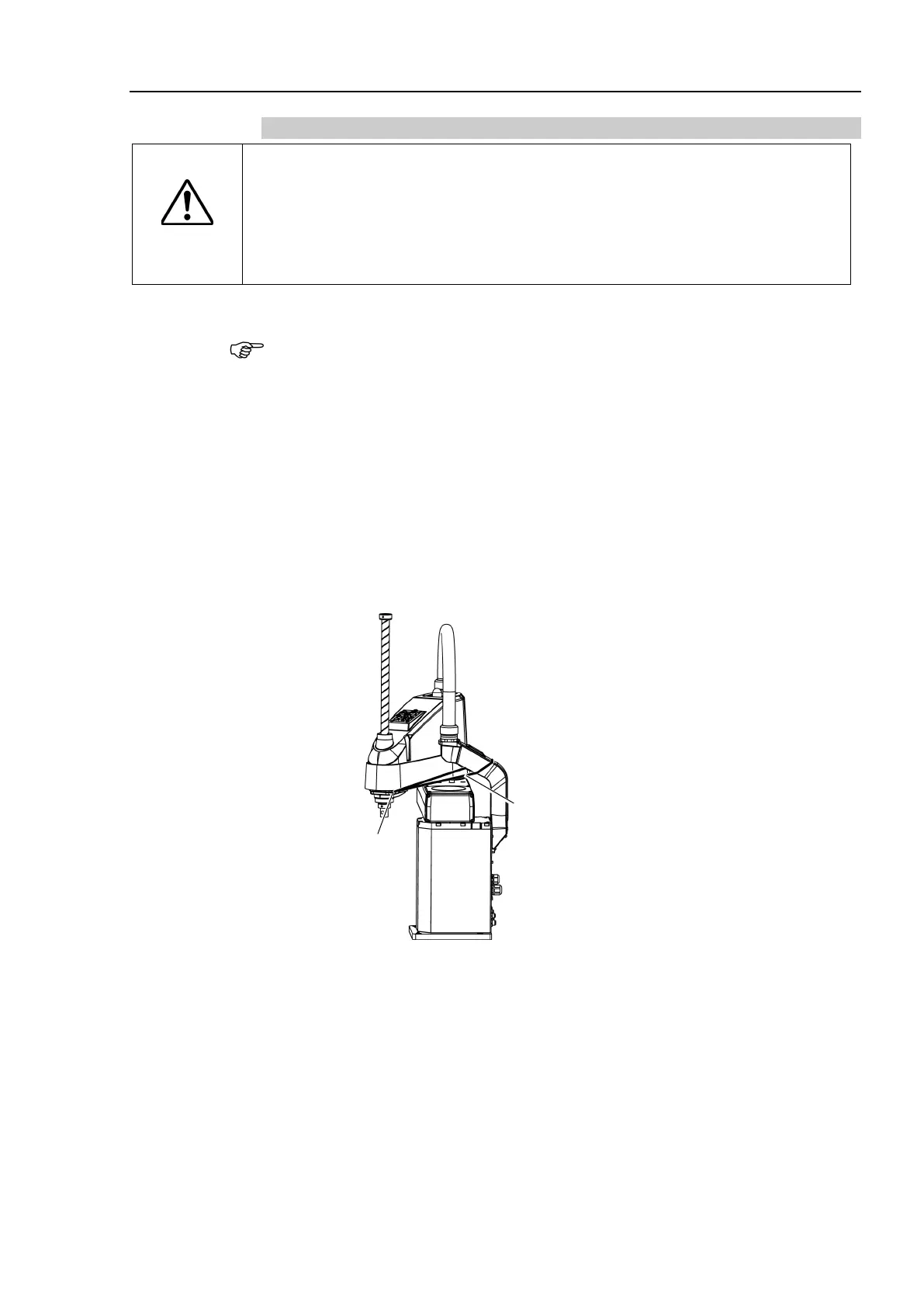
Refer to the following figure and fix the arm.
Cover the arm with a sheet so that the arm will not be damaged. Insert the bolt to
the screw hole on the arm and tie the bolt with the metal duct using a string. If
fixing the arm using the shaft, fix it with adequate strength not to deform the spline.
For details on strength of the ball screw spline, refer to Setup & Operation: 1.2.1
Strength of Ball Screw Spline.
Wire tie
Bolt: M4
Example of Arm Fixed Posture
(3) Hold the bottom of Arm #1 by hand to unscrew the anchor bolts.
Then, remove the Manipulator from the base table.










 To Next Page