EasyManua.ls Logo

Epson VT6-A901S - User Manual

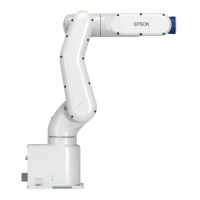
Epson VT6-A901S
274 pages
Print Icon
To Next Page IconTo Next Page
Loading...
6-Axis Robots
VT series
MANIPULATOR MANUAL
Rev.1 EM18YR3817F

Table of Contents

Other manuals for Epson VT6-A901S

Question and Answer IconNeed help?

Do you have a question about the Epson VT6-A901S and is the answer not in the manual?

Summary

Safety

Operation Safety

Safety precautions for operating the robot system.

Emergency Stop

Procedures for using the emergency stop switch.

Specifications

Environments and Installation

Installation Procedure

Step-by-step guide for physically installing the manipulator.

Setting of End Effectors

Weight and Inertia Settings

How to configure manipulator load parameters for optimal motion.

Motion Range

Operation Mode & LED

EMERGENCY

Safeguard Switch and Latch Release Switch

Input terminals for safety switches and their functions.

Emergency Stop Switch Connection

Connecting external emergency stop switches.

I;O Remote Settings

Maintenance

Safety Maintenance

General safety precautions for performing maintenance.

Matching Origins

Procedure for recalibration after parts replacement.

Alarm

Backup and Restore

Firmware Update

Firmware Upgrade Procedure

Step-by-step instructions for performing a firmware update.

Joint #1

Controller Unit

Calibration

Calibration Procedures

Detailed steps for performing calibration using EPSON RC+.

Error Code Table

Epson VT6-A901S Specifications

General IconGeneral
BrandEpson
ModelVT6-A901S
CategoryRobotics
LanguageEnglish

Related product manuals