EasyManua.ls Logo

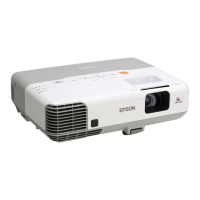
Epson PowerLite 1830 - User Manual

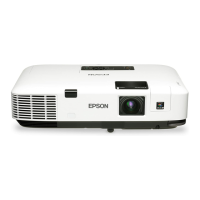
Epson PowerLite 1830
198 pages
Print Icon
To Next Page IconTo Next Page
Loading...
PowerLite
®
1830/1915/1925W Projector
User's Guide

Table of Contents

Other manuals for Epson PowerLite 1830

Questions and Answers

  • S
    Sarah VillanuevaAug 19, 2025
    Why is my Epson PowerLite 1830 not connecting using EasyMP Network Projection?
    • S
      Stephanie MillsAug 19, 2025
      This issue may occur if the application version you are using is not supported. To resolve this, install the latest version of the application on your computer.
  • B
    Brian YatesAug 21, 2025
    What to do if my Epson PowerLite 1830 cannot connect in Advanced Connection Mode?
    • J
      John RomeroAug 21, 2025
      This could be due to connection denial functions, such as MAC Address restrictions and port restrictions, being incorrectly set at the access point. Ensure the projector is set to allow connections from the access point.
  • M
    Mary PayneAug 25, 2025
    What to do if my Epson PowerLite 1830 Projector is not found when EasyMP Network Projection is started?
    • J
      Jill RobinsonAug 25, 2025
      If the Network Configuration screen from the Configuration menu is displayed on the projector, it may not be found. Close network settings on the projector, and return to the LAN standby screen.
  • L
    Lori WrightAug 26, 2025
    What to do if my Epson Projector applications are not displayed when using multi-screen display function?
    • D
      Daniel Snyder MDAug 26, 2025
      If another application is running on the virtual display, applications might not be displayed. Set EPSON Virtual Display to "Off" in "Screen properties".
  • S
    Scott RossAug 28, 2025
    Why is my Epson PowerLite 1830 Slide Show not displaying with the multi-screen display function?
    • T
      Terry AllenAug 28, 2025
      If you are using PowerPoint 2002 or an earlier version, the slide show may not display correctly. Use PowerPoint 2003 or later, or limit the number of virtual displays to one before displaying the Slide Show.
  • H
    Heather RamirezAug 30, 2025
    What to do if my Epson PowerLite 1830 Projector shows an error message when starting EasyMP Network Projection?
    • A
      Alfred MartinAug 30, 2025
      A connection to the projector may have failed. Try connecting again. If the issue persists, verify the network settings on both your computer and the projector.
  • N
    nicole28Sep 1, 2025
    What to do if my Epson PowerLite 1830 Projector PowerPoint Slide Show does not start with EasyMP Network Projection?
    • J
      joseph11Sep 1, 2025
      If EasyMP Network Projection was started while PowerPoint was running, the PowerPoint Slide Show might not start. Ensure you close PowerPoint before connecting with EasyMP Network Projection.
  • S
    Samantha GuzmanSep 3, 2025
    What to do if my Epson PowerLite 1830 is not sending mail when a problem occurs?
    • T
      Terry LoganSep 3, 2025
      If mail is not being sent when a problem occurs, the network connect setting might be incorrect. Check the projector's network settings.
  • A
    adamsdevinSep 5, 2025
    How to check if my Epson Projector network cable is connected correctly?
    • A
      Amber BryantSep 6, 2025
      Verify the network cable is correctly connected. If it is loose or improperly connected, reconnect it securely.
  • L
    Lisa BarrettSep 7, 2025
    What to do if my Epson PowerLite 1830 Projector mouse cursor is not displayed on the computer screen?
    • A
      Ashley RodriguezSep 8, 2025
      If EPSON Virtual Display is installed, the mouse cursor might not be displayed. Clear the virtual display checkbox on the Add-Remove EPSON Virtual Display screen to return the mouse pointer to the screen display area.

Epson PowerLite 1830 Specifications

General IconGeneral
BrandEpson
ModelPowerLite 1830
CategoryProjector
LanguageEnglish

Related product manuals