EasyManua.ls Logo

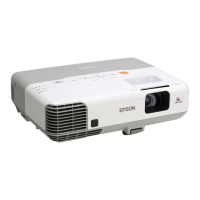
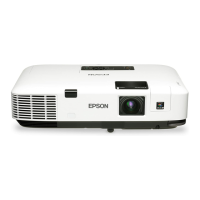
Epson PowerLite 1830 - User Manual

Epson PowerLite 1830
198 pages
Print Icon
To Next Page IconTo Next Page
Loading...
PowerLite
®
1830/1915/1925W Projector
User's Guide

Table of Contents

Other manuals for Epson PowerLite 1830

Questions and Answers

  • F
    Felicia LopezSep 10, 2025
    What to do if my Epson PowerLite 1830 is connected using EasyMP Network Projection, but another computer cannot connect?
    • N
      nataliemaciasSep 10, 2025
      If the presenter left the conference room without disconnecting the network connection and a Projector keyword is set, other computers might not connect. Restart the projector and reconnect, or if you do not know the Projector keyword, restart the projector and reconnect.
  • A
    amanda84Sep 12, 2025
    How to select the correct network adapter for my Epson PowerLite 1830 Projector with EasyMP Network Projection?
    • T
      Tiffany MonroeSep 12, 2025
      If you are using a computer running Windows, start EasyMP Network Projection and select the network adapter you are using from Set options - Switch LAN.
  • D
    Dr. Meghan BeckSep 14, 2025
    Why can't I monitor or control my Epson Software projector?
    • M
      Maria SnyderSep 14, 2025
      If Epson Software EasyMP Monitor cannot monitor or control the projector, first ensure the network cable is correctly connected; if not, reconnect it. Then, verify the settings in the Network configuration menu. Also, confirm that EasyMP Monitor is correctly installed on your computer by uninstalling and reinstalling it. Ensure all projectors are registered. Finally, the projector's Standby Mode should be set to Communication On (or Network On), or Network Monitoring should be set to On in the configuration menu to enable monitoring and control via EasyMP Monitor in standby mode.
  • M
    Mark WaltonSep 16, 2025
    What to do if Epson Software doesn't send e-mail messages when a problem occurs?
    • R
      rodneysmithSep 16, 2025
      If you are not receiving e-mail notifications from Epson Software when a problem occurs, check that the SMTP server IP address, Port Number, and Recipient mail address are correctly configured. Also, ensure the projector's Standby Mode is set to Communication On (or Network On) or Network Monitoring is set to On in the configuration menu. If the projector has momentarily stopped working due to a critical problem, it won't be able to send e-mails; in this case, and if the projector cannot be reset after checking, contact Epson. Finally, verify that the projector is receiving power and that the circuit breaker hasn't tripped.

Epson PowerLite 1830 Specifications

General IconGeneral
BrandEpson
ModelPowerLite 1830
CategoryProjector
LanguageEnglish

Related product manuals