48
Setting Options Description
Passphrase — For the selected security, selects
the pre-shared passphrase used
on the network
Parent topic: Enabling WPA or WPA2 Security
Selecting External Network Detection Settings
If you are using a compatible network control system, you can select settings that allow your projector to
be detected by those systems.
1. Press the Menu button.
2. Select the Network menu and press Enter.
3. Select Network Configuration and press Enter.
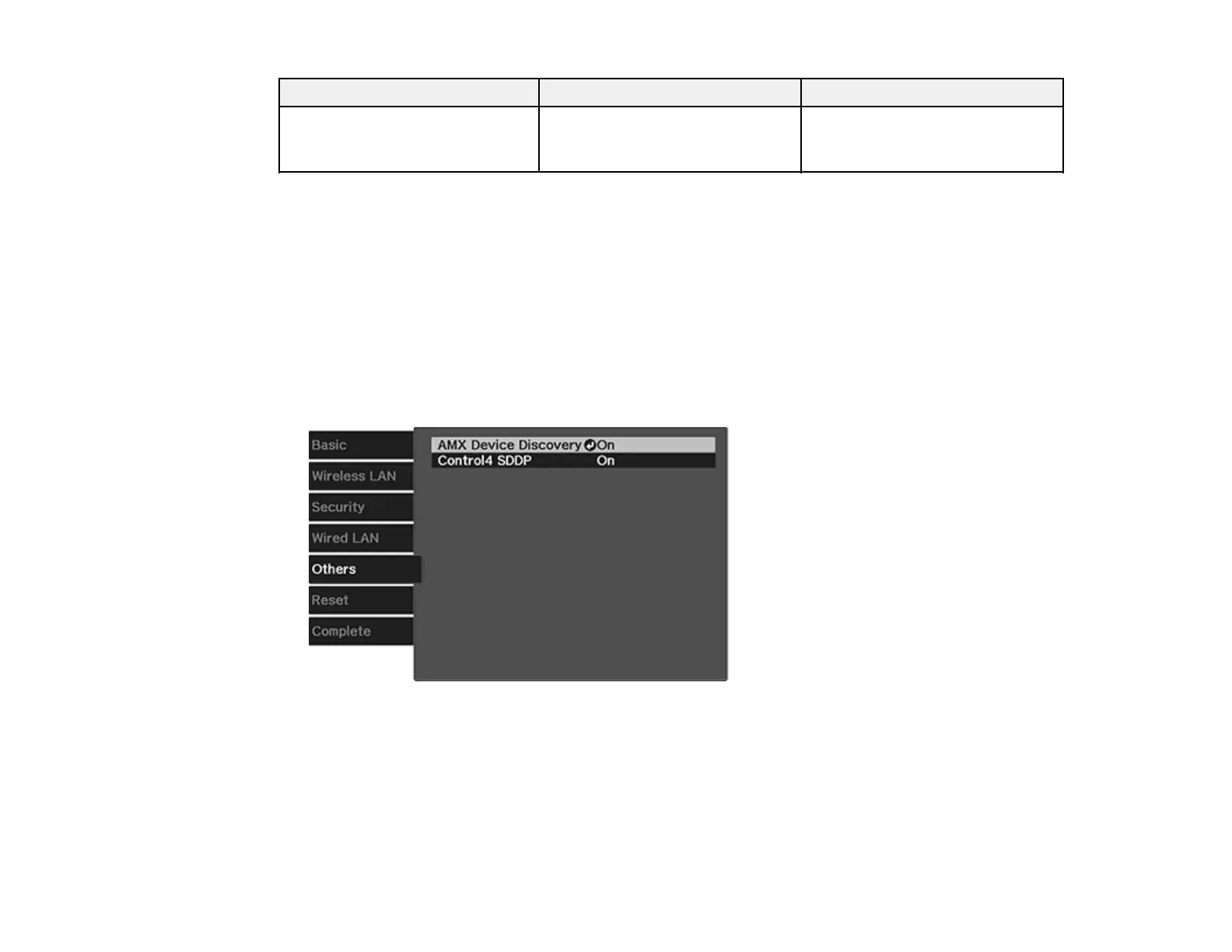
4. Select the Others menu and press Enter.
5. If your network environment uses an AMX controller, turn on the AMX Device Discovery setting to
allow the projector to be detected.
6. If your network environment uses a Control4 or Control4 SDDP controller, turn on the Control4
SDDP setting to allow the projector to be detected.
7. When you finish selecting settings, select Complete and follow the on-screen instructions to save
your settings and exit the menus.









 To Next Page