44
7. Do one of the following:
• Press the LAN button on the remote control.
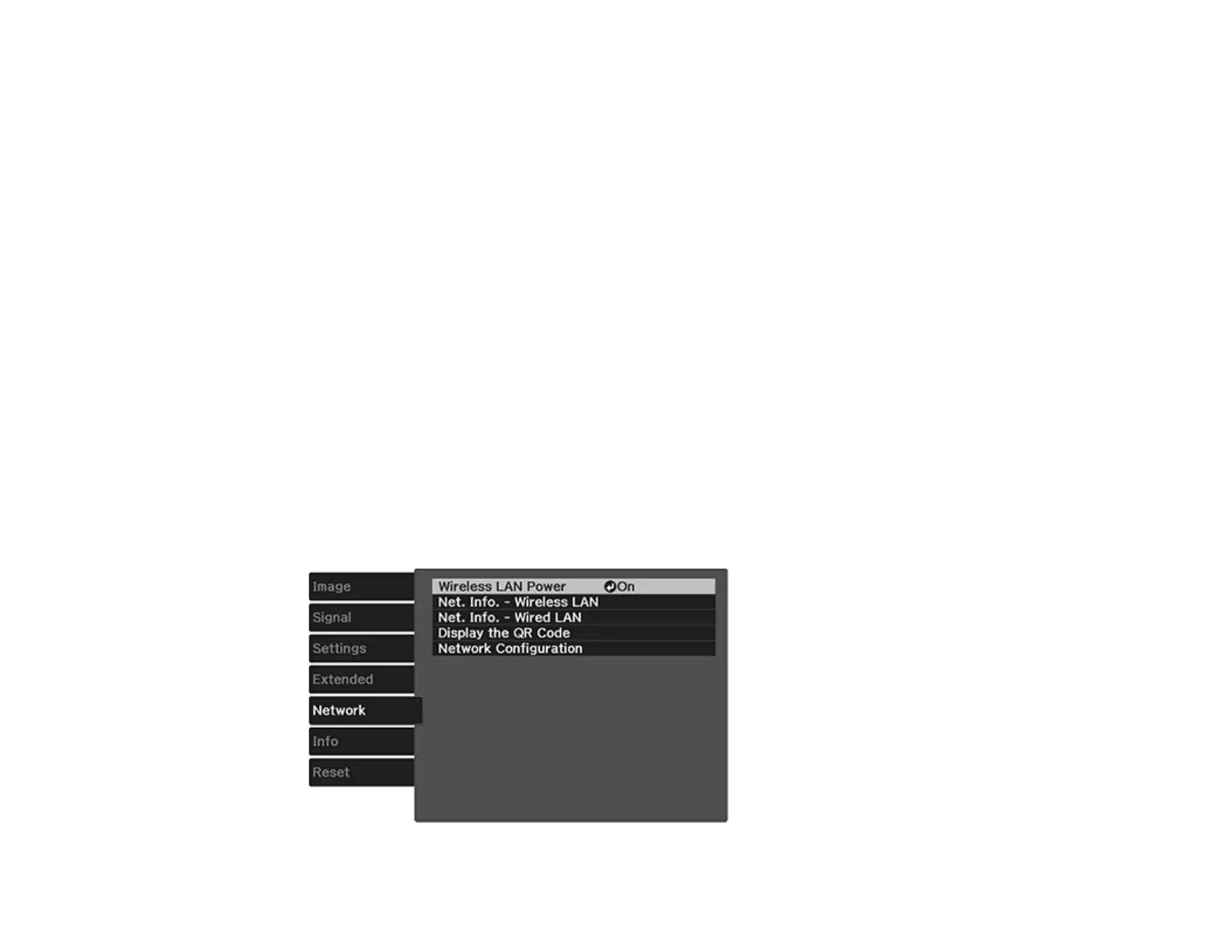
• Select Display the QR Code in the projector's Network menu.
• Press the Home button on the remote control and select Display the QR Code on the Home
screen.
Your projector displays the QR code on the projection surface.
Note: If you do not see the QR code after pressing the LAN button, press Enter to display it.
8. Start Epson iProjection on your mobile device.
9. Use the QR code reader feature to read the QR code and connect your device to the projector. Visit
epson.com/iprojection (U.S.) or epson.ca/iprojection (Canada) for instructions.
Parent topic: Wireless Network Projection
Searching for a Wireless Network
You can use your projector's site survey function to quickly locate and connect to available wireless
networks.
1. Turn on the projector.
2. Press the Menu button.
3. Select the Network menu and press Enter.





 To Next Page