78
Note: This feature may not be available depending on the projection mode and input signal.
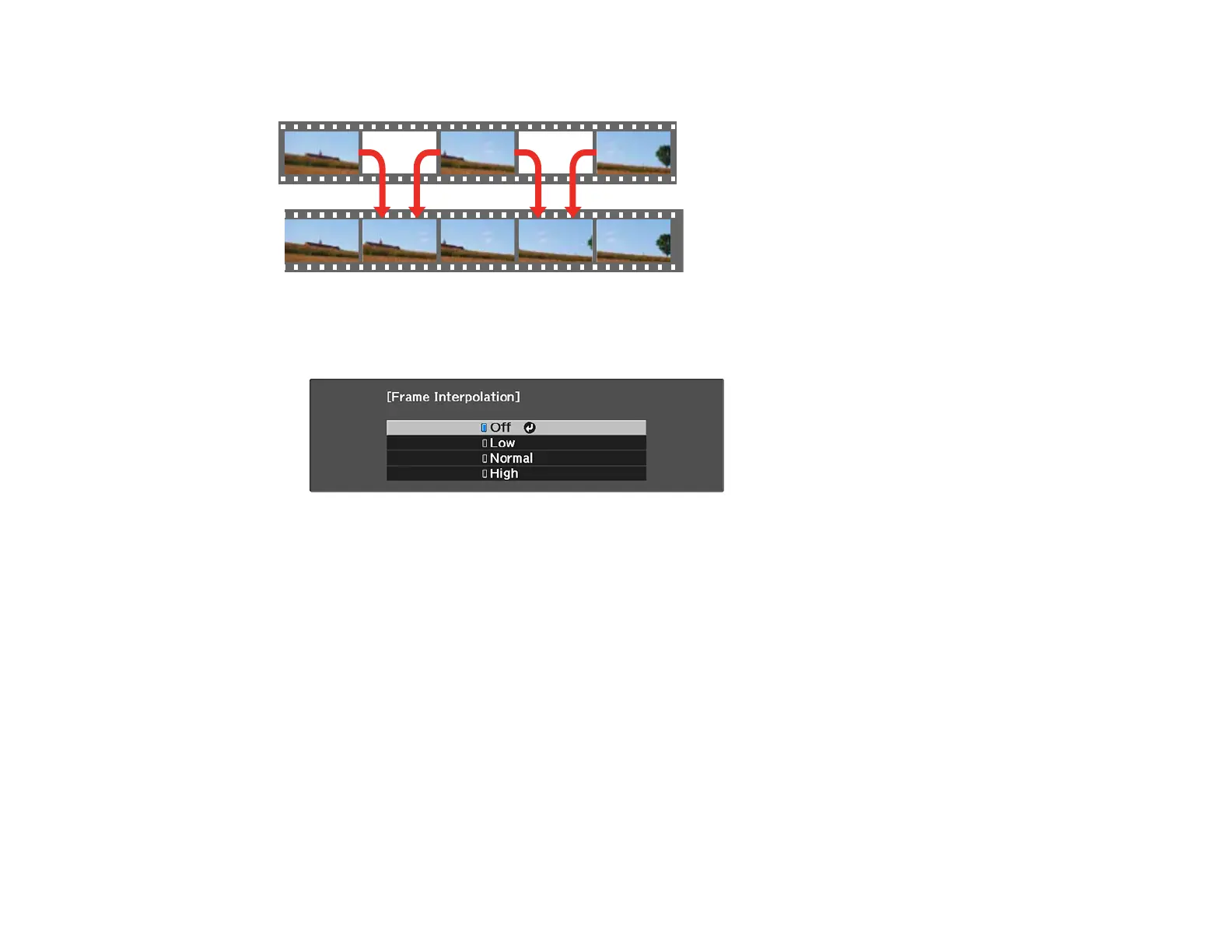
1. Press the Frame Int button.
You see a screen like this:
2. Select the level of interpolation and press Enter.
3. When you are finished, press the Frame button.
Note: If your resulting images contain noise, turn off the Frame Interpolation setting.
Parent topic: Using Advanced Image Adjustment Features
Related references
Image Adjustment Restrictions
Using 4K Enhancement
Using the projector's 4K Enhancement Technology, you can receive 4K (3840 × 2160 pixel) signals and
project ultra high-definition images. This technology shifts each pixel diagonally by 0.5 pixel to double
the image resolution.








 To Next Page