79
Note: This feature may not be available depending on the projection mode and input signal.
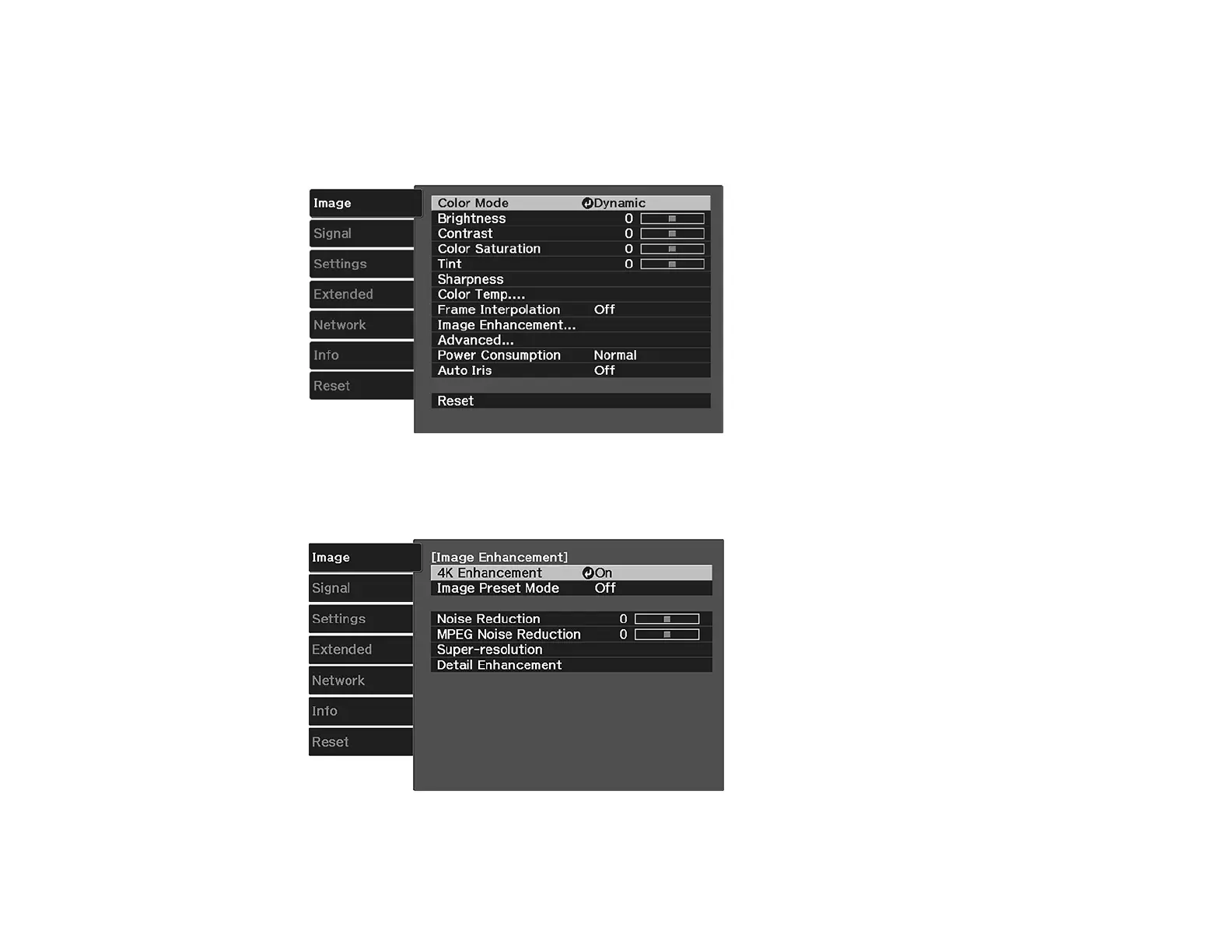
1. Press the Menu button on the remote.
You see a screen like this:
2. Select the Image Enhancement setting and press Enter.
You see a screen like this:
3. Select the 4K Enhancement setting and press Enter.







 To Next Page