52
2. Press the arrow buttons on the remote control or control panel to navigate the screen, and press
Enter to select an option.
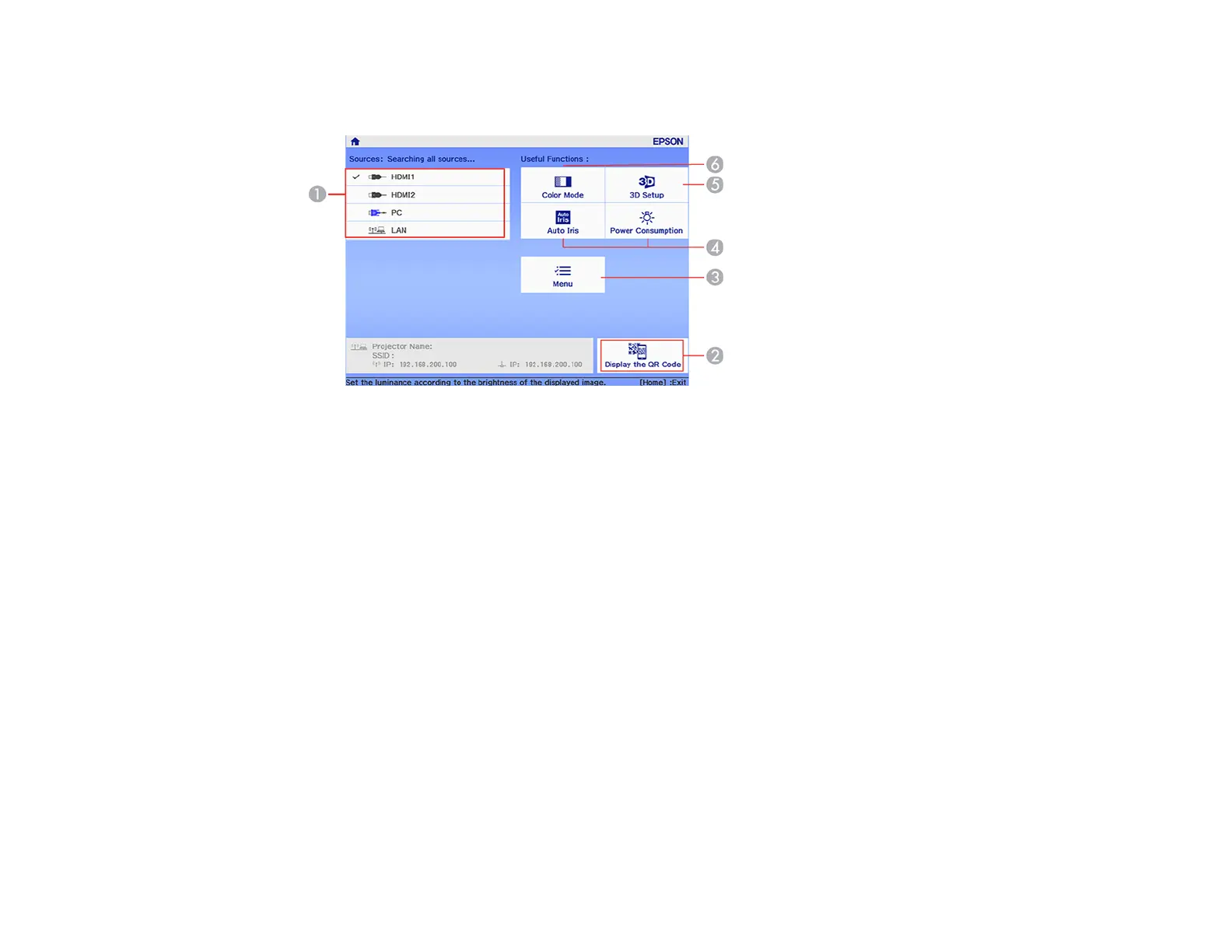
1 Select the video source you want to project
2 Display the QR code
3 Display the projector's menus
4 Select customizable menu options
5 Select to change the 3D settings
6 Select to change the Color Mode
Note: You can select the customizable menu options using the Custom Function 1 and Custom
Function 2 settings in the Extended menu.
3. Press the Home button to hide the Home screen.
Parent topic: Turning On the Projector
Related references
Projector Setup Settings - Extended Menu





 To Next Page