72
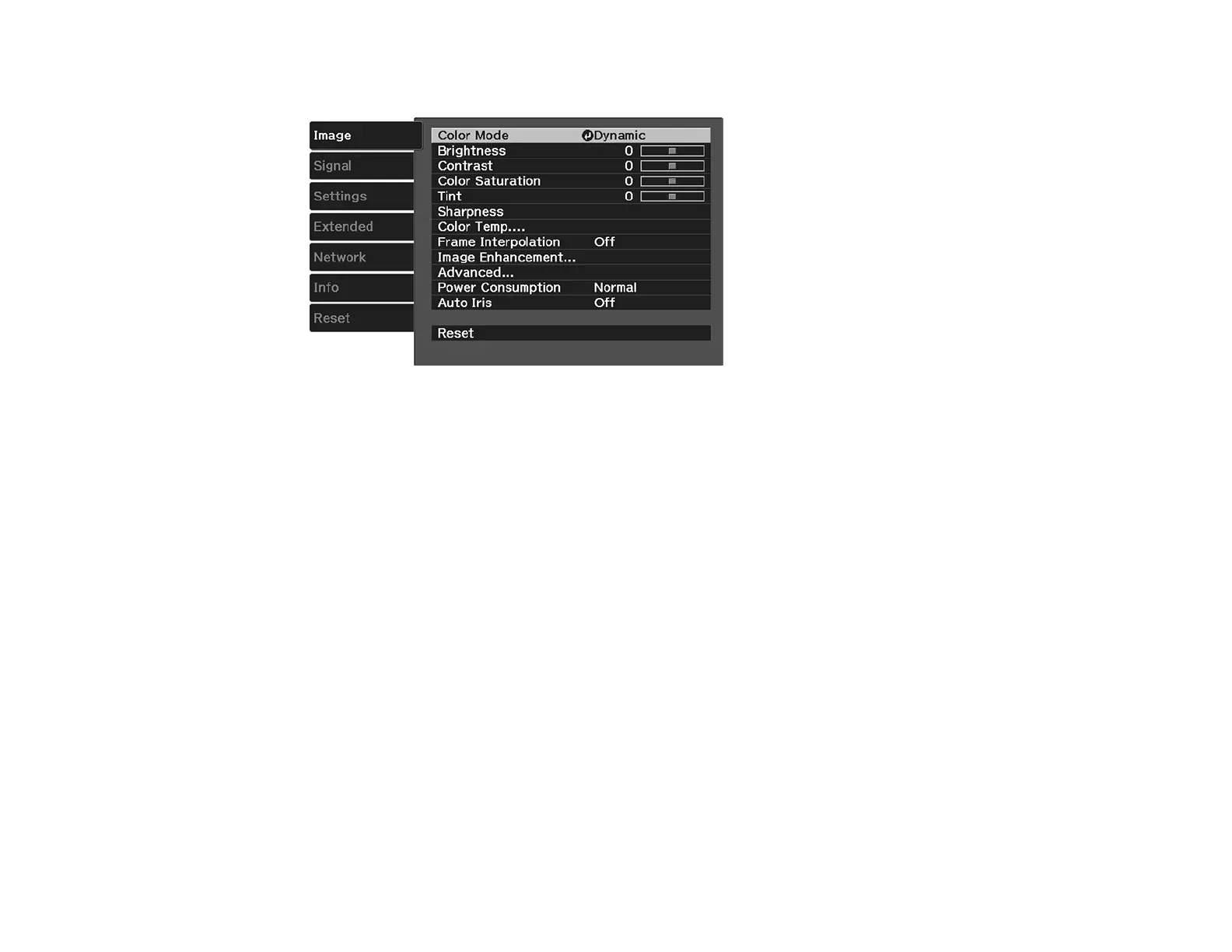
3. Select the Image menu and press Enter.
4. Select the Auto Iris setting and choose one of the following:
• High Speed to adjust brightness as soon as the scene changes.
• Normal for standard brightness adjustment.
Note: You can set Auto Iris for each Color Mode that supports the feature.
5. Press Menu or Esc to exit the menus.
Parent topic: Color Mode





 To Next Page