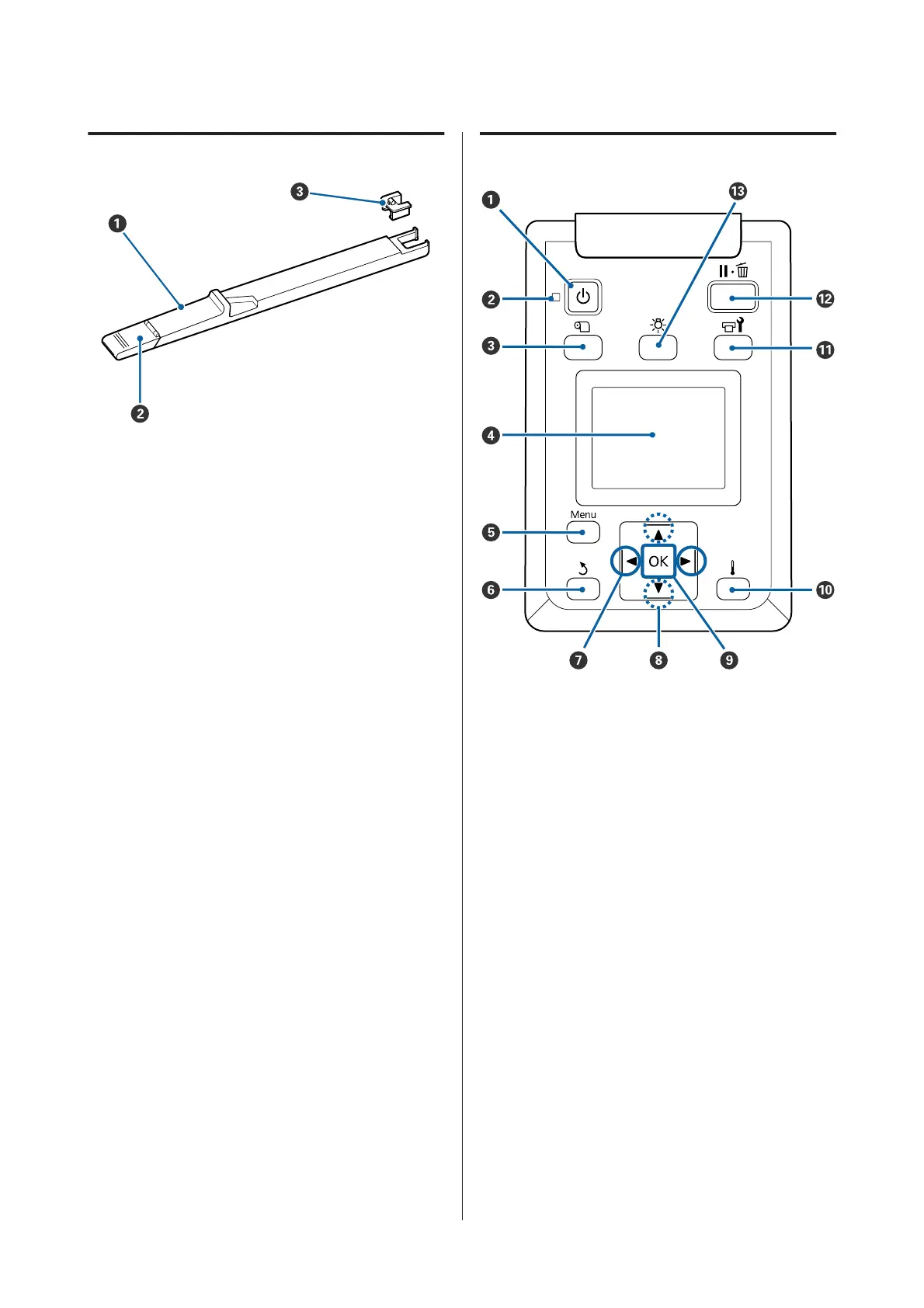
Slider
A Slider
Mount the chip unit included with the ink pack.
U “Ink refill” on page 65
B Ink inlet cover
Open this when refilling the ink tank with ink.
C Chip unit
The IC chip is a built-in unit.
It is included with the ink pack.
Control panel
A
P button (power button)
Turns the power on and off.
B
P light (power light)
The printer's operational status is indicated by a lit
or flashing light.
On : The power is on.
Flashi
ng
: The printer is receiving data or
performing head cleaning or other
operations during shut-down.
Off : The power is off.
C M button (media setup button)
SC-F9300 Series User's Guide
Introduction
12



 To Next Page
 Loading...







