P
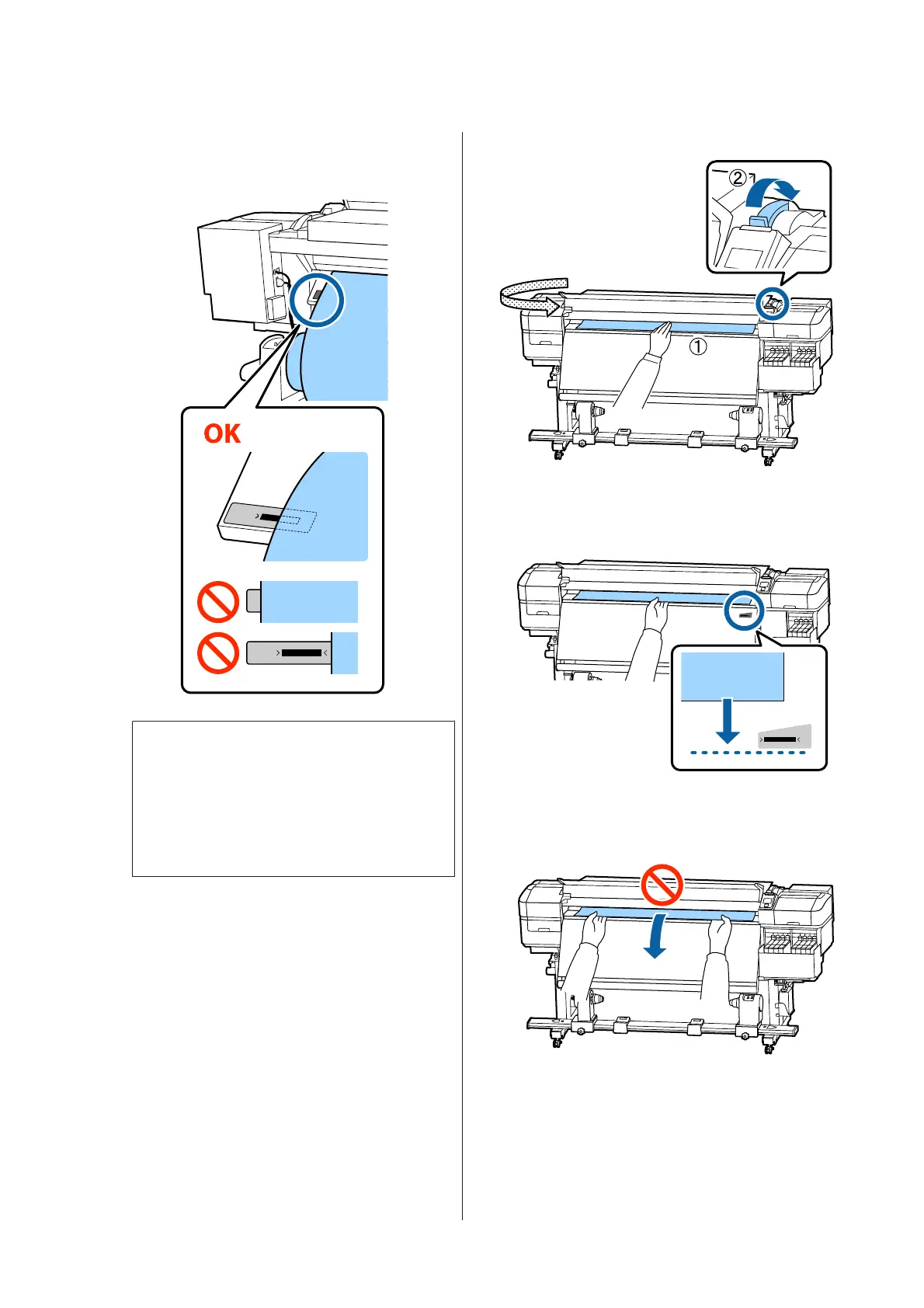
Confirm that the left edge of the media is
within the range of the label's rectangle in the
illustration below.
c
Important:
If the left edge of the media is not within the
black square of the label, do steps 5 to 16 in
reverse to adjust the position of the roll
holder. Do not attempt to reposition the roll
holders while they are inserted in the media.
Q
R
Hold the center of the media in one hand, and
pull it straight until it is aligned with the
bottom edge of the label on the heater.
Do not pull the media with both hands. This
could cause the media to skew or move around.
SC-F9300 Series User's Guide
Basic Operations
31



 To Next Page
 Loading...







