c
Important:
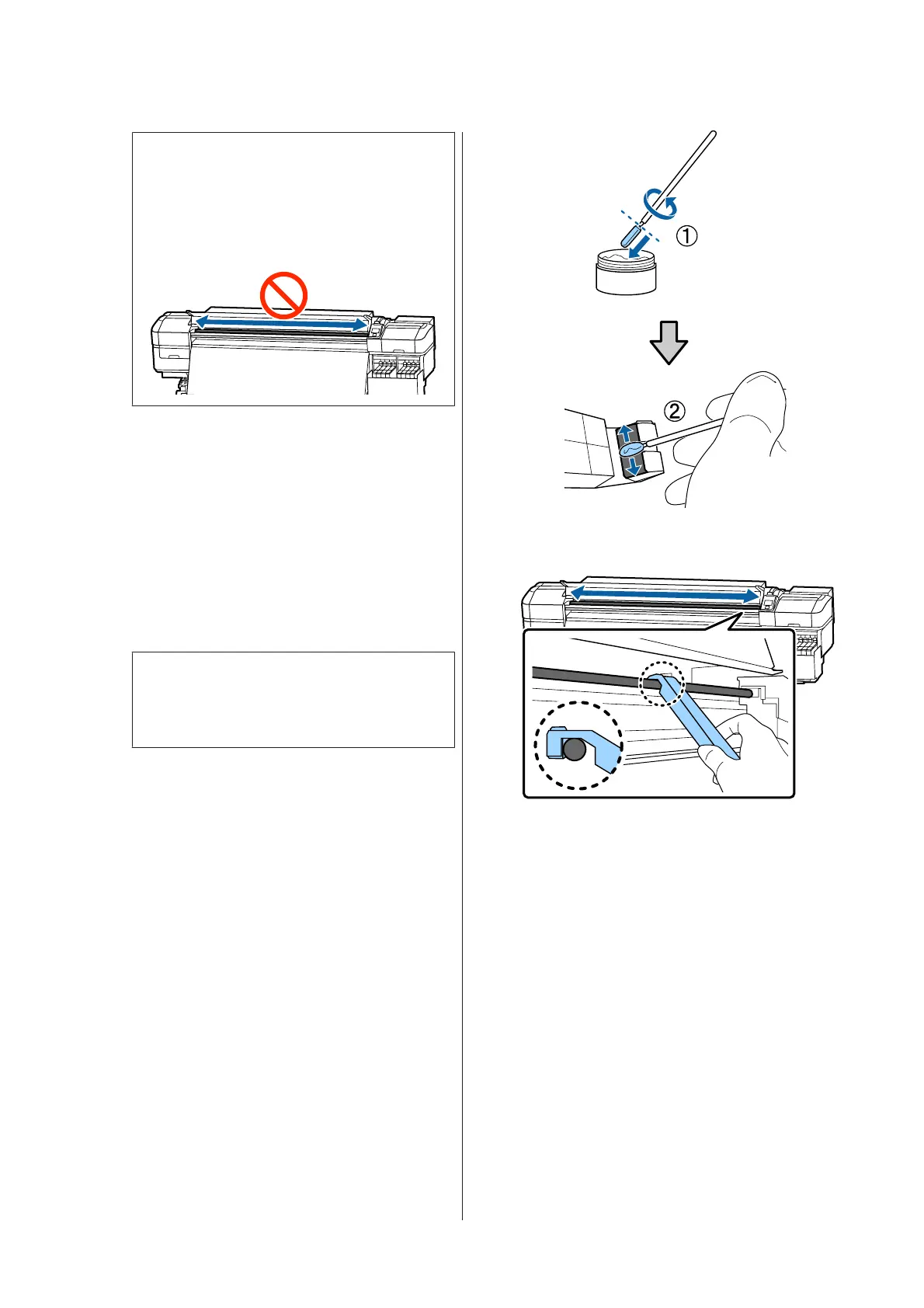
Do not slide the tool back and forth.
If you slide the tool back and forth, dust will
be moved to the print head stand-by position
and a malfunction may occur.
H
Remove the dirty pad from the tool.
I
Attach a new pad A to the grease tool.
J
Using a new cleaning stick, stir the grease in the
container about ten times.
K
Wipe the tip of the cleaning stick on the edge of
the container to remove excess grease.
c
Important:
Failure to remove the excess could result in
falling grease dirtying the platen and media.
L
Using a cleaning stick, apply grease to the pad
you attached to the tool as described below.
(1) Insert the tip of the cleaning stick fully into
the container, and twist it 2 to 3 times to get
enough grease on the stick.
(2) Apply grease to the pad on the tool.
M
Hold the pad of the tool as described in step 7,
and slide the grease tool back and forth twice.
Next, apply grease to carriage rod B.
SC-F9300 Series User's Guide
Maintenance
85



 To Next Page
 Loading...







