SpectroProofer Mounter 24"/44" User’s Guide
Troubleshooting
18
F
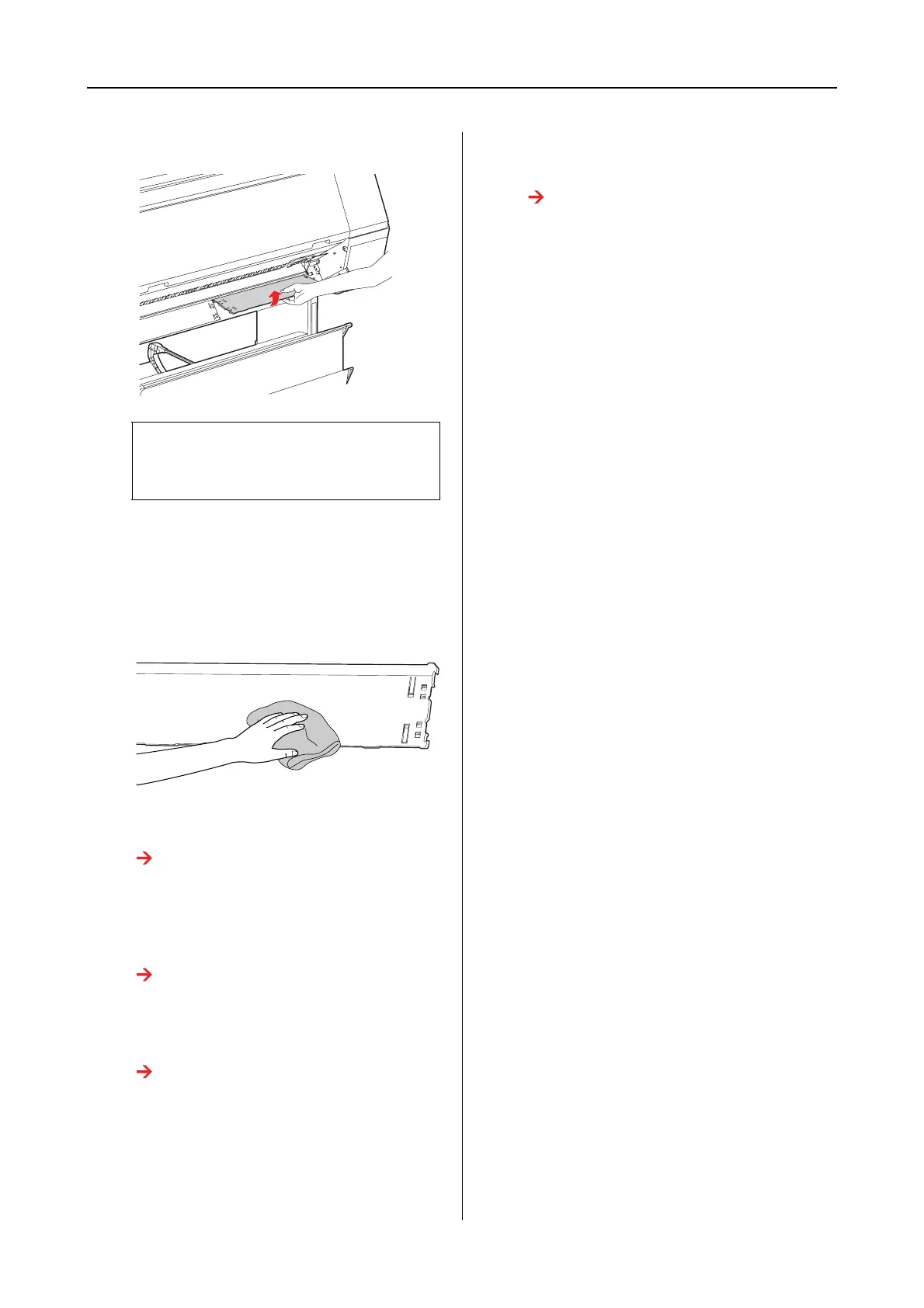
Remove the backing from the printer.
G
Remove any dust or dirt from the surface of
the backing.
Clean it using a soft, clean cloth dampened
with a mild detergent. Then, wipe it with a
dry, soft cloth.
H
Attach the backing to the printer.
See the SpectroProofer Mounter 24"/44"
Setup Guide
I
Attach the white calibration tile holder to
the printer.
See the SpectroProofer Mounter 24"/44"
Setup Guide
J
Install the mounter to the printer.
See the SpectroProofer Mounter 24"/44"
Setup Guide
K
Install ILS20EP/ILS20EPUV to the
mounter.
See the SpectroProofer Mounter 24"/44"
Setup Guide
c
Caution:
Because the backing is a fragile part, do
not drop the backing while removing it.


 To Next Page