SpectroProofer Mounter 24"/44" User’s Guide
Introduction
5
Introduction
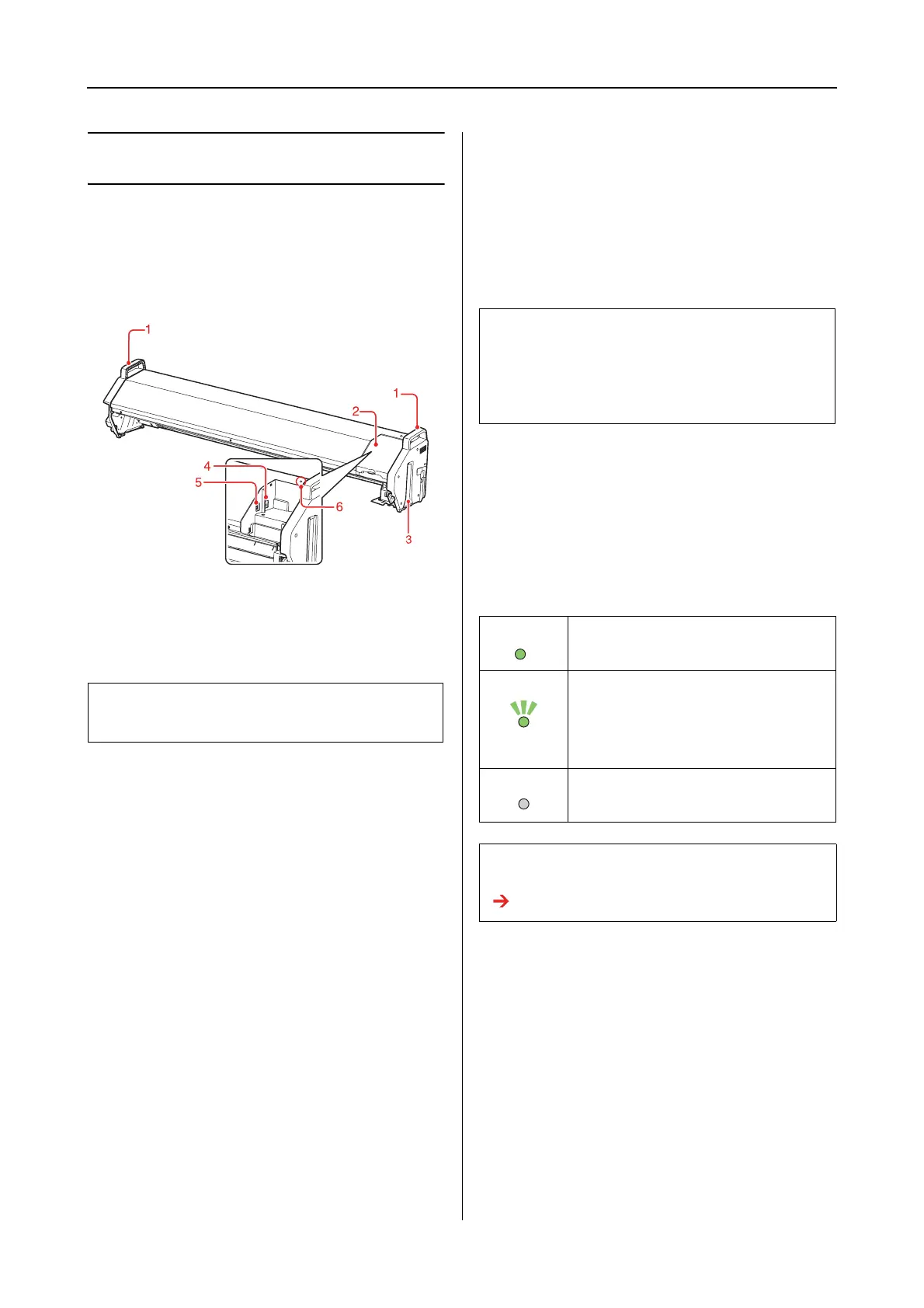
Mounter (Front Face)
1. Handles
Use the handles when installing or removing the
mounter.
2. Cover
Opens the cover when you set or remove
ILS20EP/ILS20EPUV as well as when you
connect the cables.
3. Guide rails (right and left)
Aligns the guide rails with the mounting guides
when attaching to the printer.
4. Auto Take-up Reel Unit connector (for the
SpectroProofer Mounter 44" only)
Connects the Auto Take-up Reel Unit to the
mounter with this connector. It is used when
setting up the Auto Take-up Reel Unit and the
mounter at the same time. A connection cable is
included in the box with your Auto Take-up Reel
Unit.
5. Interface connector to the printer
Connects the mounter to your printer with this
connector. An interface cable is included in the
box with this product.
6. Light
Indicates the status of the SpectroProofer. See the
following table for the details.
c
Caution:
Avoid using these handles to move the printer.
Note:
The Auto Take-up Reel Unit is optional with Epson
Stylus Pro 9900/9910. The SpectroProofer Mounter
24" for Epson Stylus Pro 7900/7910 does not support
connecting to Auto Take-up Reel Unit.
On This product is on and in the ready
state.
Flashing This product is in operation or has an
error.
The error content can be checked
by the messages on the printer’s
control panel.
Off This product is off.
Or, this product is in the Sleep mode.
Note:
This product has no power button.
See “Turning On/Off This Product” on page 10


 To Next Page