EasyManua.ls Logo

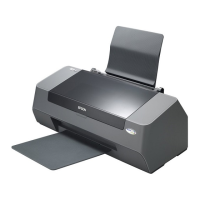
Epson Stylus C58 - User Manual

Epson Stylus C58
85 pages
Print Icon
To Next Page IconTo Next Page
Loading...
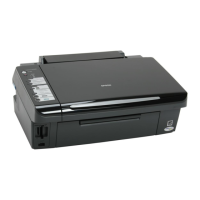
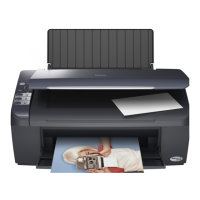
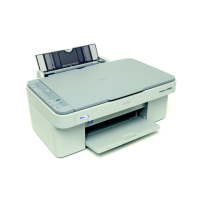
Epson Stylus C58/C59
Epson ME 2
Epson Stylus C79/D78
Epson Stylus C90/C91/C92/D92
Epson Stylus T20/T20E/T23/T26/S20
Epson Stylus T10/T11
Epson ME 30
Epson Stylus T21/T24/T27/S21
Color Inkjet Printer
SEIJ06-003
SERVICE MANUAL
Confidential

Table of Contents

Questions and Answers

  • C
    coreyfrazierAug 10, 2025
    What to do if my Epson Stylus C58 has a paper jam?
    • G
      Gary MorrisonAug 11, 2025
      If your Epson printer indicates a paper jam, try the following: 1. Press the [Maintenance] button on the printer's panel. 2. If the paper jam persists, open the printer cover and remove all paper from inside the printer and the hopper. 3. Ensure there is no paper inside the printer, then load paper on the hopper and press the [Maintenance] button again. This should resolve the issue if the leading or trailing edge of the paper couldn't be detected during feeding.
  • M
    marissasmithAug 16, 2025
    How to fix fatal error on Epson Printer?
    • M
      Megan SantanaAug 16, 2025
      If your Epson printer displays a fatal error, follow these steps: 1. Turn the printer off, wait a few seconds, and then turn it back on. 2. If the error persists, turn the power off again, remove the paper from the hopper, and check the following: * Open the printer cover, check the ink cartridges, and reinstall them correctly. * Check for any foreign material or paper inside the printer and remove it. 3. Turn the printer power on. This addresses issues where the carriage home position couldn't be detected, abnormal pressure was applied during power-on, or carriage movement was obstructed during printing.
  • R
    Richard WoodwardAug 23, 2025
    What to do if my Epson Stylus C58 Printer says 'Paper Out'?
    • N
      Nicholas WeberAug 23, 2025
      If your Epson printer displays a 'Paper Out' error, here's what to do: 1. If the paper tray is empty, load paper into it. 2. If the paper stopped halfway, remove the paper, ensure it is not bent, fan the paper, and load it against the edge guide. 3. Press the [Maintenance] button to clear the error. This usually happens when no paper is loaded, paper stops before the PE sensor, paper isn't aligned against the edge guide, or the PE sensor connector is disconnected.
  • T
    Tammy ScottAug 28, 2025
    Why does my Epson Printer say 'Ink end/ No ink cartridge/ Incorrect ink cartridge'?
    • C
      Cody MartinAug 28, 2025
      Your Epson printer may display 'Ink end/ No ink cartridge/ Incorrect ink cartridge' for the following reasons: * The ink inside the Bk, Y, M, C cartridges has run out. * Ink cartridge(s) is not installed. * Non-genuine ink cartridge(s) is installed. To resolve this: * Check the ink cartridge(s) and reinstall it correctly. * Replace the ink cartridge(s) with a genuine one.
  • V
    Vanessa BarronSep 3, 2025
    What causes a double feed error on an Epson Stylus C58 Printer?
    • M
      Megan WillisSep 3, 2025
      A double feed error on your Epson printer can occur for these reasons: * When performing duplex printing, blank paper is ejected. * The printer detected that the paper is too long upon ejection. To fix this: 1. Remove the blank paper, or check the paper size. 2. Press the [Maintenance] button to eject the paper and release the error.

Epson Stylus C58 Specifications

General IconGeneral
Printer TypeInkjet
Max Print Resolution5760 x 1440 dpi
Print Speed (Black)17 ppm
Print Speed (Color)9 ppm
ConnectivityUSB
Dimensions (W x D x H)435 x 219 x 165 mm
Ink Palette Supported (Colors)Cyan, Magenta, Yellow, Black
Total Media Capacity100 sheets
Operating System CompatibilityWindows, Mac
Paper Sizes SupportedA4, A5, B5
Weight2.8 kg
Media TypePlain paper, Photo paper, Envelopes
Ink CartridgesIndividual ink cartridges

Related product manuals