6 Handling Paper
Handling Paper
Selecting Paper
Before printing, you need to select the
correct paper type setting. This important
setting determines how the ink is applied to
the paper.
Note:
❏ The availability of special media varies by
location.
❏ You can find the part number for the following
Epson special papers on the Epson support
Web site.
Choose from these paper types and settings:
* You can use paper with a weight of 64 to 90
g/m
2
.
Loading Paper
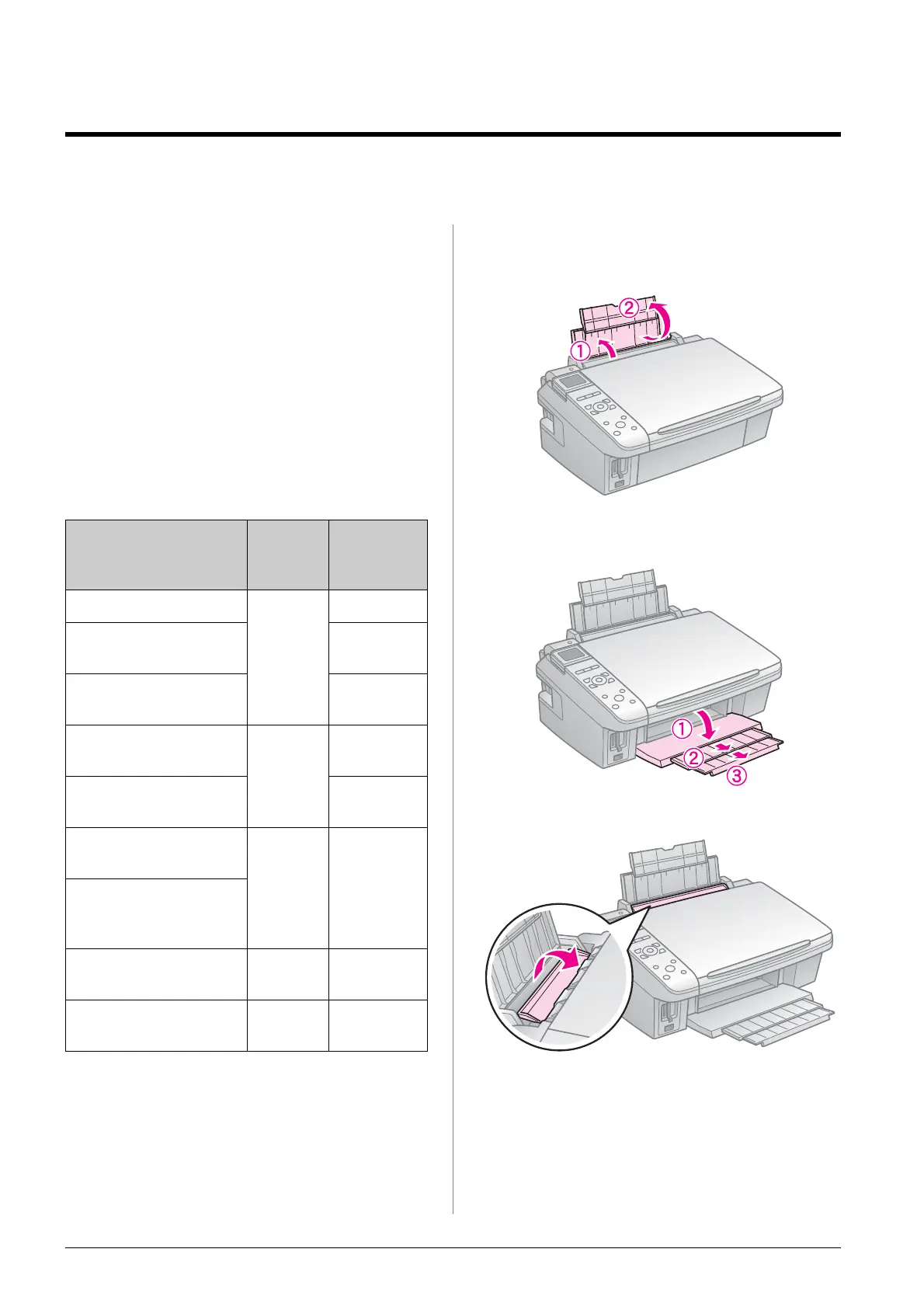
1. Open and extend the paper support.
2. Open the output tray and slide out the
extensions.
3. Flip the feeder guard forward.
Paper Type Paper
Type
Setting
Loading
capacity
Plain paper * Plain
Paper
12 mm
Epson Bright White
Paper
80 sheets
Epson Premium
Ink Jet Plain Paper
80 sheets
Epson Matte Paper
Heavyweight
Matte 20 sheets
Epson Photo Quality
Ink Jet Paper
80 sheets
Epson Premium
Glossy Photo Paper
Prem.
Glossy
20 sheets
Epson Premium
Semigloss Photo
Paper
Epson Ultra Glossy
Photo Paper
Ultra
Glossy
20 sheets
Epson Glossy Photo
Paper
Photo
Paper
20 sheets



 To Next Page
 Loading...






