Replacing Paper
50
C
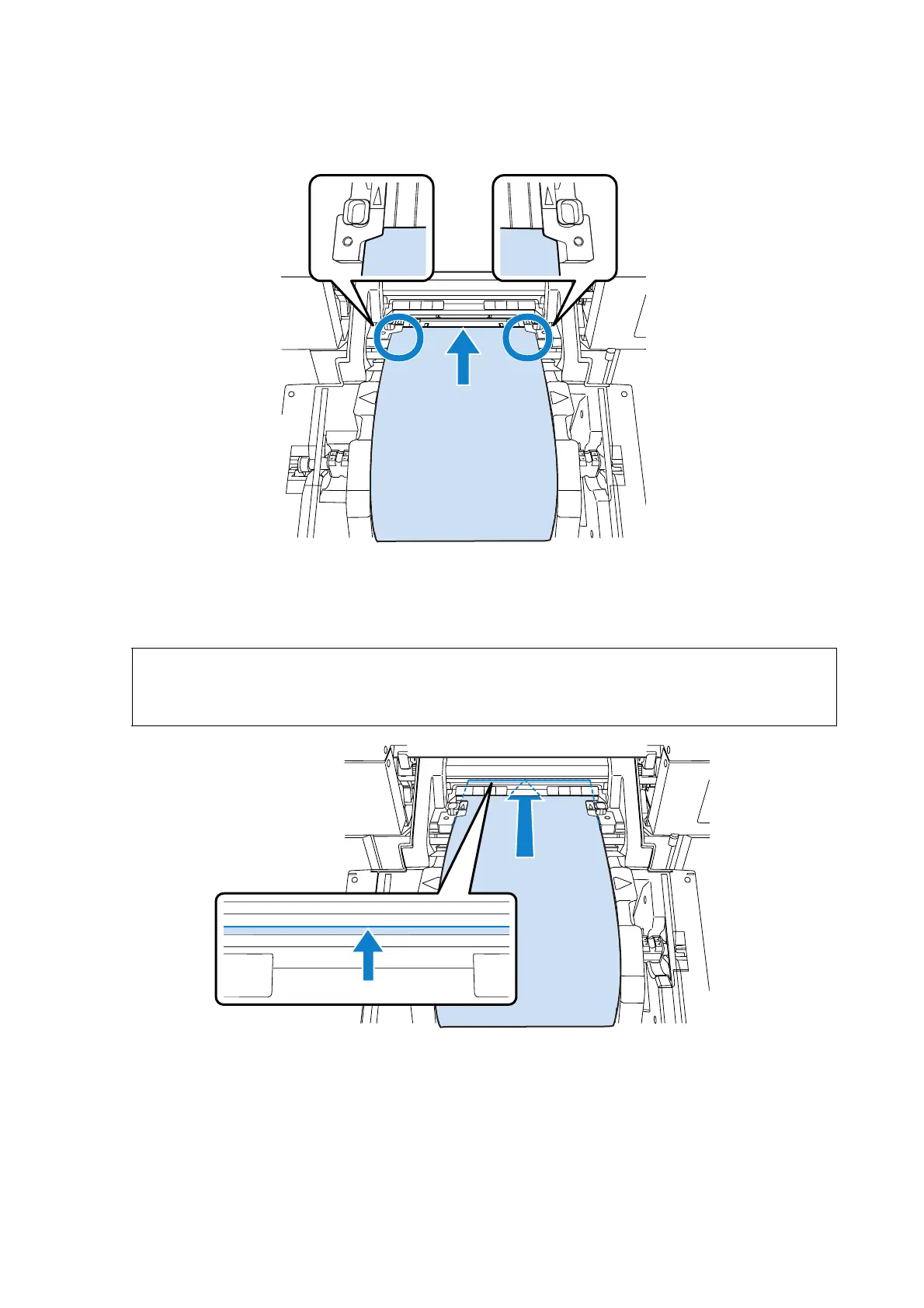
Pass the leading edge of the paper through the groove in the paper width guides.
D
Insert until the leading edge appears at the position shown in the illustration below.
Check that the paper is nipped with the feed roller.
Note:
If you insert the paper into the printer and raise the front roll paper feeder immediately, the paper may be
wrinkled. Do not insert the paper beyond the position shown below.









 To Next Page