Adjusting the Humidity in the Roll Paper Feeder
79
H
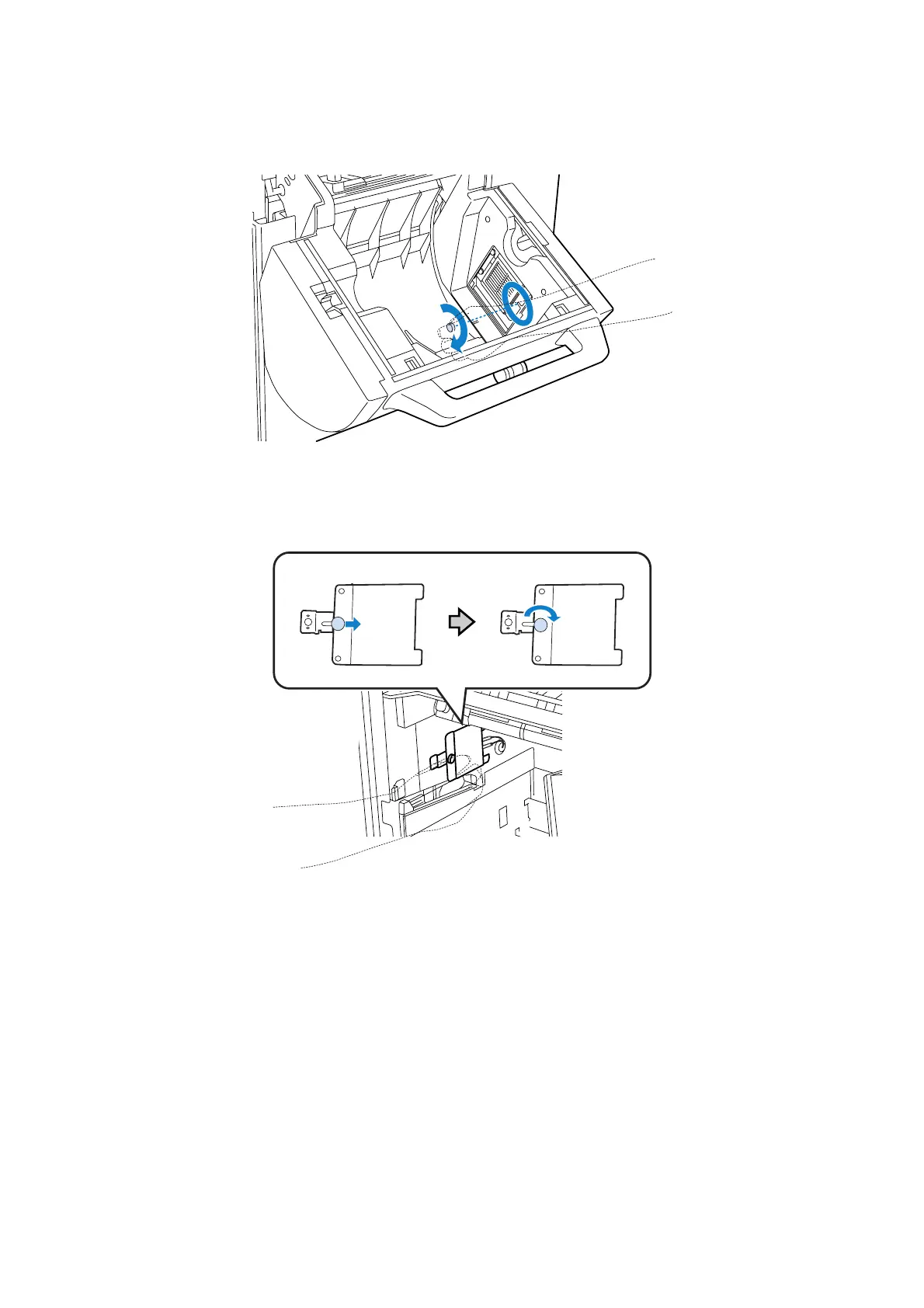
Fix the screw in place by hand.
For the rear roll paper feeder, after sliding the screw, turn it by hand to fix it in place.
I
For the front roll paper feeder, attach the humidity control unit's cover.
J
Close the roll paper feeder's cover.
For the front roll paper feeder, close the front roll cover.
For the rear roll paper feeder, close the rear roll cover, and then press down the front roll paper feeder as far
as it will go.
K
Turn on the humidity control unit's power switch.
This completes this section.









 To Next Page