Home
Equip
Barcode Reader
351023
Page 52
Equip 351023 - Page 52
52 pages
Manual
Save Page as PDF
To Previous Page
To Previous Page
Loading...
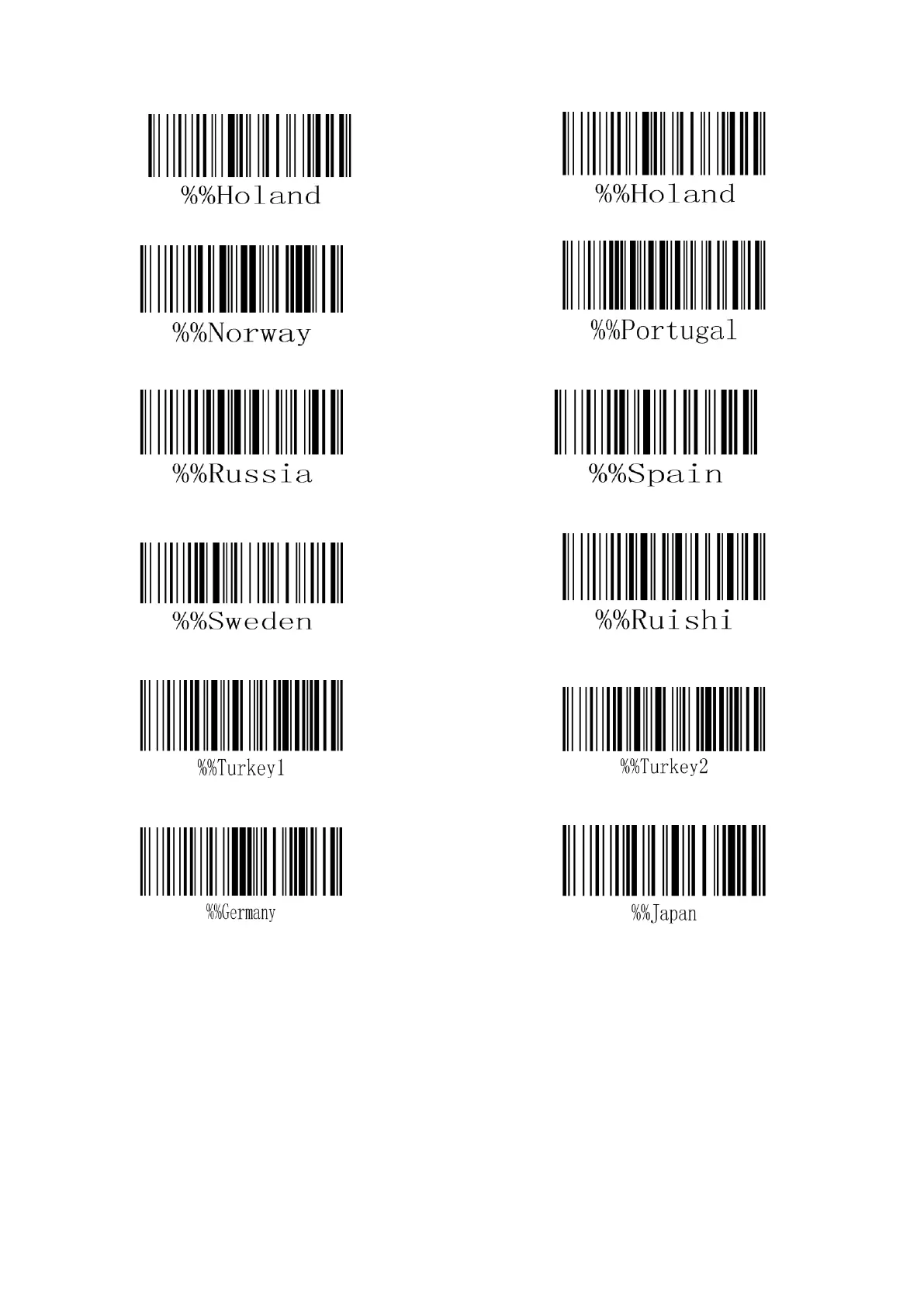
Type 11: Italy
Type
12: The Net
herlands
Type 13: Norwa
y
Type 14:
Portugal
Type 15: Russi
a
Type 16:
Spain
Type 17: Swede
n
Type 18:
Switzerland
Type 19: Turke
y 1,
Type 20
: Turkey 2
Type 21: Germa
ny
Type
22: Japan
51
Table of Contents
Main Page
Table of Contents
4
Basic Property Settings for the Scanning Gun
6
System Initialization Settings
6
Display the Software Version Number
6
Sound Settings Options
6
Transmission Mode (Wired Gun)
7
Laser Trigger Mode
7
Duration of Laser under Key Trigger Scan (D)
8
Laser Duration under Key Trigger (D)
9
Self-Sensing Option
9
Same Barcode Identification Interval under Continuous Scanning (D)
10
Barcode Output Validation Level (Wired Gun)
11
Barcode ID Identification Option (Wired Gun) Affects the Reading Setting Code When the Wireless Gun Is Opened
11
Keyboard Language (D) (Wired Gun)
11
Character Interval (D) (Wired Gun)
13
Serial Communication Option (Wired Gun)
14
Large / Lower Case Lock (Wired Gun)
15
Reverse Color Image Reading
16
Full-Code Reading
16
Setting of Various Types of Bar Codes
16
Upc-A
16
EAN-13 Setting Options
17
EAN-8 Code Setting Options
18
The UPC-E Setting Options
18
CODE39 Code Setting Options
19
CODE128 Setting Options
21
CODE-93 Setting Options
22
Cross 25-Yard Setting Options
23
Industrial 25 Yards (Industrial 25)
24
China Post Code 25 (China Post 25)
24
Standard Code 25 Yards (Standard 25)
25
Matrix 25 Code Setting Options
25
Kudeba Code Setting Options
26
MSI Code Setting Options
27
CODE 11 Code Setting Options
29
RSS Code Setting Options
30
Advanced Setting Options for the Barcode
31
Add a Prefix / Suffix (H)
31
Barcode ID Setting
31
Character Local / Global Setting Options for the Barcode
32
Appendix A (ASCII Coding Table) 0X00~0X3F
42
Appendix B (Data Code)
45



 To Previous Page