ERCHONIA® EVRL™ PROPER USE REFERENCE GUIDE
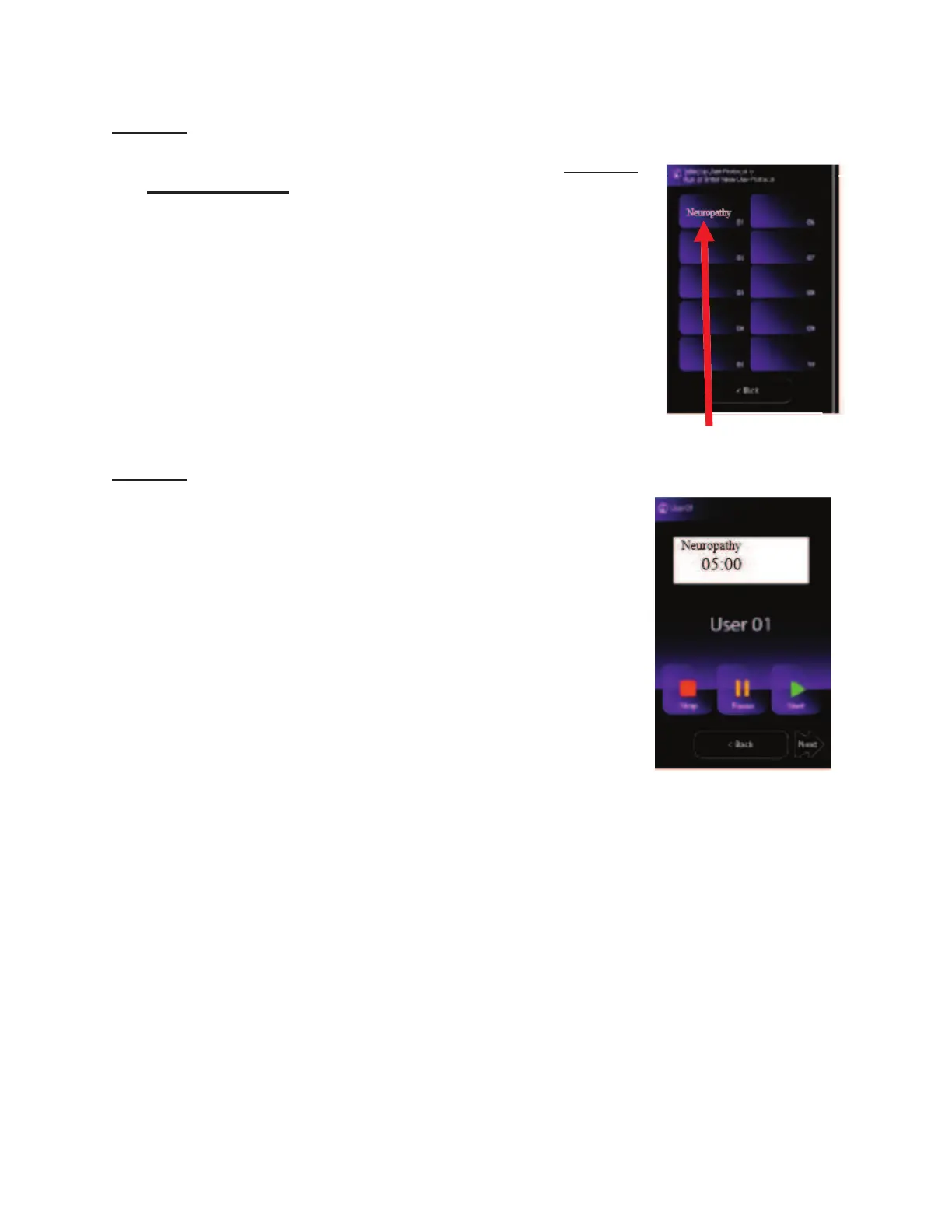
STEP #4 “User Protocol Mode Screen”
To proceed to the neuropathy foot pain treatment, press the
“Neuropathy” icon (Item #4)
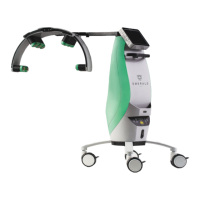
STEP #5 “Neuropathy Treatment Screen”
The following functions are available on this screen:
¾ “START” icon will begin the EVRL™ treatment.
¾ “PAUSE” If for any reason you need to pause the
treatment during a session, press the “PAUSE” icon.
To resume with procedure, press the “PAUSE” icon
again.
¾ “STOP” To Stop the treatment, press the “Stop”
icon. This will completely reset the treatment time.
Note: The device is preprogrammed to treat for a total of 5:00
minutes. The treatment time display will automatically start counting down once the
treatment is started, when the display reaches 0:00 the lasers will power off and the time
will remain at 0:00
NOTE: READ THE ENTIRE “EVRL TREATMENT PROTOCOL”
SECTION ON THE NEXT PAGE PRIOR TO STARTING
TREATMENT.
Neuropathy Treatment Screen


 To Next Page