11
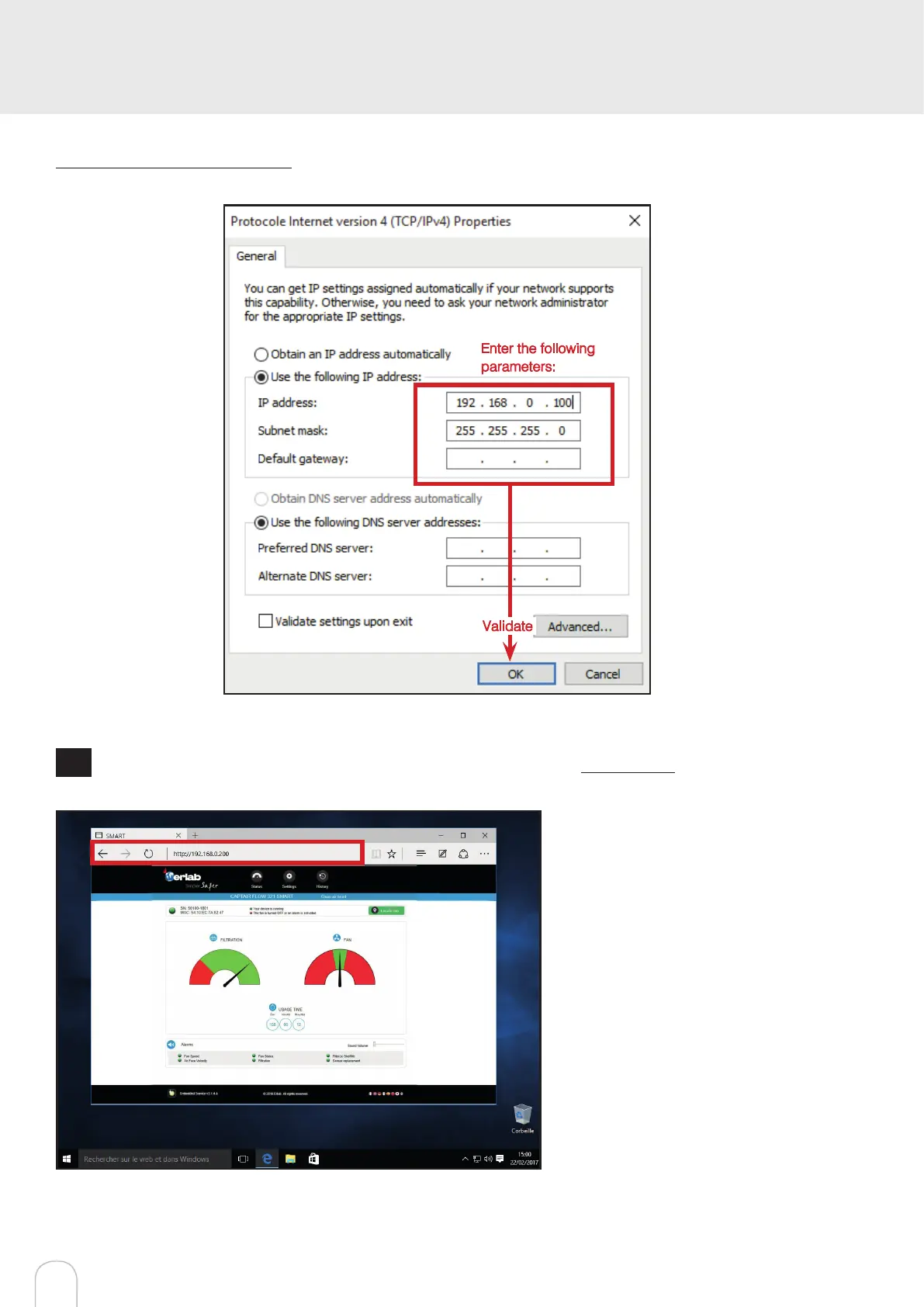
Write down your existing parameters before changing them in order to be able to set your initial parameters after the operation!
Enter the following
parameters:
Validate
7
Open your web browser again, type again the following IP address 192.168.0.200 and validate
OK : You are connected to the embedded software
You enter the « Status » page and you can have
access to the « Settings » using the following cre-
dentials:
Login : erlab / Password : smart


 To Next Page