Captair Flow Smart
Mobile ductless ltering clean air enclosure
12
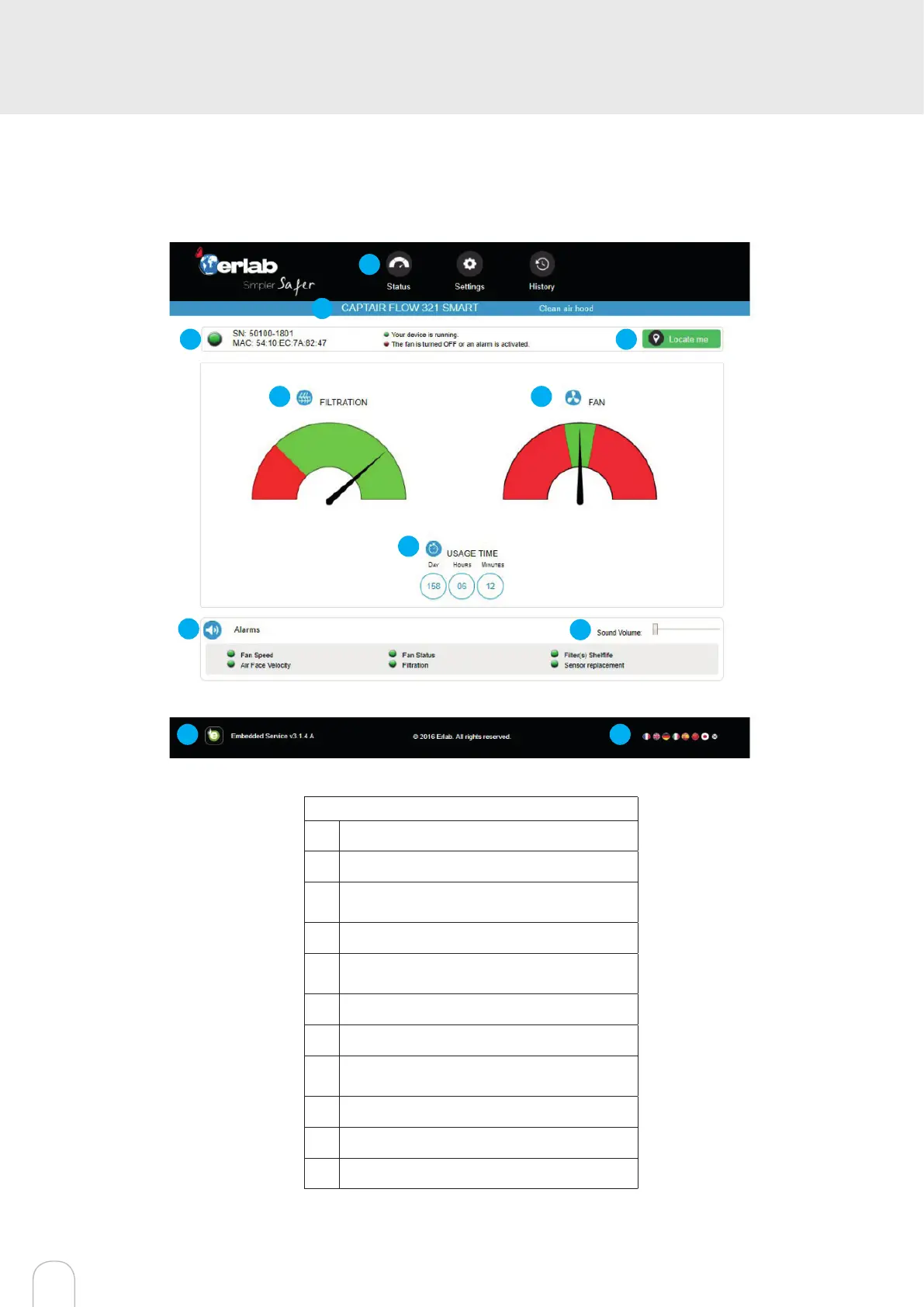
Administrator interface description
Enter the unit IP address into the address bar of your browser in order to access the embedded sotware.
Status page details
1 Choose active interface page
2 Device ID: Model
3
Device ID: serial number, MAC address,
device status
4 Unit location
5
Molecode Option Gauge: indicates the sa-
turation level of the main carbon lter(s)
6 Fan Gauge: Indicates the fan status
7 Device use time since fan was last started
8
Device alarm statuses (see alarm triggering
conditions)
9 Volume setting
10 Embedded service version
11 Choose language
1
6
7
2
3
4
5
8
9
10 11


 To Next Page