
 Need help?
Do you have a question about the ERTE B2 and is the answer not in the manual?
Provides essential safety and setup guidelines to follow before operating the weighing indicator.
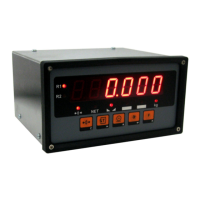
Details the 6-digit, 7-segment LED display with various indicators like Net, Stability, and Unit.
Explains the function of each of the 5 mechanical keys: Zero, Tare, Print, Star, and Function.
Describes the toggle switch on the main PCB that controls access to configuration and adjustment settings.
Details how to tare the weight on the platform, save results, and cancel tare operations.
Explains how to temporarily display measured weight values in 10-fold increased resolution.
Describes how range selection (R1/R2) occurs automatically or manually in multi-range weighing.
Lists error messages, their meanings, and recommended solutions for troubleshooting.
 General
| Brand | ERTE |
|---|---|
| Model | B2 |
| Category | Accessories |
| Language | English |

 To Next Page