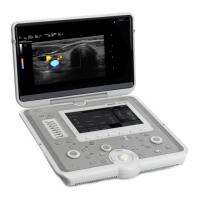
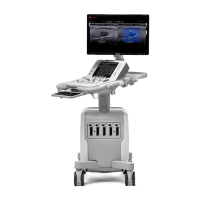
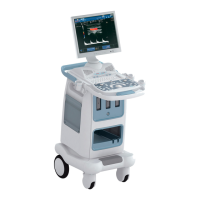
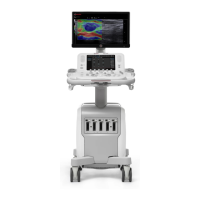
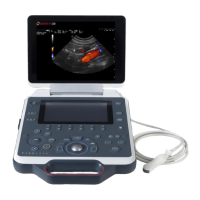
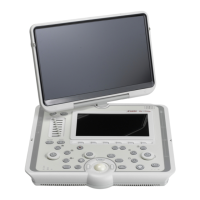
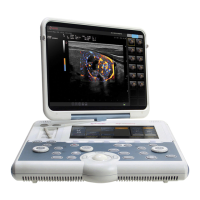
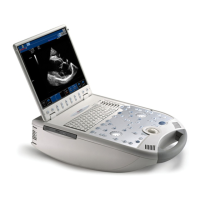
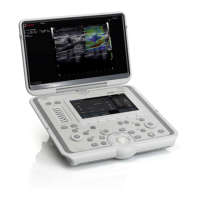
The MyLabSigma elite is a professional, innovative, and versatile real-time high-resolution ultrasound scanner designed for diagnostic general ultrasound studies. It can be used as a portable configuration or with a trolley in a mobile configuration. The device is equipped with a wide range of probes suitable for various clinical applications.
Function Description
The MyLabSigma elite is intended for diagnostic general ultrasound studies, including Fetal, Abdominal, Intraoperative (Abdominal), Laparoscopic, Pediatric, Small organ, Neonatal, Neonatal Cephalic, Transrectal, Transvaginal, Musculoskeletal (Conventional), Musculoskeletal (Superficial), Urological, and Peripheral Vessel examinations. It provides imaging for guidance during biopsy procedures and to assist in the placement of needles and catheters in vascular or other anatomical structures, as well as peripheral nerve blocks in Musculoskeletal applications. The equipment connects to mechanical and electronic ultrasound probes (convex array, linear array, and phased array).
The device is designed for use by qualified and trained sonographers, physicians, cardiologists, maternal-fetal medicine obstetricians/perinatologists, radiologists, internists, system administrators, and customer service engineers. Users must be familiar with ultrasound techniques, sonography training, and clinical procedures. The MyLabSigma elite is not intended for ophthalmic or transorbital use, and the ultrasound beam must not be directed to the eyes.
The MyLabSigma elite operates with a built-in LCD screen, making it suitable for portable use. When used with a trolley, it becomes a mobile configuration. The console integrates the electronics, control panel, probe connectors, input/output connectors for ECG, network, and peripherals, as well as a security lock connector. The LCD screen can be rotated 90° on both sides. The system also supports various advanced features and optional sections, such as 3D/4D imaging, Virtual Navigator, and QElaXto, depending on the specific configuration and licensed options.
Important Technical Specifications
- Display: Main monitor: 15.6” LCD full HD (1920x1080); Touchscreen: 8.9” LCD (1024x600).
- Probe Connectors: 2 electronic probes.
- Connectivity: I/O connectors including LAN RJ45, 4 USB ports (on the left side), Wi-Fi (802.11 ac/a/b/g/n & BT4.1 M.2), HDMI video output (for auxiliary monitors, not for diagnostic purposes), and dedicated connectors.
- Image Files: Supports BMP (uncompressed), PNG (lossless), JPEG (lossy), AVI (Codec Microsoft MPEG-4 V2 and MS-Video 1), and Native formats.
- Software: Operating system: Windows 10; Multi-lingual support.
- Biometry: Basic and advanced calculation (application dependent), annotations, and bodymarks.
- Keyboard: 8 sliders for TGC, encoders for general gains and other functions, keys for modes, peripherals management and controls, reconfigurable touchscreen LCD for alphanumeric QWERTY keyboard and other controls.
- Dimensions: Closed (approximately): 380 (w) x 98 (h) x 380 (d) mm; In working position: 380 (w) x 360 (h) x 400 (d) mm.
- Weight: Approximately 6.4 kg without batteries, 7.5 kg with batteries.
- IP Grade: IP(X)0 (not watertight).
- Power Supply: External 19V, 9.47A, 180W AC/DC power supply. Optional internal batteries provide up to 60 minutes of operating autonomy (with new batteries) and standby suspension for quick startup. Voltage operative range: 100-240 V; Voltage limit range: 90-264 V; Working frequency: 50/60 Hz; Frequency limit range: 47-63 Hz; Current consumption: ≤ 2.2 A.
- Operating Requirements: Temperature: 15-35°C; Humidity: 5-95% (not condensing) without batteries, 20-80% (not condensing) with batteries; Pressure: 700-1060 hPa.
- Storage Requirements: Temperature: -20-+60°C; Humidity (without batteries): 5-90% (not condensing) in the range -20-+40°C, 5-27% (not condensing) at +60°C; Pressure: 700-1060 hPa.
- Wireless Safety: Equipped with built-in wireless capability (intentional RF transmitter). Minimum body-to-antenna distance of 20 cm must be maintained. Frequency bands: 2400-2483.5 MHz (DSSS and OFDM, 20 dBm), 5150-5350 MHz (OFDM, 23 dBm), 5470-5725 MHz (OFDM, 23 dBm). Indoor use only is allowed in the 5150-5350 MHz frequency range in the European Union.
Usage Features
The MyLabSigma elite is designed for ease of use with a comprehensive set of controls. The control panel includes exam control buttons, knobs, and a trackball for selecting imaging modes, reviewing and annotating images, and performing measurements and calculations. The touchscreen provides intuitive controls for probe selection, patient data entry, application selection, and setup changes.
- MyLab Manual Conventions: Specific graphical conventions are used in the manual to indicate control panel buttons (GREY CAPITAL LETTERS), touchscreen keys (BOLD BLUE CAPITAL LETTERS), touchscreen software strings (NORMAL BLUE CAPITAL LETTERS), screen software buttons/options (BOLD BLACK CAPITAL LETTERS), and screen software strings (NORMAL BLACK CAPITAL LETTERS).
- Trackball: Operates in two modes: standard (for cursor positioning) and mouse mode (for moving a pointer, accessing thumbnails, archiving media, and peripheral menus).
- Touchscreen: Features ON/OFF and MENU buttons, a touchscreen display, and TGC Sliders. The touchscreen layout adapts to different working modalities, serving as an exam panel, multipurpose panel for advanced functions, or an alphanumeric keyboard.
- Customization: MyLab can be customized to optimize workflow. Users can create specific presets for exams, change device settings, add options, and create custom procedures for patients, transducers, and presets. The MENU button provides access to all available options, including Clinical Configuration, System Settings, and General Settings.
- Exam Procedure: Starting an exam involves entering patient and application data, selecting a probe, selecting an application, and selecting a preset. Patient data can be entered manually or retrieved from the archive.
- Image Acquisition: The system allows capturing and saving single images or cineloop sequences. Images and clips are saved in patient study and displayed as thumbnails.
- Freeze and Scrolling Memories: The FREEZE button stops and starts real-time image acquisition. In Freeze mode, a memory bar appears, allowing manual cineloop review frame-by-frame using the trackball.
- Quick Displacement: When equipped with batteries, MyLab can be moved between working positions without a full shutdown. Disconnecting the mains cable automatically freezes the system, keeping the LCD off and the control panel/touchscreen on.
Maintenance Features
Regular maintenance is crucial for optimal performance and reliability. Both users and Esaote authorized service personnel perform maintenance procedures.
- User Maintenance:
- Cleaning probes: After each use.
- Checking probes: Every week.
- Cleaning control panel and device: Every week.
- Cleaning touchscreen: Every week.
- Cleaning probe and gel holders: Every week.
- Cleaning LCD case and screen: Every week.
- Checking device housings for any damage: Every month.
- Checking control panel and keyboard for defects: Every month.
- Checking equipment for loose or missing hardware: Every month.
- Checking movements of all parts: Every month.
- Checking LCD and touchscreen status: Every month.
- Checking trackball movement: Every month.
- Cleaning trackball: Every month.
- Checking connectors on cables for any mechanical defects: Every month.
- Trained Personnel Maintenance:
- Checking the device integrity, functionality, and cleaning (including internal components): Every year.
- Electrical Safety Tests: Every two years.
- Cleaning Agents: A list of compatible cleaning agents (Asepti-Wipes II, Cavicide, CidezymeXTRA, Cleanisept-wipes, Mid Soap, Mikrozid AF wipes, Sani-Cloth HB, SaniZide plus, Trionic D) is provided.
- Safety Precautions: Always turn MyLab off and unplug it before cleaning. Avoid spraying liquids directly onto the touchscreen or trackball housing. Do not use ammonia- or benzene-based cleaners on the case or screen. Ensure detergents evaporate completely before turning the equipment on.
- Battery Replacement: The battery pack should be replaced by Esaote personnel every three years.
- Antivirus: Microsoft Windows Defender protects MyLab from external threats. Updates can be performed via USB or web. A full antivirus scan can be performed during shutdown.

 Need help?
 General

 To Next Page