User guide
Connecting external audio sources
17
IMPORTANT WARRANTY INFORMATION: Do not expose the Escape™ P9 to rain or
moisture while using the aux cable. Any damage to the aux input or other internal parts
caused by water infiltration via the keypad lid is never covered by the warranty. In cases where
the internal keypad has been exposed to water, it is important that the aux input is completely
dry before a 3.5mm connector is inserted into it.
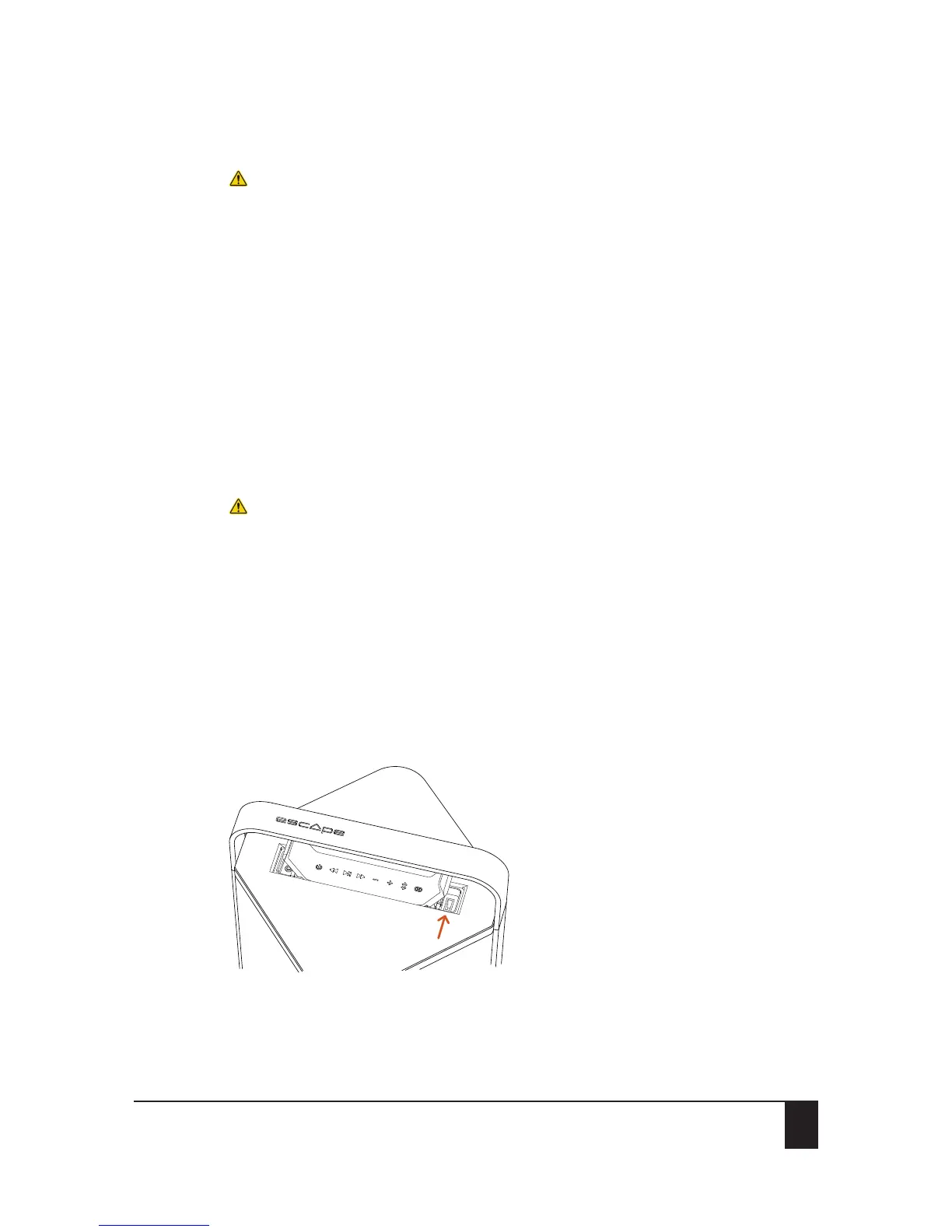
1. Lift up the left side of the keypad.
2. Connect any portable music player to the aux input using the 3.5mm stereo jack cable
provided with the unit.
The volume controls on the external player and the keypad are no longer synchronized and the
track control buttons will not function.
3. For optimum playback quality, set the volume of the external audio player to approximately
80%.
4. Adjust the desired output volume of the Escape™ P9 via the control buttons on the keypad.
7.3 USB flash drive
IMPORTANT WARRANTY INFORMATION: Make sure to use a USB Flash Drive small enough
to be able to close the lid of the keypad again. The total height of the Flash Drive should
not exceed 27mm. USB port damage and/or other circuitry caused by water infiltration via the
keypad lid are never covered by the warranty. In cases where the keypad has been exposed to
water, it is important that the USB port is completely dry before a USB cable or USB Flash Drive
is inserted into the port.
The Escape™ P9 can read audio files in MP3 and WMA formats. Files in DRM (Digital Rights
Management) copyright protection or files downloaded from an online music store cannot
be played.
The USB input will not work as a playback input for Apple® devices.
The input is in compliance with USB 2.0 (Full Speed).
The USB flash drive input is not a charging port.
1. Lift up the right side of the keypad.
2. Plug a USB flash drive into the USB port.
3. Adjust the volume and navigate through tracks with the control buttons of the keypad.


 To Next Page