18
User guide
Additional features
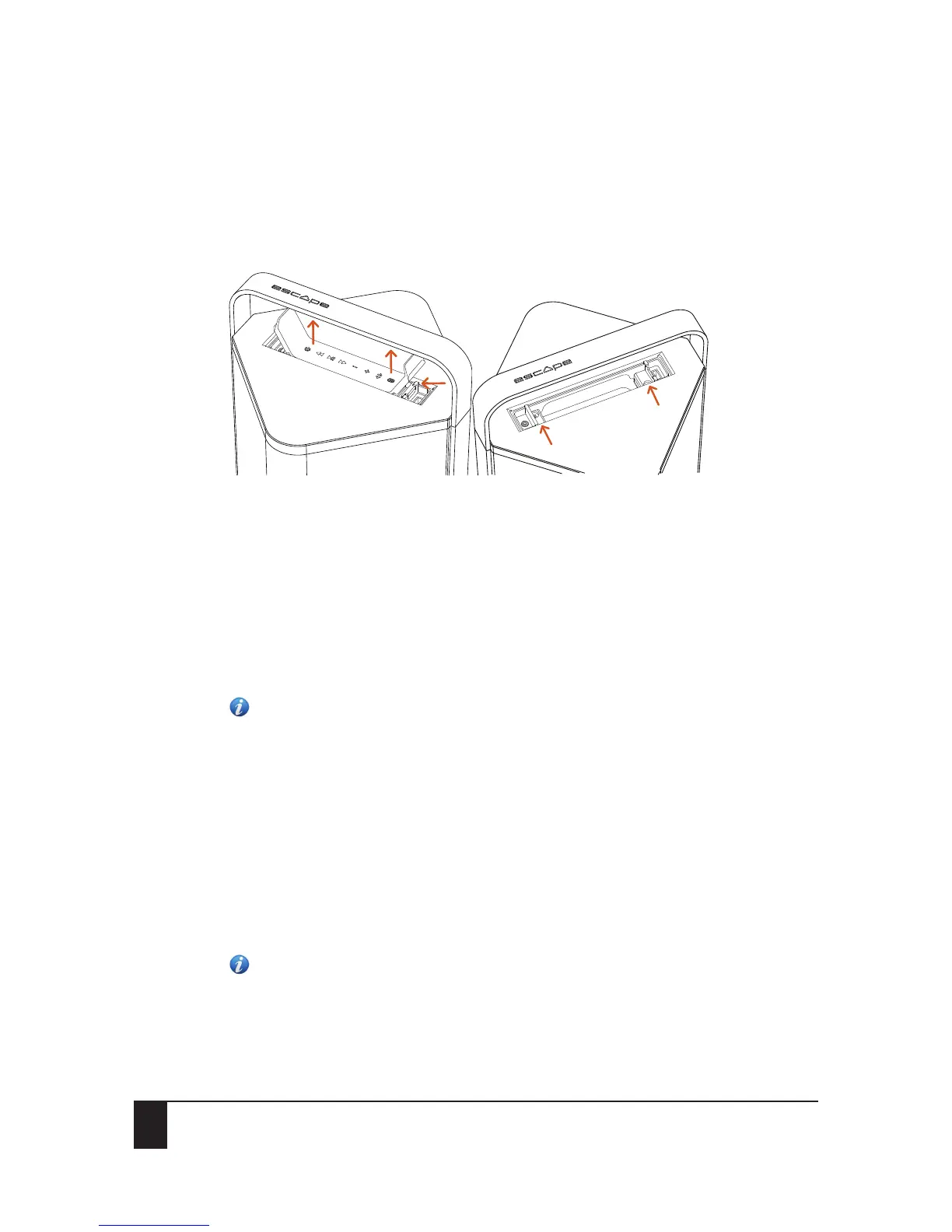
7.4 Aux 2: universal 3.5mm auxiliary input inside the compartment located underneath
the keypad
The Escape™ P9 has a weather-proof compartment underneath the keypad with a 3.5mm auxiliary
input and USB power supply output to accommodate future generation receivers.
1. Open the keypad lid from the USB input and press against the snap-lock mechanism to release
the keypad out of the compartment.
2. Remove the keypad from the top cover completely. Do not disconnect the keypad from the
wire connector.
3. To re-install the keypad, slide it into the locking hook (3) next to the auxiliary input and gently
press the keypad back into the snap-lock (4) mechanism.
8 Additional features
Note: To perform a factory reset, turn on the P9 and press the Play/pause button for 10
seconds until the unit switches off.
8.1 Standby mode
When the unit is connected to a mains outlet and switched on, it will automatically switch off after
20 minutes of inactivity (no audio signal). To turn the unit back on, press the power button on the
keypad and hold it down for one second.
When the unit is not connected to a mains outlet and is using the internal battery, the Escape™ P9
will automatically switch off completely after 20 minutes of inactivity (no audio signal).
Important: At the lowest volume setting, the standby mode might be triggered while playing music
with a small dynamic range.
Note: In a Twin mode configuration (see Bluetooth Twin mode), the Twin device will
automatically switch off after 20 minutes and the master device after 40 minutes.
1
2
2
3
4


 To Next Page