User guide
Bluetooth® pairing
13
2. Select Bluetooth®.
3. Select the Escape™ P9 in the list of paired devices.
4. Select Unpair.
The Bluetooth® button on the keypad will start flashing blue and white. The device is no longer paired
with the Escape™ P9.
6.5 Bluetooth® Twin mode
Bluetooth® audio streaming has been limited to one speaker for many years. Now you can connect
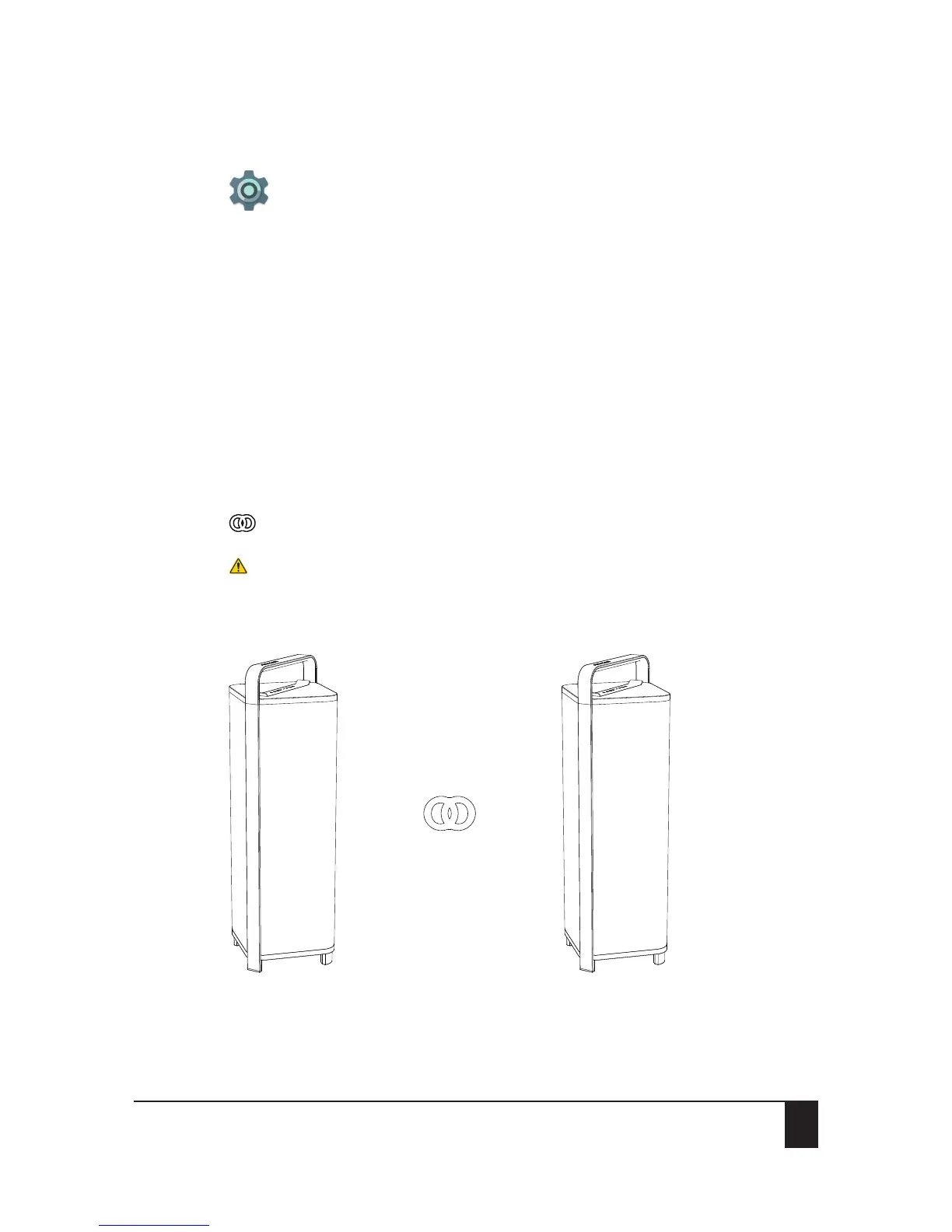
two Escape™ P9 speakers via Bluetooth® thanks to Twin mode.
Setting up Bluetooth® Twin mode
Make sure that both units are in close range during setup. The maximum range (5 to 10
meters) between the two speakers may vary depending on environmental factors and the
presence or absence of shields and obstacles. During setup, make sure that the Bluetooth®
symbol on the Escape™ P9 keypad is not green. No external audio input should be activated
(Aux 1, Aux 2 or USB Flash Drive) on any of the two devices.
1. Turn on unit A and connect your music device via Bluetooth®.
The Bluetooth® LED on the keypad of unit A needs to be solid blue.
Important: Do not stream music during Twin setup.
Unit A Unit B


 To Next Page