To e
ON/OFF button.
xit the test mode press the
STEP 2
STEP 3
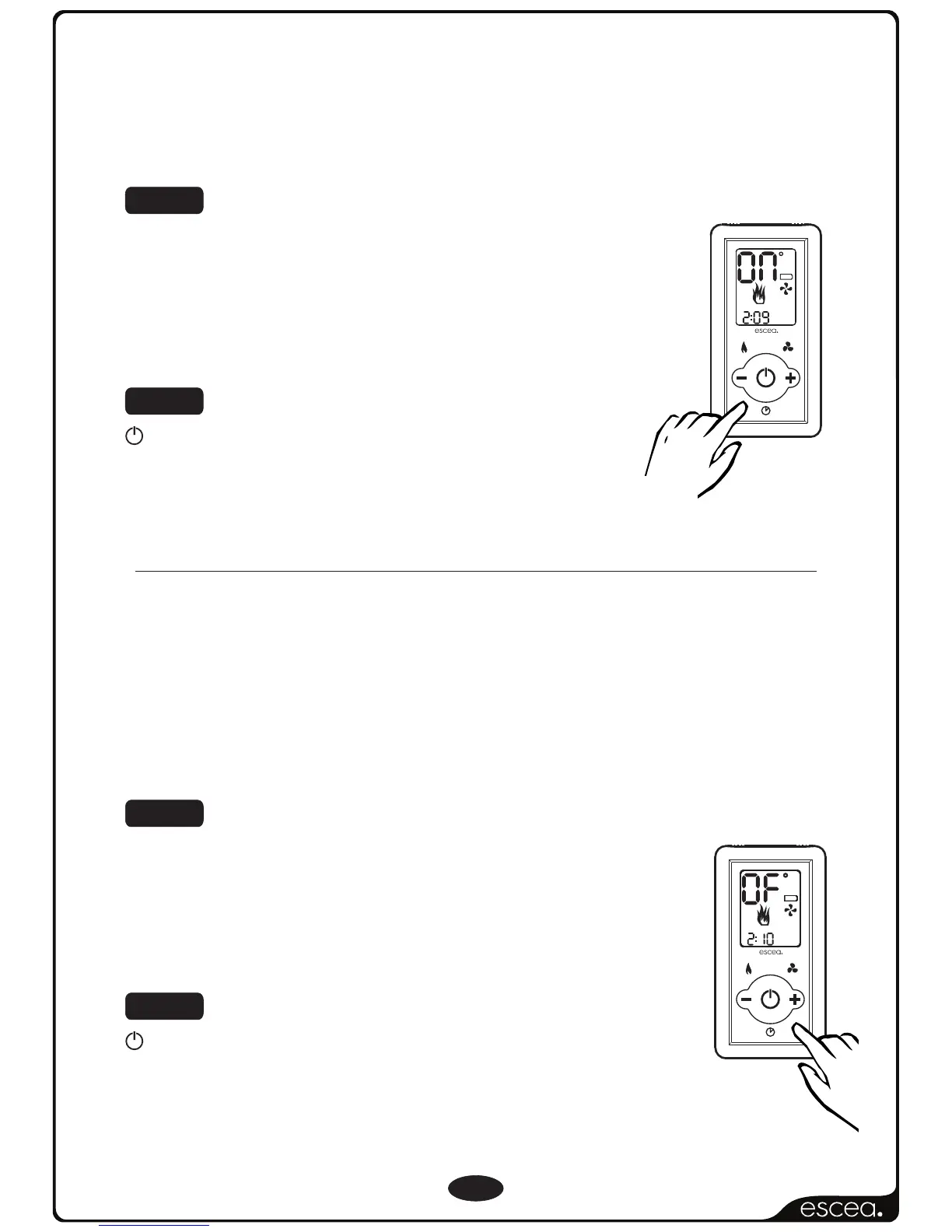
To turn ON the “Over Temp Shut Off Mode”.
Press the “TIMER SELECT” Button and you will see
that the temperature digits stop counting and
will momentarily display “ON” to confirm the
setting has been made.
To turn OFF the “Over Temp Shut Off Mode”, so
the burners remain lit when the “Room” temp
reaches and goes above the “Set” temp,
repeat step 1.
Press the “ACTIVATE TIMER” Button and you will
see that the temperature digits stop counting
and will momentarily display “OF” to confirm
the setting has been made.
To e
ON/OFF button.
xit the test mode press the
STEP 3
STEP 2
Over Temp Operation Continued...
10
F
A
N
B
O
O
S
T
L
Y
N
O
T
C
E
F
F
E
LOW
C
ROOM
SET
FAN
BOOST
TIMER SET
SET CLOCK
AM
ON
1
2
OFF
PM
T
I
M
E
R
S
E
L
E
C
T
R
E
M
I
T
E
T
A
I
V
T
C
A
SET TIME
FLAME
EFFECT
ONLY
F
A
N
B
O
O
S
T
L
Y
N
O
T
C
E
F
F
E
LOW
C
ROOM
SET
FAN
BOOST
TIMER SET
SET CLOCK
AM
ON
1
2
OFF
PM
T
I
M
E
R
S
E
L
E
C
T
R
E
M
I
T
E
T
A
I
V
T
C
A
SET TIME
FLAME
EFFECT
ONLY



 To Next Page