Over Temp Shutoff Operation
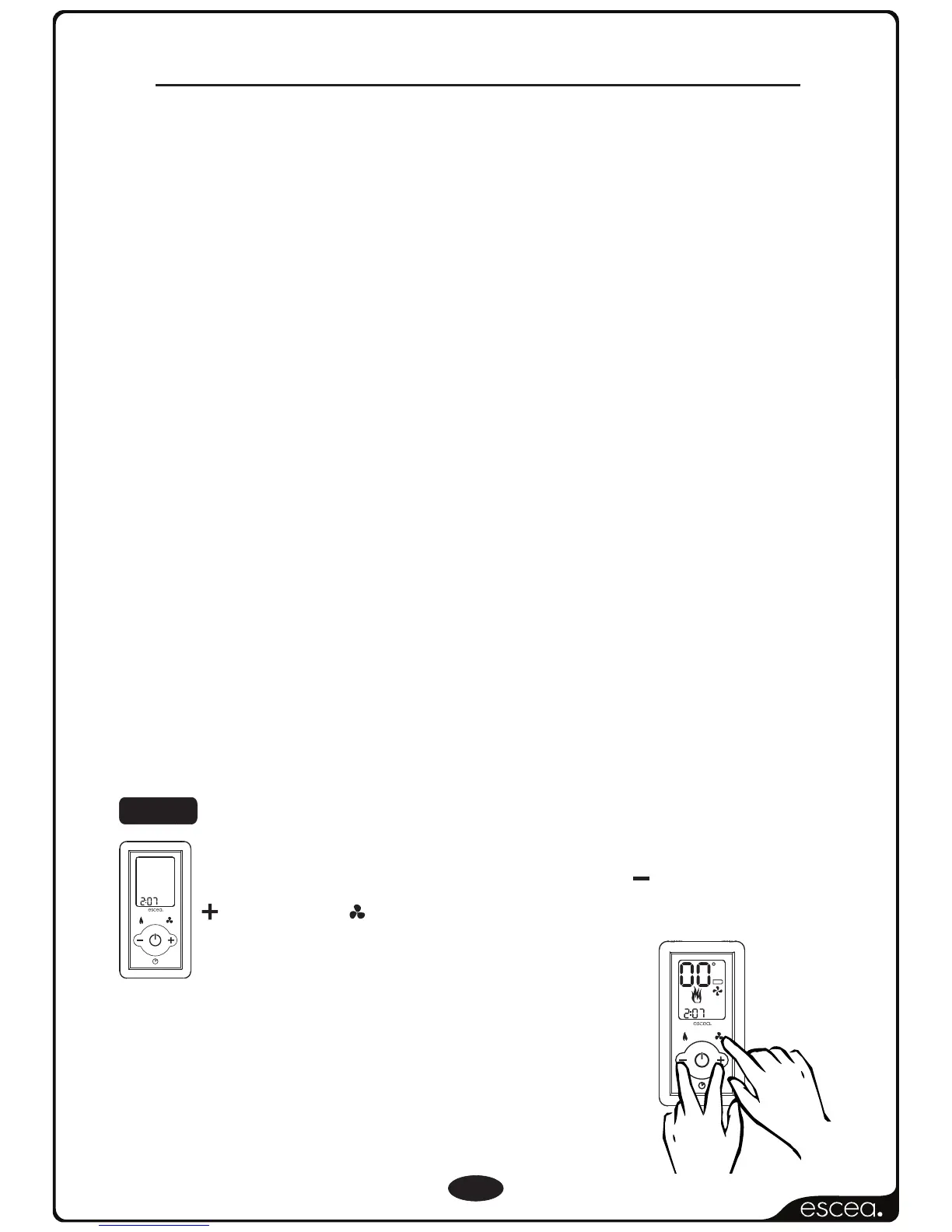
While the remote is in its “OFF” mode with
only the time showing on the display (as shown
in the picture to the left), press the MINUS,
PLUS and FAN BOOST buttons simultaneously
(as shown below right) until all the
characters on the display light up.
This will put the remote into test mode and
the two big temperature digits should
begin counting from 0 to 99 repeatedly.
To enable “Overtemp Shut Off Mode”, so the fire will turn
off all burners when the “Room” temperature climbs above
the “Set” temperature, you need to follow the steps below to
make the adjustment to your Escea remote.
Your Escea gas fire has a setting where it will turn off all the
burners once the “Room” temperature exceeds the “Set”
temperature and will re-light the burners when the “Room”
temperature falls back below the “Set” temperature. This is
referred to as the “Overtemp Shut Off Mode”.
By default Escea gas fires continue running at their lowest
setting when the “Room” temperature has reached the
“Set” temperature. However, in some cases the output of
the fire, at its lowest setting, may exceed that which is
needed to keep the room at a steady temperature and
the “Room” temperature may continue climbing above
the “Set” temperature.
STEP 1
9
(Optional)
F
A
N
B
O
O
S
T
L
Y
N
O
T
C
E
F
F
E
LOW
C
ROOM
SET
FAN
BOOST
TIMER SET
SET CLOCK
AM
ON
1
2
OFF
PM
T
I
M
E
R
S
E
L
E
C
T
R
E
M
I
T
E
T
A
I
V
T
C
A
SET TIME
FLAME
EFFECT
ONLY
F
A
N
B
O
O
S
T
L
Y
N
O
T
C
E
F
F
E
PM
T
I
M
E
R
S
E
L
E
C
T
R
E
I
M
T
E
T
A
I
V
T
C
A
SET TIME



 To Next Page