Timer Operation
6
F
A
N
B
O
O
S
T
Y
L
N
O
T
C
E
F
F
E
TIMER SET
AM
ON
1
SET TIME
T
I
M
E
R
S
E
L
E
C
T
R
E
M
I
T
E
T
A
V
I
T
C
A
F
A
N
B
O
O
S
T
Y
L
N
O
T
C
E
F
F
E
TIMER SET
AM
ON
1
SET TIME
T
I
M
E
R
S
E
L
E
C
T
R
E
M
I
T
E
T
A
V
I
T
C
A
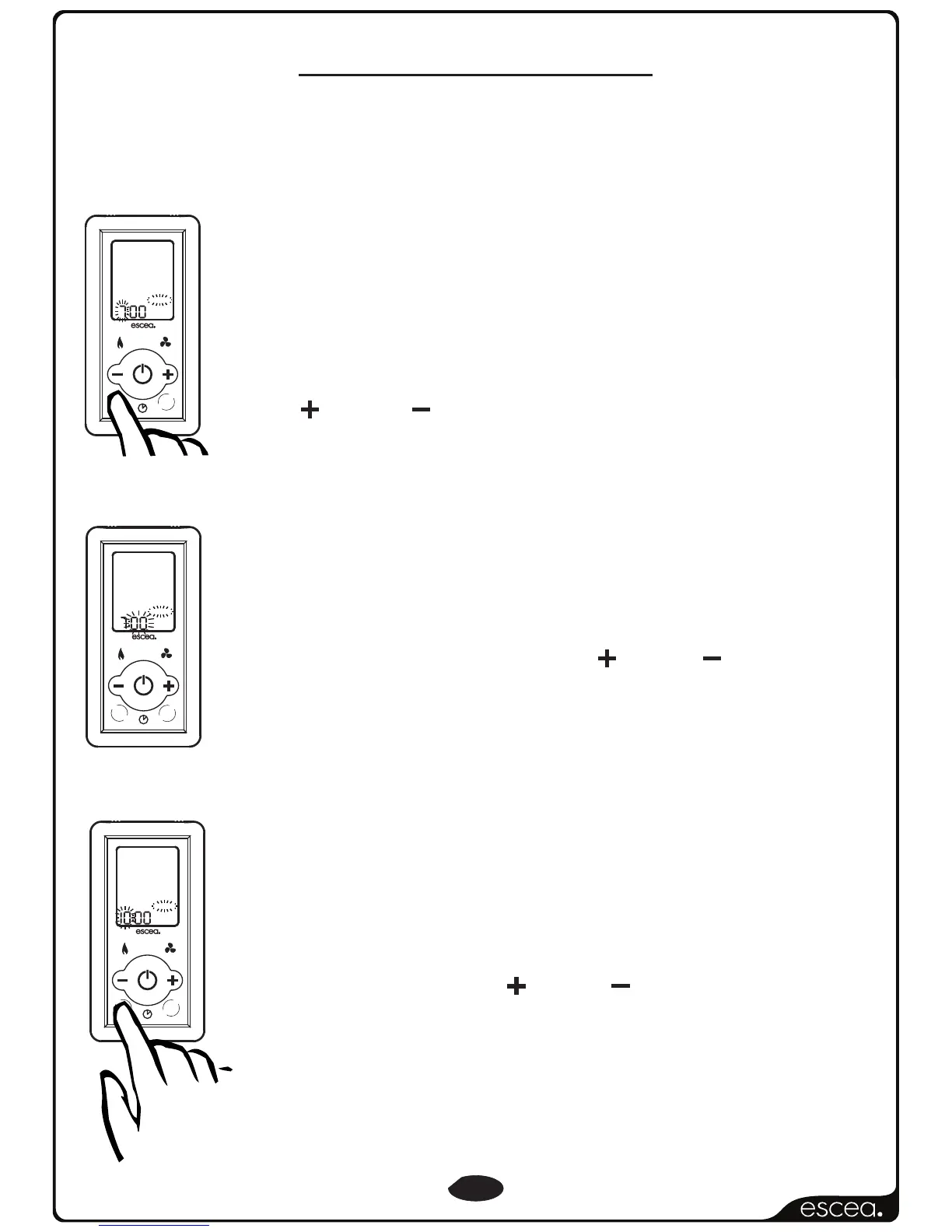
Pressing the TIMER SELECT button again will make the
minute figures start flashing. You will continue to see
the “ON” and the number “1”. This indicates that you
are currently editing the minute that the fire will turn
“ON” for timer “1”. Pressing the PLUS or MINUS
button will change the minute.
After pressing the TIMER SELECT button the TIMER SET
indicator and the hour figure on the clock will start
flashing. On the bottom right of the display you will
also see the word “ON” and the number “1”. This
indicates that you are currently editing the hour that
the fire will turn “ON” for timer “1”. Pressing
the PLUS or MINUS buttonwill change the hour.
F
A
N
B
O
O
S
T
Y
L
N
O
T
C
E
F
F
E
TIMER SET
AM
1
SET TIME
T
I
M
E
R
S
E
L
E
C
T
R
E
M
I
T
E
T
A
I
V
T
C
A
OFF
Timers are a great way of starting the fire when you are not around to
turn it on. The timers can be set so you can wake up or come home to
a warm environment.
Pressing the TIMER SELECT button again will make
the hour figure start flashing once again. Though
now you will see the “OFF” indicator as well as the
number “1”. This indicates that you are currently
editing the hour that the fire will now turn “OFF” for
timer “1”. Pressing the PLUS or MINUS button will
change the hour.
Timer Operation Continued Next Page...



 To Next Page