F
A
N
B
O
O
S
T
Y
L
N
O
T
C
E
F
F
E
TIMER SET
AM
1
SET TIME
T
I
M
E
R
S
E
L
E
C
T
R
E
M
I
T
E
T
A
I
V
T
C
A
OFF
5
Timer Operation Continued...
7
TIMER SET
1
2
PM
F
A
N
B
O
O
S
T
Y
L
N
O
T
C
E
F
F
E
TIMER SET
1
2
PM
T
I
M
E
R
S
E
L
E
C
T
R
E
M
I
T
E
T
A
V
I
T
C
A
SET TIME
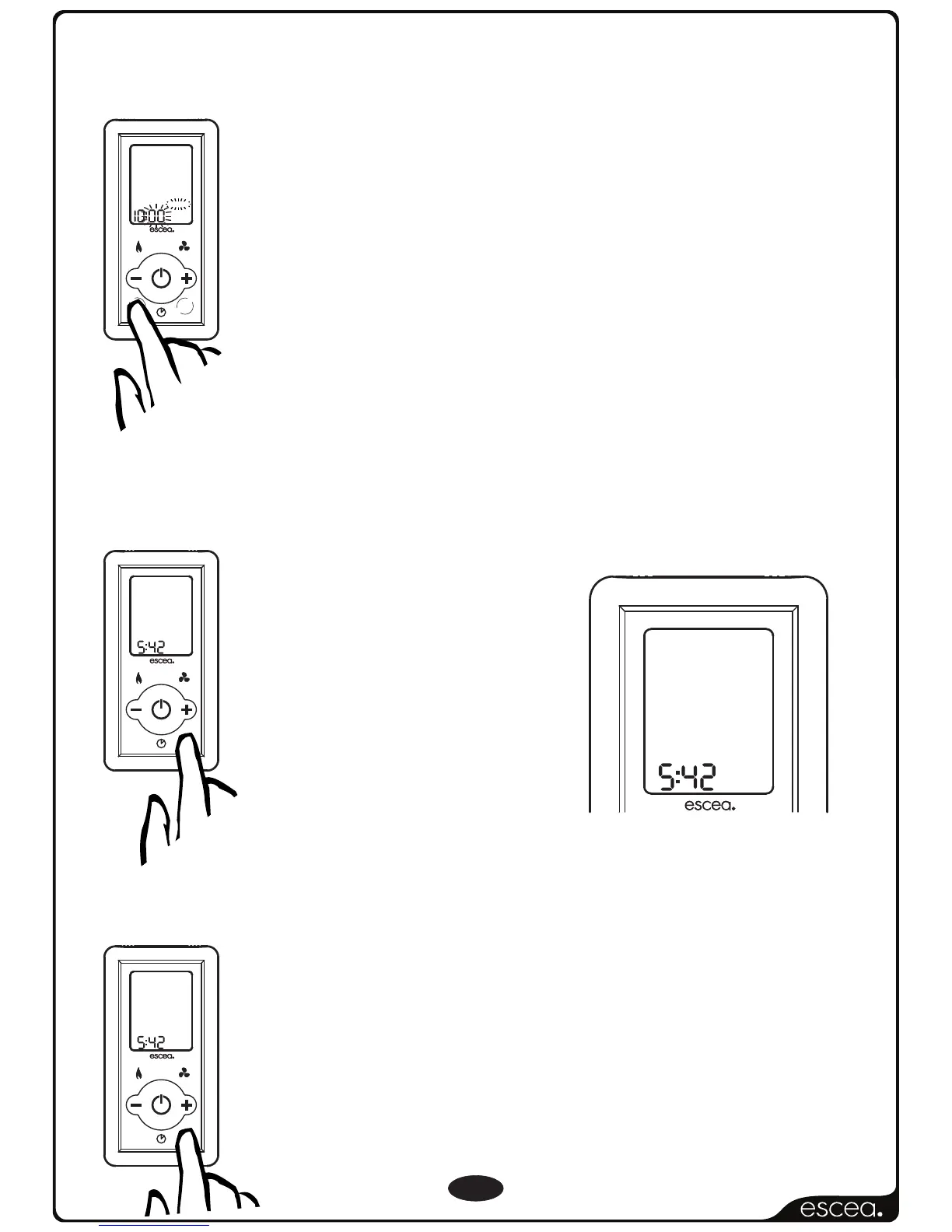
Activate Timer
To de-activate the timer, press “Activate Timer” until
“TIMER SET” no longer shows on the screen (will require
between 1 to 3 pushes)
NOTE: If you do not wish to set timer ‘2’, using the
plus or minus keys, navigate to ‘0:FF’ which you will
find between ‘11:00’ and ‘0:00’. Press ‘Timer Select’
again to exit.
Again pressing the TIMER SELECT button will start the
minutes flashing for you to finish editing the “OFF”
time for timer 1.
Pressing the TIMER SELECT button will begin the
cycle all over again for timer “2”.
De-activate Timer
This option allows you to
activate your selected
times. Pressing once will
activate ‘Timer 1’. Press
twice will activate ‘Timer 2’
and by pressing again
you will activate them both.
F
A
N
B
O
O
S
T
Y
L
N
O
T
C
E
F
F
E
TIMER SET
1
2
PM
T
I
M
E
R
S
E
L
E
C
T
R
E
M
I
T
E
T
A
V
I
T
C
A
SET TIME



 To Next Page