5
F
A
N
B
O
O
S
T
L
Y
N
O
T
C
E
F
F
E
LOW
C
ROOM
SET
FAN
BOOST
TIMER SET
SET CLOCK
AM
ON
1
2
OFF
PM
T
I
M
E
R
S
E
L
E
C
T
R
E
M
I
T
E
T
A
I
V
T
C
A
SET TIME
FLAME
EFFECT
ONLY
F
A
N
B
O
O
S
T
L
Y
N
O
T
C
E
F
F
E
LOW
C
ROOM
SET
FAN
BOOST
TIMER SET
SET CLOCK
AM
ON
1
2
OFF
PM
T
I
M
E
R
S
E
L
E
C
T
R
E
M
I
T
E
T
A
I
V
T
C
A
SET TIME
FLAME
EFFECT
ONLY
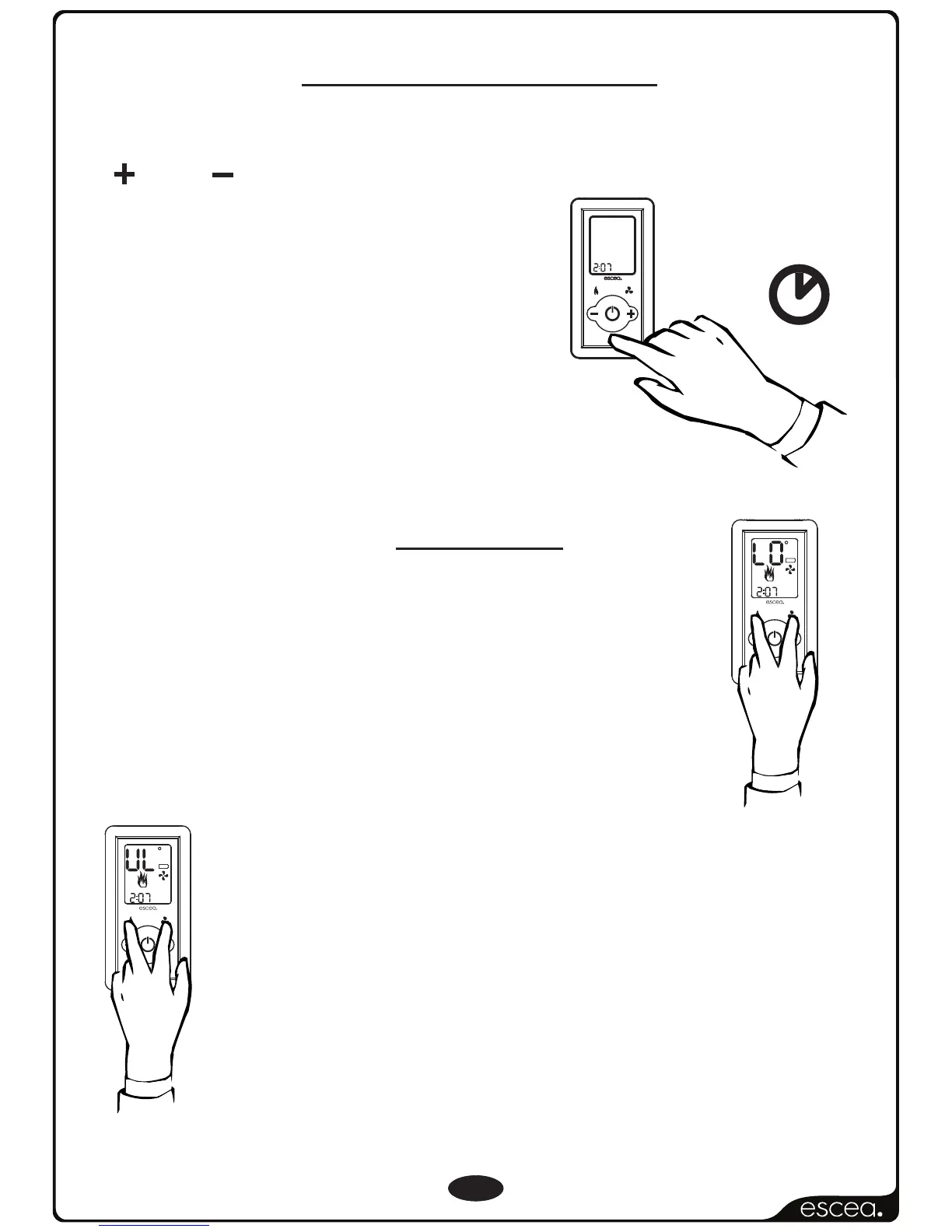
Keylock
(Optional)
Should you wish to keep the fire from being tampered
with by children or to discourage people from altering
the temperature you can engage a keylock function
which stops the remote buttons from changing any
settings. To engage the keylock simply press the
“Flame Effect” and “Fan Boost” buttons simultaneously
until the main temperature digits display “LO”.
To disengage the keylock again press and hold the
“Flame Effect” and “Fan Boost” buttons simultaneously
until the main temperature digits display “UL” and
normal access to the remote functions will be
available.
NOTE: The “power” button will still be able to turn the fire
off. But once turned off no functions will be available
until the keylock has been removed.
F
A
N
B
O
O
S
T
L
Y
N
O
T
C
E
F
F
E
T
I
M
E
R
S
E
L
E
C
T
R
E
M
I
T
E
T
A
I
V
T
A
C
SET TIME
Press and hold the “SET TIME” button for more than two seconds and
this will allow you to set the hour including “AM” or “PM” using the
PLUS or MINUS buttons.
Pressing the “TIME SET” button again will
allow you to set the minutes.
Press the button one more time to exit
the “SET TIME” mode.
Setting The Time



 To Next Page