4
1 2
ON
AM
PM
OFF
1 2
ON
AM
PM
OFF
Advanced Operation
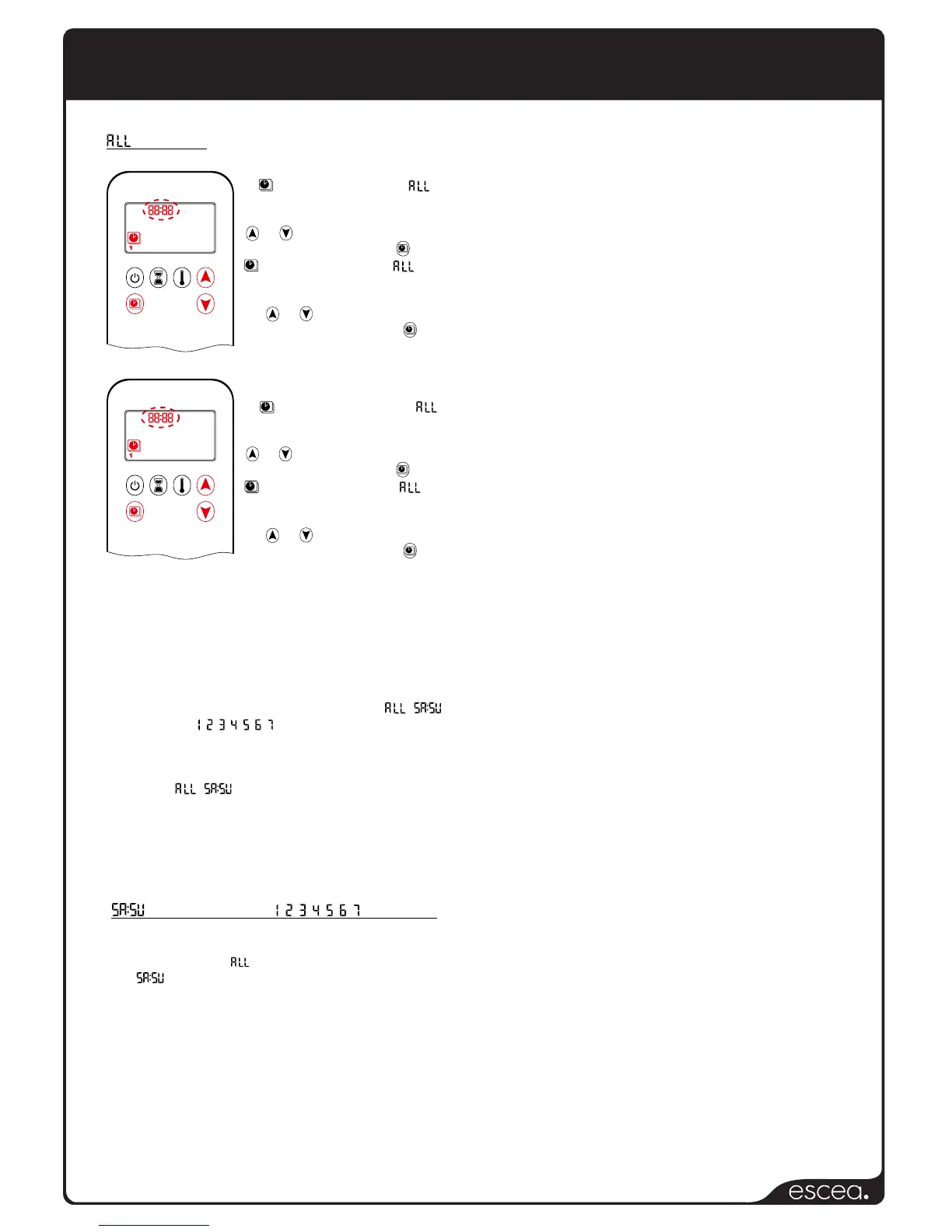
Setting the ON time (Program 1)
7. , 1, ON is displayed, is
displayed briefly and hours flash.
8. Change the hour by pressing the
or button.
9. To confirm, press the button.
, 1, ON is displayed, is
displayed briefly and minutes flash.
10. Change the hour by pressing
the or button.
11. To confirm, press the button.
Setting the OFF time (Program 1)
7. , 1, OFF is displayed, is
displayed briefly and hours flash.
8. Change the hour by pressing the
or button.
9. To confirm, press the button.
, 1, OFF is displayed, is
displayed briefly and minutes flash.
10. Change the hour by pressing
the or button.
11. To confirm, press the button.
NOTE: Either continue to Program 2 and set the ON
and OFF times, or stop programming at this point and
Program 2 remains deactivated.
NOTE: Program 1 and 2 use the same ON
(Thermostatic) and OFF temperatures for , and
Daily timers ( , , , , , , ). Once a new ON
(Thermostatic) and/or OFF temperature has been set,
that temperature becomes the new default setting.
NOTE: If , or Daily timers are programmed for
Program 1 and/or Program 2 ON and OFF times, these
become the new default times. The batteries must be
removed to clear the Program 1 and 2 ON and OFF
times and temperatures.
or Daily timers ( , , , , , , ) selected
Ÿ Set the ON time and OFF time using the same
procedure as ‘ Selected’ (above)
Ÿ sets the ON and OFF time for both Saturday
and Sunday.
Ÿ Daily Timer: Unique ON and OFF times can be set
for a single day of the week, multiple days of the
week or for every day of the week.
Ÿ Wait to finish setting.
Selected


 To Next Page